Quick Answer
To set up your Old School RuneScape Premium Bundle, first confirm you have the compatible Old School RuneScape case, then unbox the add-on components, install them according to the case layout, and finally test all connections before powering on.
Before You Begin: Compatibility and Prep
The Old School RuneScape Premium Bundle is an add-on designed specifically for the Old School RuneScape case. It is not a standalone product, so you must already own or purchase the case separately. Before starting, verify that your case model matches the bundle's intended design—this ensures all components align correctly.
Gather the necessary tools: typically a Phillips-head screwdriver, anti-static wrist strap, and a clean, well-lit workspace. Avoid working on carpeted surfaces to reduce static electricity risk. Also, review the case's manual to identify mounting points for the add-on components.
If you are upgrading an existing build, back up any important data and power down the system completely. Unplug all cables and press the power button to discharge residual power before opening the case.
Trade-Off: Add-On vs. Full Case
The Premium Bundle add-on enhances the visual and functional appeal of your case, but it does not replace the need for the base case. This means you should budget for both items if you are starting from scratch. The add-on is ideal for enthusiasts who already own the case and want to personalize it further.
If you are on a tight budget, consider whether the add-on's features justify the extra cost over the standard case. The bundle is priced at USD 62.99 (compare at USD 99.99), offering a discount compared to buying components separately, but only if you already have the case.
Step-by-Step Setup Process
- Unbox and Inventory: Carefully open the bundle package and lay out all components. Cross-reference the included parts list with the manual to ensure nothing is missing. Common mistake: discarding packaging before checking for small screws or brackets that might be hidden in foam inserts. Take photos of the contents for reference before assembly.
- Prepare the Case: Power down and unplug your PC. Open the side panel of your Old School RuneScape case and locate the designated mounting areas for the add-on components. Clean the surfaces to ensure a secure fit. Common mistake: forgetting to discharge static electricity, which can damage sensitive parts. Use an anti-static wrist strap or touch a grounded metal object before handling components.
- Install the Add-On Components: Follow the manual to attach the add-on parts, such as additional panels, lighting, or brackets, using the provided screws. Ensure each piece is aligned with pre-drilled holes and tightened evenly. Common mistake: over-tightening screws, which can strip threads or crack acrylic panels. Hand-tighten screws first, then use a screwdriver for a final quarter turn.
- Connect Cables and Test: If the add-on includes RGB lighting or fans, connect the cables to the motherboard or controller according to the manual. Route cables neatly to avoid pinching. Before closing the case, reconnect power and test all components. Common mistake: plugging cables into the wrong headers, causing malfunction or no lighting. Refer to your motherboard manual for correct RGB and fan header locations.
- Final Assembly and Cable Management: Close the side panel securely and tidy any external cables. Power on your system and verify that all add-on features work correctly. Common mistake: leaving cables loose that can obstruct fans or airflow, leading to overheating. Use zip ties or velcro straps to secure cables and maintain good airflow.
Product Facts
-
Old School RuneScape Premium Bundle Add-on: The Old School RuneScape Premium Bundle Add-on is designed to accompany the Old School RuneScape case and requires the case to be purchased separately. This ensures you have the correct foundation before unboxing, preventing compatibility issues during installation.
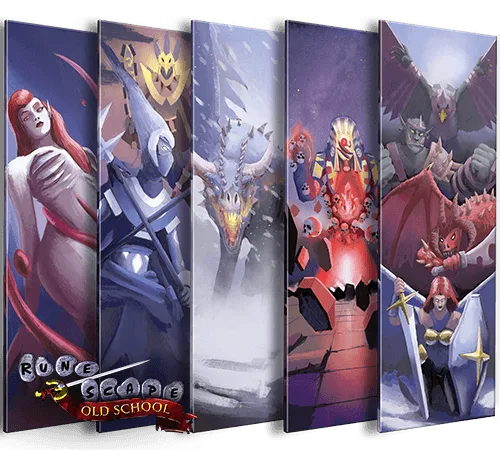
Old School RuneScape Premium Bundle Add-on