Quick Answer
The Shock 'N' Rock adds high-fidelity tactile feedback and a professional-grade grip to your Switch Lite. Setup takes about two minutes: slide the console in, adjust the grip, and enable rumble in system settings.
Why Add a Grip and Rumble to Switch Lite?
The Switch Lite is compact and portable, but it lacks the HD Rumble and ergonomic grip of the full-size Switch. The Shock 'N' Rock solves both missing features in one accessory: it adds audio-sync vibration that reacts to your game's audio and a professional-grade grip that makes long sessions more comfortable.
Because the accessory uses audio-based vibration, it works with virtually any game that outputs sound—no special game support needed. That's a key difference from built-in HD Rumble, which requires developers to implement it.
What to Check Before You Buy
The Shock 'N' Rock is designed specifically for the Nintendo Switch Lite. It won't fit the standard Switch or Switch OLED, so make sure you have the Lite model. The accessory adds some bulk, which is the tradeoff for the grip and rumble—if you prefer a bare, pocket-friendly setup, this may not be for you.
Shock 'N' Rock Setup Steps
- Slide the console into the grip: Align the Switch Lite with the Shock 'N' Rock's cradle and slide it in until it clicks. Make sure the console is fully seated and the grip's edges don't cover the screen or buttons. Check that the console is secure before you start playing; a loose fit can reduce vibration transfer.
- Adjust the grip for your hands: Hold the accessory naturally and adjust your hand position. The professional-grade grip is designed to reduce hand fatigue, so find the angle that feels most comfortable for long sessions. If your hands feel cramped or strained, reposition the grip slightly—it should support, not force, your grip.
- Enable rumble in system settings: Go to System Settings > Controllers and Sensors and make sure 'Controller Vibration' is turned on. The Shock 'N' Rock uses audio-sync vibration, so also check that your game's sound is not muted—the rumble reacts to audio cues. If you don't feel vibration, check that the game is outputting sound and that vibration is enabled; a silent game means no rumble.
Product Facts
-
Shock 'N' Rock for Nintendo Switch™ Lite: The Shock 'N' Rock adds high-fidelity tactile feedback and a professional-grade grip to the Switch Lite. You get both rumble and ergonomic comfort without needing a separate controller or grip accessory.
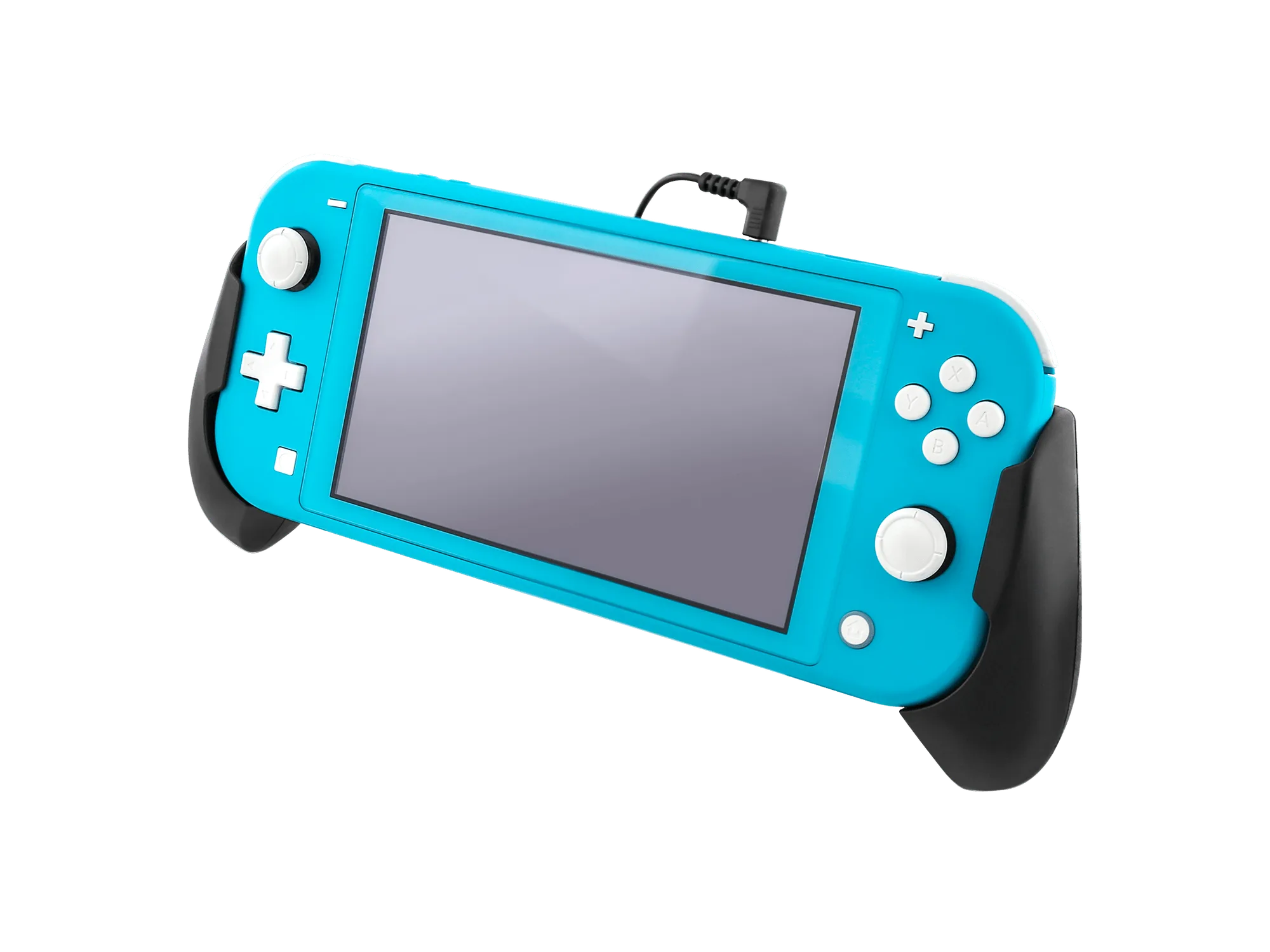
Shock 'N' Rock for Nintendo Switch™ Lite