Quick Answer
Place the Rode Cover II over your RODECASTER Pro II, aligning the cutouts with the control knobs and faders. Press down gently until it snaps into place—no tools required.
Why Use a Cover for Your RODECASTER Pro II?
The RODECASTER Pro II is a central piece of your podcast or recording setup. Dust, accidental coffee spills, or a bump during transport can damage faders and ports. A fitted cover like the Rode Cover II adds a layer of protection without blocking access to controls.
The polycarbonate material is tough enough to handle daily use yet transparent, so you can still read labels on the mixer surface. It's especially useful if you move your gear between home and studio, or if you leave it set up in a shared space.
What the Rode Cover II Does and Doesn't Do
This cover shields the top surface from dust, debris, and minor spills. It fits snugly over the main control area, leaving the back panel ports and the bottom vents accessible. It does not provide waterproofing or shockproof protection—if you knock over a full drink, liquid can still seep around the edges. For heavy-duty transport, consider a padded case instead.
Step-by-Step Installation
- Prepare Your Work Area: Place your RODECASTER Pro II on a clean, flat surface. Unplug any cables from the top panel if they block access. Ensure the unit is powered off to avoid accidental button presses. Common mistake: Trying to fit the cover while cables are still plugged into the top jacks can misalign the cover and stress the connectors.
- Orient the Cover: Hold the Rode Cover II so the curved side faces the front of the mixer (where the faders and mute buttons are). The cutouts for knobs and switches should line up with the control positions on your unit. Check the orientation before pressing down—flipping it around will block access to the faders.
- Align the Cutouts: Lower the cover straight down onto the mixer. Match the large opening over the channel faders and the smaller holes over the rotary encoders. Shift it slightly until all controls are visible through their respective openings. If a knob or switch feels stuck, lift the cover and realign rather than forcing it—the polycarbonate can scratch if you push too hard against a misaligned edge.
- Snap the Cover Into Place: Press down evenly on all four corners of the cover. You should hear or feel a soft click as the edges seat around the mixer chassis. Run your finger along the perimeter to confirm it's fully seated. An unseated corner leaves a gap where dust can enter. Double-check each corner before moving the unit.
- Test Access to Controls: Move each fader and turn a few knobs to ensure they operate smoothly through the cover. Adjust the cover slightly if any control feels restricted. If a fader rubs against the cover, the cutout may be slightly off-center. Lift the cover and reposition it carefully.
Product Details
-
Rode Cover II Polycarbonate Cover for RODECASTER Pro II: Made from tough polycarbonate, this cover fits snugly over your RODECaster Pro II, guarding it against dust, debris, and spills. The polycarbonate material is durable enough for regular use and transparent, so you can see your mixer settings without removing the cover.
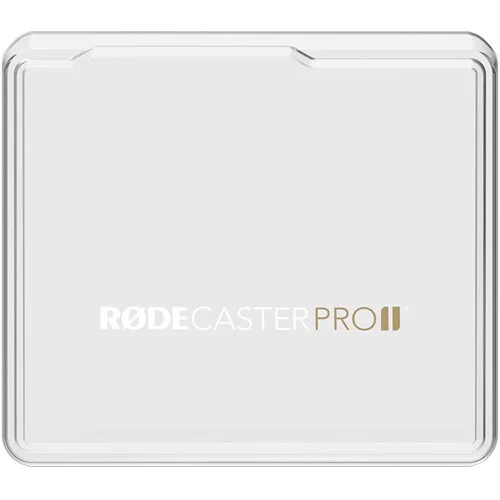
Rode Cover II Polycarbonate Cover for RODECASTER Pro II