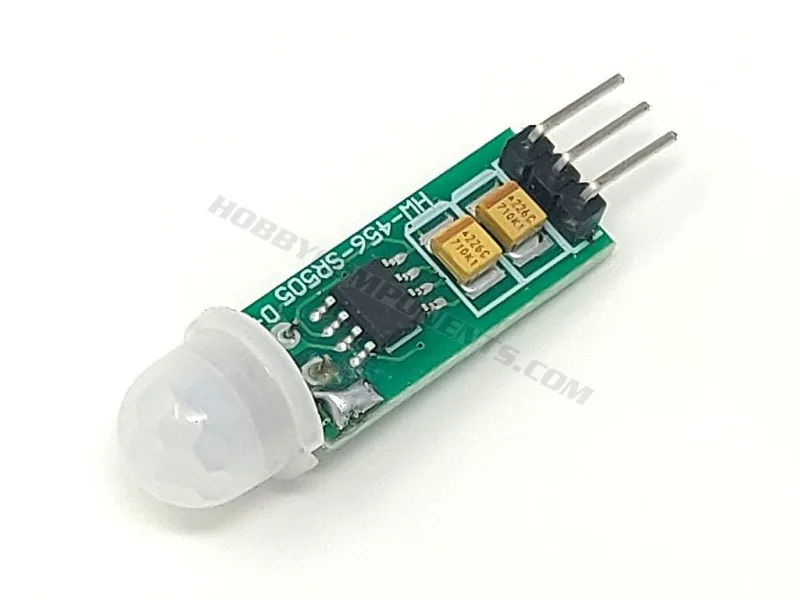
Quick Answer
To test an SR505 PIR sensor module, connect 5V power and ground, then measure the output pin with a multimeter. When motion is detected, the output goes high (3.3V) for about 8 seconds. No motion means the pin stays at 0V.
What You Need for the Test
Before starting, gather a few basic items: an SR505 mini PIR module, a 5V power source (USB power bank or Arduino 5V pin works well), a multimeter set to DC voltage, and some jumper wires. The SR505 is a compact pyroelectric sensor module that operates from 5 to 12V and outputs a 3.3V logic signal when triggered. Its small size makes it handy for space-constrained projects, but the trade-off is that the detection range and sensitivity are fixed — there are no adjustment pots like on the larger SR501.
Wiring the SR505 Correctly
The SR505 has three pins: VCC (power), GND (ground), and OUT (signal). Connect VCC to 5V, GND to ground, and leave OUT connected to your multimeter probe. A common mistake is reversing VCC and GND, which can damage the module. Double-check polarity before powering up. If you're using an Arduino, you can also connect OUT to a digital input pin and read the state in code, but for a simple test, the multimeter is more straightforward.
Understanding the Output Behavior
Once powered, the SR505 needs about 30–60 seconds to stabilize. During this time, the output may toggle randomly — this is normal. After stabilization, the output should stay at 0V. When motion is detected within the sensor's field of view, the output pin goes high to approximately 3.3V and stays high for roughly 8 seconds, then returns to 0V. If you see continuous high output or no change at all, check your wiring and power supply first. The module's datasheet doesn't specify exact detection range, but in practice it covers a few meters with a wide 120° cone.
Step-by-Step SR505 Test Procedure
- Connect Power and Ground: Connect VCC to 5V and GND to ground on your power source. Use a breadboard or jumper wires for a clean connection. Checkpoint: Verify polarity before powering on. Reversing VCC and GND can destroy the module.
- Attach Multimeter to OUT Pin: Set your multimeter to DC voltage mode (20V range). Connect the red probe to the OUT pin and black probe to GND. Common mistake: Forgetting to connect the ground reference for the multimeter. Both module and meter must share the same ground.
- Wait for Stabilization: Power on the module and wait 30–60 seconds. During this time the output may flicker — ignore it. After stabilization, the reading should be 0V. If the output never settles to 0V, your power supply may be noisy or the module could be faulty. Try a different 5V source.
- Trigger Motion and Read Output: Wave your hand in front of the sensor. The multimeter should jump to about 3.3V and stay there for roughly 8 seconds, then drop back to 0V. If you see no voltage change, check that nothing is blocking the sensor window and that you're moving within its detection zone (about 3–5 meters, 120° cone).
- Repeat and Confirm Consistency: Walk away, wait for the output to return to 0V, then trigger again. Repeat 3–4 times to confirm reliable detection. Inconsistent triggering may indicate a weak power supply or interference from heat sources like radiators or direct sunlight near the sensor.
Product Used in This Guide
- SR505 Miniature PIR Sensor Module: The SR505 is a miniature PIR module which uses a pyroelectric sensor similar to the one found in the common SR501 but in a more compact form factor. It can be powered from a 5 to 12V supply and when triggered its output pin will go high (3.3V) for approximately 8 seconds before returning back to 0V. This fixed 8-second output pulse simplifies testing — you don't need to adjust timing. The compact size fits tight enclosures, but you lose the sensitivity and time adjustments found on larger PIR modules.