Quick answer
To use a shotgun microphone for video, mount it close to the subject, point it directly at the sound source, and adjust your recording level to avoid distortion.
Why a shotgun mic improves your video audio
Built-in microphones on cameras and phones are often too far from the subject and pick up ambient noise, handling sounds, and internal electronics. A shotgun microphone with a cardioid pickup pattern focuses on sound directly in front of it, rejecting noise from the sides and rear. This gives you cleaner dialogue and fewer distractions in post-production.
How to set up your shotgun microphone
- 1. Mount the microphone securely: Attach the shotgun mic to your camera's hot shoe or a boom pole using a shock mount. A shock mount reduces vibration noise that travels through the camera body. Common mistake: mounting the mic directly without a shock mount can pick up handling and camera motor noise.
- 2. Position the mic close to the subject: Place the microphone as close to the sound source as possible without entering the frame. For a seated interview, position the mic 12–18 inches away, just above or below the camera lens. Checkpoint: if the mic is too far, the cardioid pattern will still pick up room echo and ambient noise.
- 3. Aim the mic directly at the sound source: Point the front of the shotgun mic directly at the person speaking. Even a slight off-axis angle reduces high-frequency clarity and makes dialogue sound muffled. Common mistake: angling the mic toward the speaker's chest instead of their mouth results in dull, distant audio.
- 4. Set the recording level: Use your camera's audio meters to set the recording level so peaks hit around -12 dB to -6 dB. Avoid letting the level hit 0 dB, which causes clipping and permanent distortion. Checkpoint: if you hear distortion during loud parts, lower the input gain. It's better to record a little quiet and boost in post than to have clipped audio.
- 5. Monitor with headphones: Plug headphones into your camera or recorder to listen to the live audio feed. This lets you catch problems like wind noise, cable rustle, or low volume before you finish shooting. Common mistake: relying on the camera's built-in speaker, which masks background noise and distortion.
Product spotlight
-
Kenro Universal Cardioid Microphone: The Kenro Universal Cardioid Microphone works with smartphones, action cameras, and DSLRs, and is designed to address issues like low sensitivity, excessive ambient noise, and picking up device electronics. It gives you a simple, affordable way to upgrade audio quality across multiple devices without needing separate mics for each.
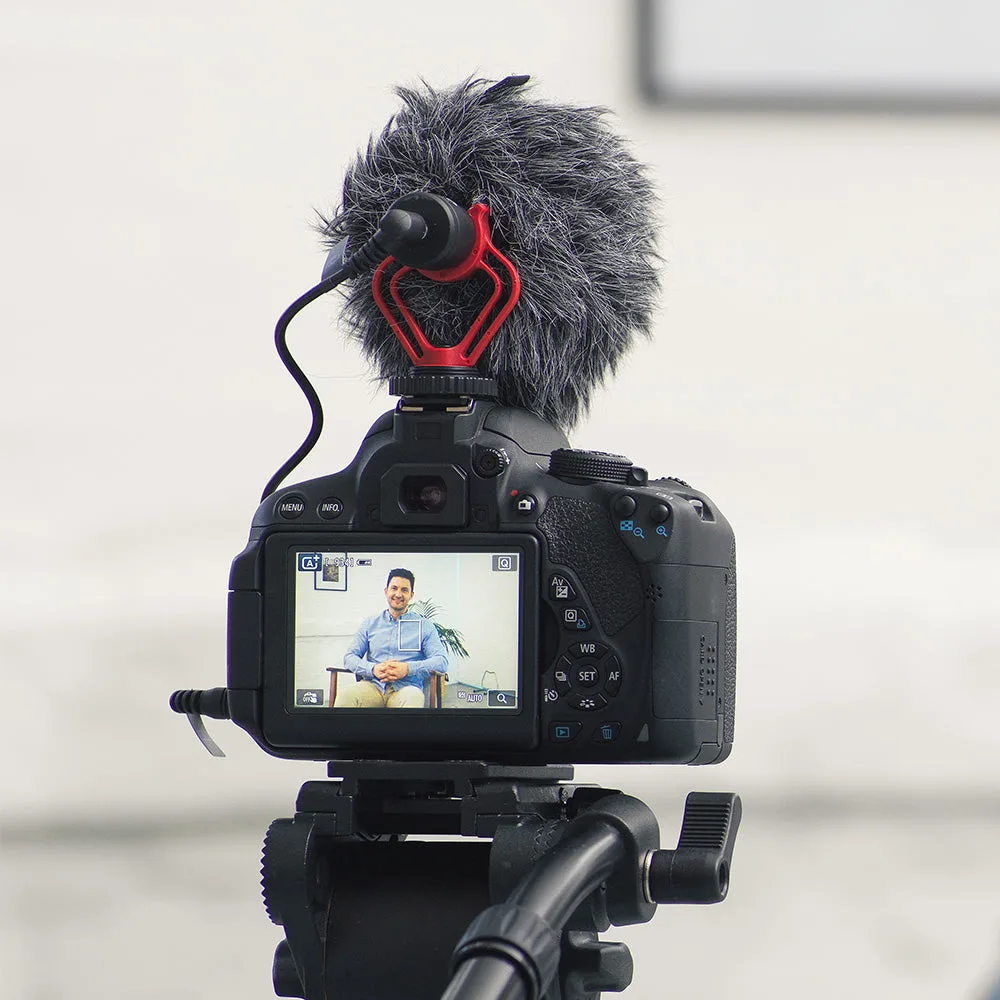
Kenro Universal Cardioid Microphone


