Quick answer
Use a shoulder bag for work and travel by keeping the total load under about 10 percent of your body weight, placing heavy items against your back, and wearing the strap across your chest rather than on one shoulder. Organize with small pouches so you can find your laptop, charger, and passport without unpacking, and switch to a crossbody position on crowded transit for security. If you carry a laptop plus a change of clothes, a 2-in-1 travel bag gives you more flexibility than a single-strap shoulder bag.
A shoulder bag is the easiest way to carry a laptop, a notebook, and a few personal items between meetings and a train or plane. The catch is that a single strap concentrates weight on one side of your body, so how you pack and wear it matters more than the bag itself. This guide walks through a repeatable setup you can use for a commute, a day of meetings, or a weekend trip.
The steps below focus on load balance, organization, and security, because those are the three things that break down first when you carry a shoulder bag for work or travel. You do not need special gear, just a few habits and a bag with sensible compartments.
Choose the right bag shape for your load
Before you pack, decide what the bag has to hold. A slim shoulder bag handles a 13- to 14-inch laptop, a charger, a notebook, and a water bottle. If you also need a change of clothes or gym kit, a shoulder bag will strain your shoulder by mid-afternoon. In that case, look at a 2-in-1 travel bag that converts between backpack and duffle carry, or a small wheeled case for longer trips.
Check the strap attachment points and the padding on the strap itself. Wide, padded straps spread pressure better than thin cords, and a strap that adjusts long enough to sit across your chest gives you a more stable carry than one that only fits over the shoulder.
- Weigh your typical load before you buy: laptop plus charger plus bottle is often 3 to 4 kg.
- A bag with a dedicated laptop sleeve keeps the heaviest item flat against your back.
Pack heavy items against your back
Load the bag so the heaviest items sit closest to your spine and the lightest items sit on the outside. A laptop in the rear sleeve, a charger in the middle, and a jacket or scarf near the front flap keeps the bag from pulling away from your body. This reduces the swing that makes a shoulder bag tiring on a long walk.
Keep the bag shallow rather than deep. A bag that bulges outward puts more leverage on your shoulder, while a bag that stays flat against your side feels lighter even when the total weight is the same.
- Put your water bottle in an external side pocket so a leak does not soak your laptop.
- Leave one-third of the main compartment empty so you can add a purchase or a layer during the day.
Organize with zones you can reach without looking
Divide the bag into three zones: a secure rear zone for a passport, cards, and phone; a middle zone for the laptop and charger; and a quick-access front zone for keys, transit card, and headphones. Once the zones are fixed, you stop digging and you notice immediately if something is missing.
Use small pouches or packing cubes rather than loose items. Cables in a zip pouch do not tangle, and a single pouch for toiletries or medicine keeps small items from migrating to the bottom of the bag.
- Keep your transit card in the same pocket every day so you can tap without stopping.
- Label or color-code pouches if you switch bags often.
Wear it across your chest, not on one shoulder
For commuting and travel, wear the strap across your chest with the bag resting on your opposite hip. This keeps the bag in front of you where you can see it, spreads the weight across your torso, and stops the bag sliding off when you lean or reach. On a long walk, you can shift the bag to your back for a few minutes to change the pressure point.
Adjust the strap so the bag sits at hip level, not below it. A bag that hangs too low bounces against your leg and pulls your shoulder down, which is the fastest way to make a light load feel heavy.
- Shorten the strap before you get on a crowded train or bus.
- Swap shoulders every 20 to 30 minutes on a long walk to avoid one-sided fatigue.
Secure the bag in crowds and at security
In crowded stations and markets, rotate the bag so the closure faces your body and keep a hand on the flap or zip. Use the rear security pocket for your passport and cards rather than an outer pocket that opens away from you. If your bag has a zip-fastening back panel, that is the safest place for valuables because it sits against your body.
At airport security, empty the quick-access front zone first so your laptop and liquids come out in one motion. Repack in the same order every time, and do a two-second check for phone, passport, and keys before you walk away from the tray.
- Take a photo of your passport and cards and store it offline on your phone.
- Keep a small foldable tote inside the bag in case you need to check the shoulder bag as hand luggage.
Care for the bag so it lasts through daily use
Wipe the bag with a damp cloth and mild soap when it looks dirty, and let it air dry away from direct heat. Empty the bag at the end of a trip, shake out crumbs, and check the zip teeth for grit. If the strap or zip fails, check the warranty terms before you replace the bag.
Store the bag loosely stuffed rather than folded flat. Keeping its shape helps the padding stay supportive, which matters if you carry a laptop every day.
- Do not machine wash a structured shoulder bag; spot clean instead.
- Check the strap stitching and zip pulls every few months for wear.
Step-by-step: set up your shoulder bag for work and travel
- Step 1: Weigh and sort your load: Put everything you plan to carry on a scale, then remove anything you did not use in the last week. Aim to keep the total under about 10 percent of your body weight. Checkpoint: if the bag feels heavy before you leave, it will feel heavier by lunchtime.
- Step 2: Pack heavy items against your back: Slide the laptop into the rear sleeve, place the charger next to it, and keep soft items toward the front. Leave the outer pockets for light, flat items. Checkpoint: the bag should hang flat against your side, not bulge outward.
- Step 3: Set up three reach zones: Assign a secure rear pocket for cards and passport, a middle zone for the laptop and charger, and a front zone for keys, transit card, and headphones. Checkpoint: you should be able to find your transit card without looking.
- Step 4: Adjust the strap across your chest: Wear the strap diagonally across your chest with the bag at hip level, then shorten it before entering crowds or transit. Checkpoint: the bag should not swing or bounce when you walk at a normal pace.
- Step 5: Secure valuables before you move: Turn the closure toward your body in crowds and move your passport and phone into the rear security pocket. Do a two-second check before leaving any seat, counter, or security tray. Checkpoint: phone, passport, keys, wallet.
- Step 6: Reset the bag at the end of the day: Empty the bag, wipe it with a damp cloth if needed, and repack only what you need for the next day. Store it loosely stuffed so it keeps its shape. Checkpoint: a bag that is reset each evening is faster to pack and less likely to hide a missing item.
Product facts that matter for shoulder bag use
- DAY PAK'R SUNDAY GREY: Internal laptop sleeve fits devices up to 14 inches, with dual multifunctional side pockets and a zip-fastening back security pocket. The rear security pocket keeps a phone or passport against your body, and the 14-inch sleeve covers most work laptops.
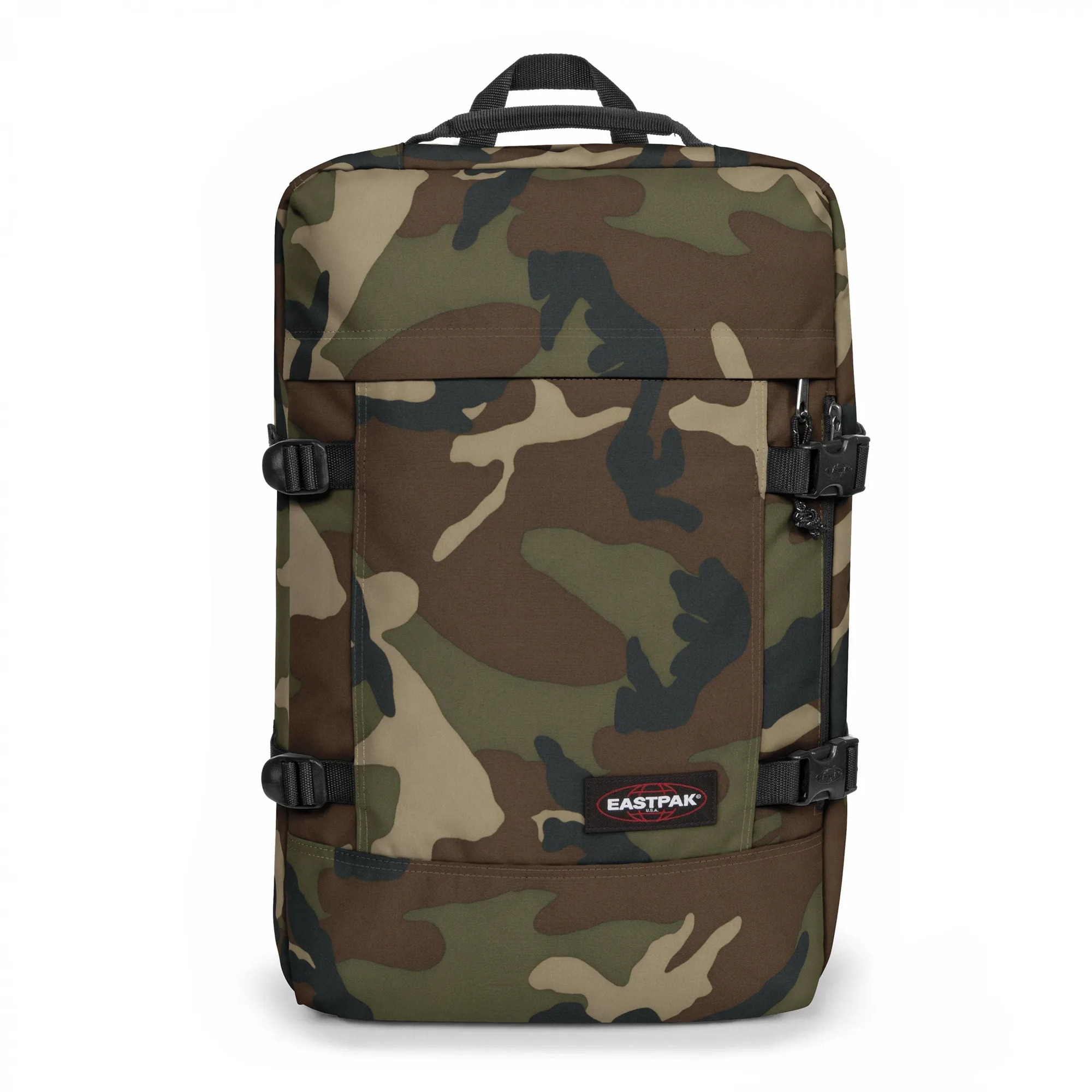
- TRAVELPACK CAMO: 2-in-1 luggage with a 17-inch laptop sleeve, two main compartments, a bottle holder, and tuck-away padded shoulder straps; water repellent and carry-on sized. When a shoulder bag is not enough for a weekend, this converts to backpack or duffle carry and still protects a larger laptop.
- TRANSIT'R PLUS L MONOTONE KHAKI: Large travel trolley with an integrated TSA lock, two wheels, water repellent protection, and a 30-year warranty. For trips where you must check a bag, the TSA lock and warranty reduce the risk and cost of travel wear.
A shoulder bag works well for work and travel when you keep the load light, pack heavy items against your back, and wear the strap across your chest. Set up your zones once, check your valuables before every move, and reset the bag at the end of the day. If your load grows past a laptop and a few essentials, switch to a 2-in-1 travel bag or a small trolley rather than overloading one shoulder.