Quick Answer
Place the Anker 3-in-1 Cube with Qi2 on a flat surface near an outlet, connect the included USB-C cable and power adapter, then set your phone, earbuds, and smartwatch on their respective charging pads to start fast wireless charging.
Why the Cube Shape Matters for Your Desk Setup
The Anker 3-in-1 Cube with Qi2 is designed to save space without sacrificing charging speed. Its compact cube shape fits neatly on desks, nightstands, or countertops, keeping your devices organized and accessible. Unlike flat charging pads that spread out horizontally, the cube's vertical design reduces clutter and makes it easier to see and grab each device.
One trade-off is that the cube requires a stable, level surface to prevent devices from sliding off. If your desk is uneven or you frequently bump into it, consider placing the cube in a corner or against a wall for added stability.
Step-by-Step Setup Guide
- Unbox and Inspect: Remove the Anker 3-in-1 Cube with Qi2 from the box. Check that the USB-C cable and power adapter are included. Ensure the charging pads are clean and free of debris. Use only the included power adapter to avoid underpowering the charger.
- Connect to Power: Plug the USB-C cable into the cube's input port, then connect the power adapter to a wall outlet. The cube may show a small LED indicator to confirm power. A common mistake is using a low-wattage phone charger—this can slow charging or prevent the cube from working. Always use the supplied adapter.
- Position Your Phone: Place your Qi2-compatible phone on the designated phone charging pad (usually the front or top pad). Align the center of the phone with the charging coil indicator on the cube. A charging tone or LED should confirm connection. If your phone doesn't charge, remove any thick case or magnetic accessory that might interfere with the Qi2 alignment.
- Charge Your Earbuds: Set your wireless earbuds case on the smaller charging pad (often marked with a headphone icon). Ensure the case's charging coil aligns with the pad's sweet spot. Some earbud cases have a flat bottom that works best; cases with rubber feet may need slight repositioning to make contact.
- Charge Your Smartwatch: Place your smartwatch on the dedicated watch charging area (usually a raised puck or indentation). The watch should snap into place magnetically if supported. Not all smartwatches use standard Qi wireless charging—check your watch's compatibility before relying on this pad.
Product Facts
-
3-in-1 Cube with Qi2: Three-in-one design: charges your phone, earbuds, and smartwatch simultaneously. You can power all your essential devices overnight or during the workday with a single charger, reducing cable clutter and saving time.
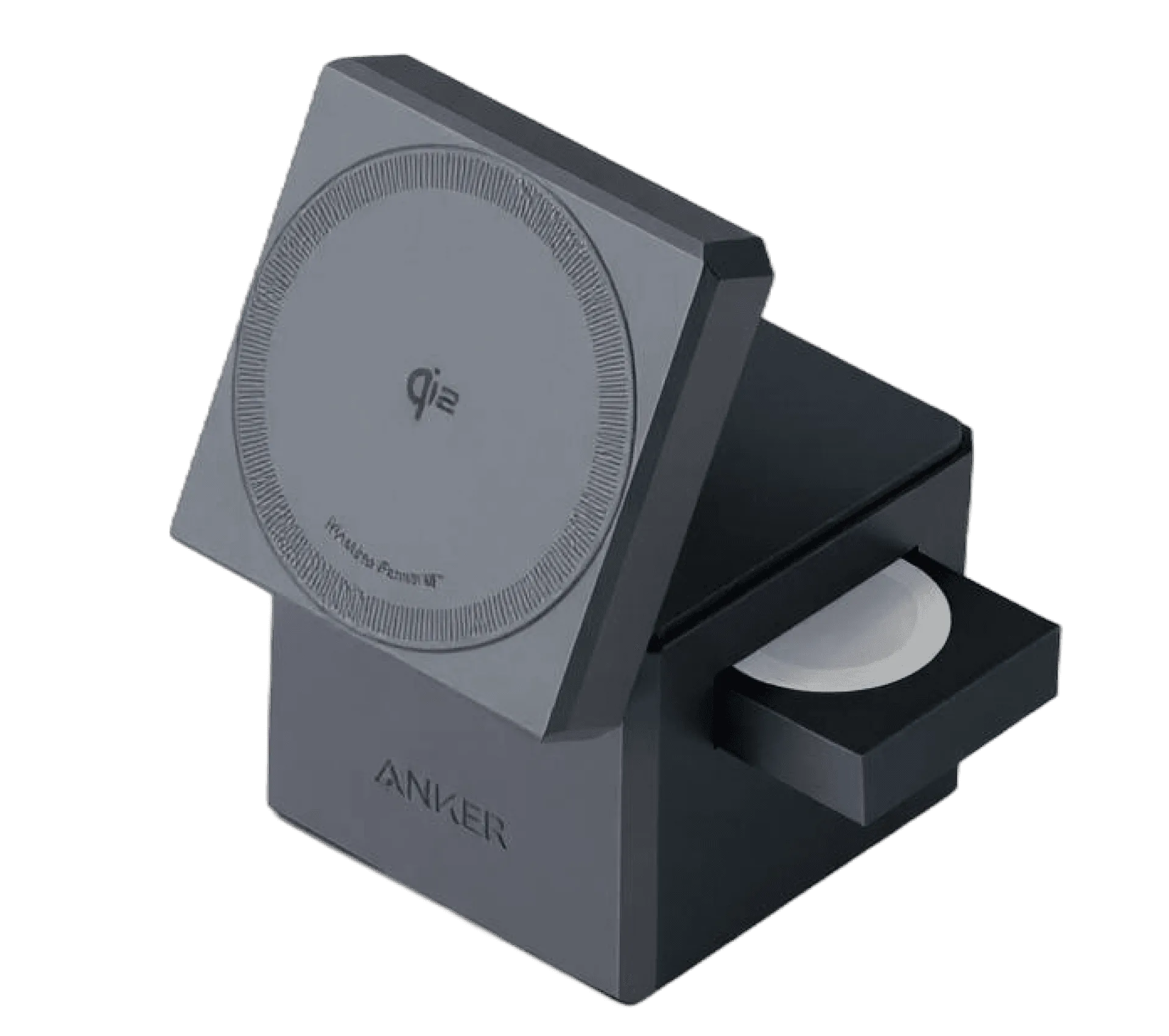
3-in-1 Cube with Qi2
-
3-in-1 Cube with Qi2: Qi2 technology: ensures efficient and reliable wireless charging for compatible devices. Qi2 provides faster and more consistent charging than older Qi standards, so your devices get more power in less time without overheating.