Quick answer
The Case Study Daily Task Notepad helps you structure your day into four clear sections—work, appointments, social, and personal—so you can prioritize and track tasks without digital distractions.
Why a physical notepad still works for productivity
A paper-based daily planner removes screen fatigue and forces you to commit tasks by hand, which improves memory and focus. The Case Study notepad is designed for this: its 100 tear-away sheets let you reset each day, and the 70 lb uncoated paper takes pen or pencil well without bleeding.
How to set up and use the notepad
- 1. Tear off yesterday's sheet: Start each morning by removing the previous day's page. The perforated tear-away sheets make this clean and quick. Common mistake: trying to reuse a sheet for multiple days, which defeats the daily reset purpose. Use a fresh page every day to keep your priorities clear.
- 2. Fill in the four sections: Write your work tasks, appointments, social plans, and personal to-dos in the labeled boxes. Keep each item short—one line per task. Common mistake: overloading a section with too many items, which makes the page cluttered and hard to scan. Limit each section to 3–5 items for realistic daily planning.
- 3. Use the notes area for overflow or ideas: The extra space at the bottom is for quick notes, reminders, or ideas that don't fit the four main boxes. Common mistake: ignoring this space and letting random thoughts interrupt your structured sections. Capture stray thoughts here so they don't distract you from your planned tasks.
- 4. Review and reprioritize mid-day: Around lunch or after your first big task, glance at your sheet and move any unfinished high-priority items to the top of their section. Common mistake: treating the page as a static list instead of a living plan. Physically reorder or re-mark tasks to reflect changing priorities.
- 5. End your day by noting tomorrow's top three: Before you tear off the page, write the three most important tasks for the next day in the notes area or on the back. Common mistake: leaving the notepad blank for the next morning, which wastes the momentum of evening reflection. A quick evening prep saves you ten minutes of decision-making the next day.
Product details
-
Case Study Daily Task Notepad Planner: Each page breaks the day into four sections: work, appointments, social, and personal, with extra space for notes. You don't have to invent your own layout—just fill in the pre-printed zones and start working.
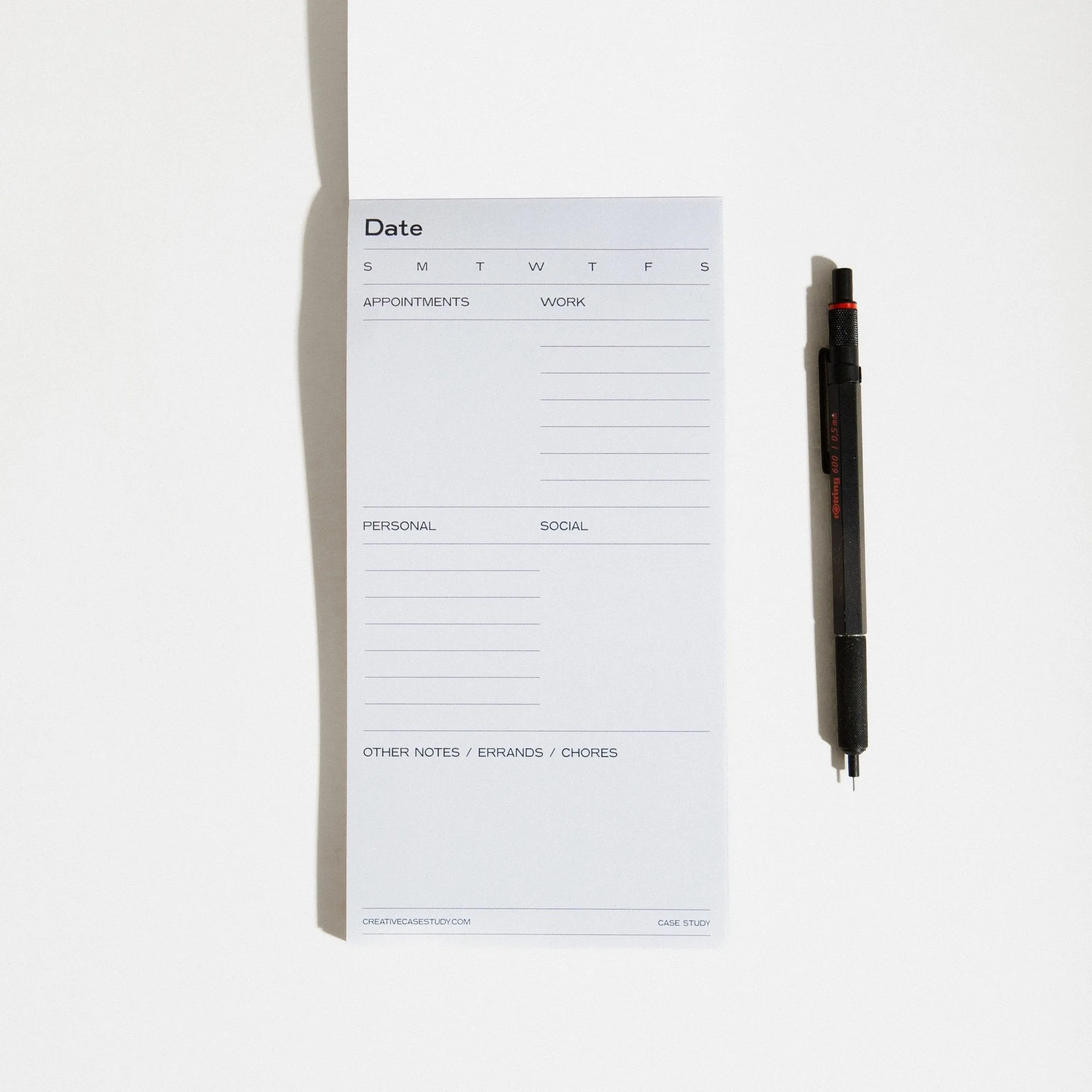
Case Study Daily Task Notepad Planner


