Quick answer
Use a dog clicker to mark the exact moment your dog performs a desired behavior, then immediately reward with a treat. Start by charging the clicker so your dog associates the sound with a reward, then practice short training sessions to teach commands like sit, stay, or come.
Why clicker training works
Clicker training relies on positive reinforcement: the clicker sound marks the precise behavior you want, and the treat that follows reinforces it. This clear communication helps your dog learn commands faster than using verbal praise alone, because the click is consistent and unmistakable.
Timing is everything. A click that comes even a second too late can accidentally reward the wrong action. That’s why many trainers prefer a clicker that fits on your finger—it keeps the clicker ready without fumbling, so your timing stays sharp.
Choosing the right clicker
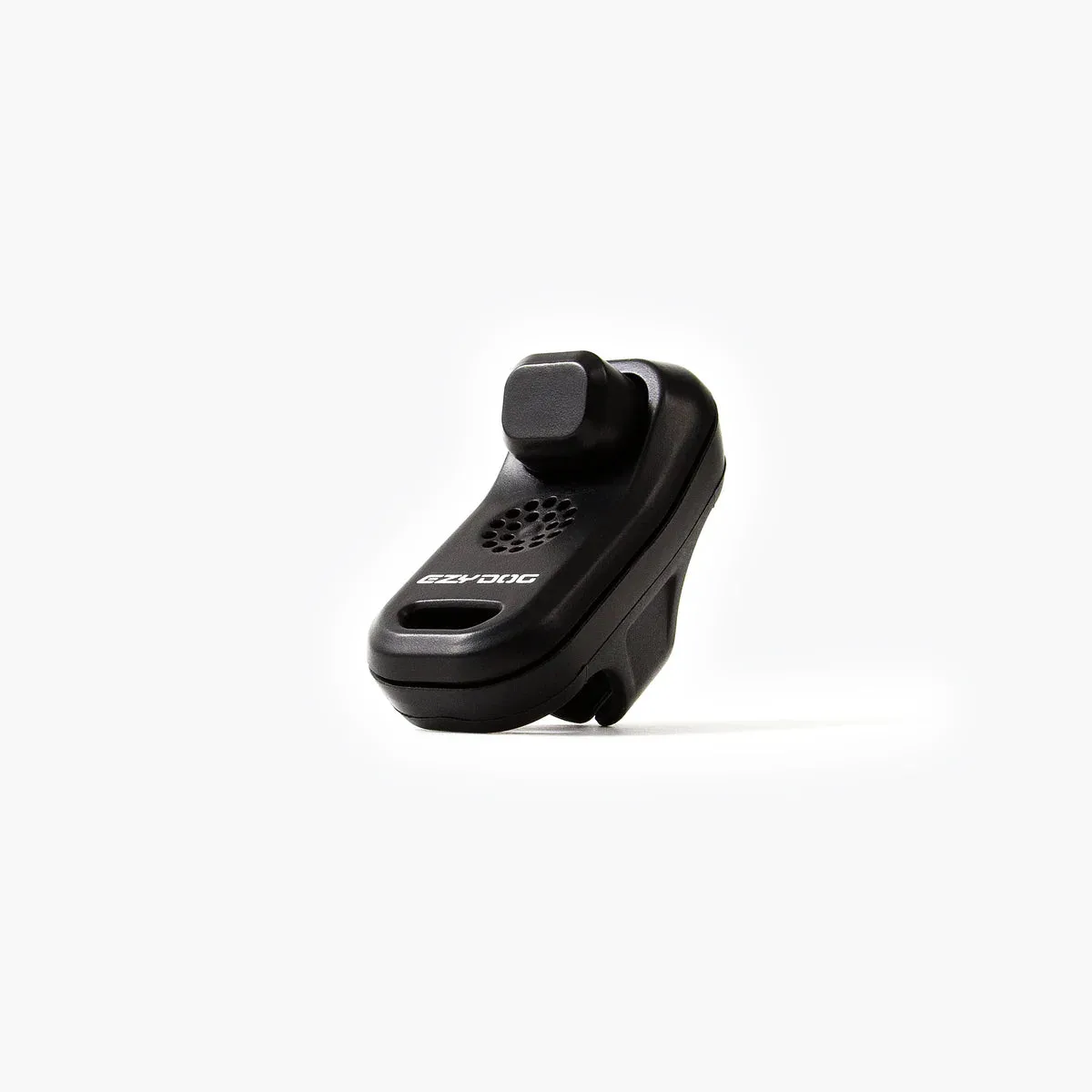
Standard box clickers work well, but they require a hand to hold and press. A finger-worn clicker, like the EzyDog Command Clicker™, frees your hands for treats or leash handling. This design is especially useful when training two dogs at once, as it lets you click for each dog without switching tools.
Consider the clicker’s comfort and durability. Since you’ll be using it in many training sessions, a design that fits snugly on your finger reduces strain and keeps the clicker accessible.
Step-by-step clicker training guide
- Charge the clicker: Before teaching any command, help your dog associate the click sound with a reward. Click, then immediately give a treat. Repeat 10–15 times in a quiet room until your dog looks at you expectantly when they hear the click. Common mistake: clicking without giving a treat every time, which weakens the association. Make sure every click is followed by a treat during the charging phase.
- Capture a behavior: Wait for your dog to naturally perform the behavior you want, like sitting. The moment they sit, click and treat. This teaches your dog that the click marks the action. Common mistake: clicking too late, after the dog has already moved, which rewards the wrong behavior. Click at the exact moment the behavior happens, not after.
- Add a verbal command: Once your dog reliably sits when you click, start saying 'sit' just before they perform the behavior. Then click and treat. Repeat until your dog sits when you say the command alone. Common mistake: saying the command repeatedly before the dog responds, which can cause them to ignore it. Use the command once, then wait for the behavior.
- Practice in short sessions: Keep training sessions to 5–10 minutes, a few times a day. Always end on a positive note with a successful click and treat. Common mistake: training for too long, which can frustrate your dog and reduce focus. Short, frequent sessions are more effective than long ones.
- Phase out the clicker: Once your dog consistently responds to the command, start giving treats intermittently instead of every time. Eventually, you can stop using the clicker for that command. Common mistake: phasing out treats too quickly, which can cause the behavior to fade. Gradually reduce treats, but keep the clicker for learning new commands.
Product spotlight
-
Command Clicker™: The EzyDog Command Clicker™ is a dog clicker that fits on your finger with a hands-free ergonomic design. This leaves your hands free for treats and leash control, improving your timing and making it easier to train two dogs at once.
Command Clicker™