Quick answer
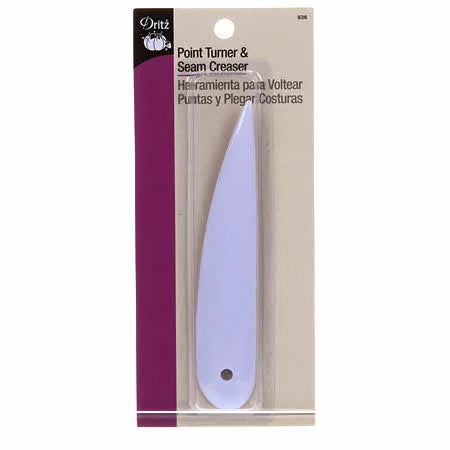
Use the Dritz Point Turner and Presser after sewing and trimming: push the rounded tip into the corner from the inside to turn it, then use the flat edge to press the seam or crease. Work gently and stop before the tool stretches the fabric. Always test on a scrap of the same fabric first.
Why this tool beats scissors and fingers for corners
Fingers can't reach deep into a narrow collar point, and scissor tips can poke through fabric or leave a rounded blob. The Dritz Point Turner and Presser has a slim, rounded point that eases the fabric out without cutting threads, plus a flat edge for pressing seams open or making sharp creases. It also removes basting stitches without damaging fabric. If you have ever turned a collar and gotten a lumpy point, this is the tool that fixes it.
Set up your corner for success
Before you turn anything, trim seam allowances at corners to about 1/8 inch and clip diagonally across the point. Grade bulky layers if your fabric is thick. This step is what lets the corner turn sharply; the point turner only finishes the job. If you skip trimming, no tool will give you a crisp point.
How to turn a corner without stretching it
Turn the project right side out first. Insert the rounded tip of the point turner into the corner from the inside, pushing the fabric out gently. Stop as soon as the point looks sharp. Pushing harder stretches the weave and can create a thin spot or a hole. For collars, work from the center of the collar toward each point to avoid distorting the curve.
How to press collar points and seams flat
Use the flat edge of the tool to press the seam open or to crease the collar point before you go to the iron. This pre-press helps the fabric hold a sharp fold. Then press with an iron using the tip to reach into the point. If your fabric is heat-sensitive, press from the wrong side or use a pressing cloth. The tool is compact and easy to handle, so it works well for small collars, cuffs, and bag corners.
When to use a rotary cutter instead
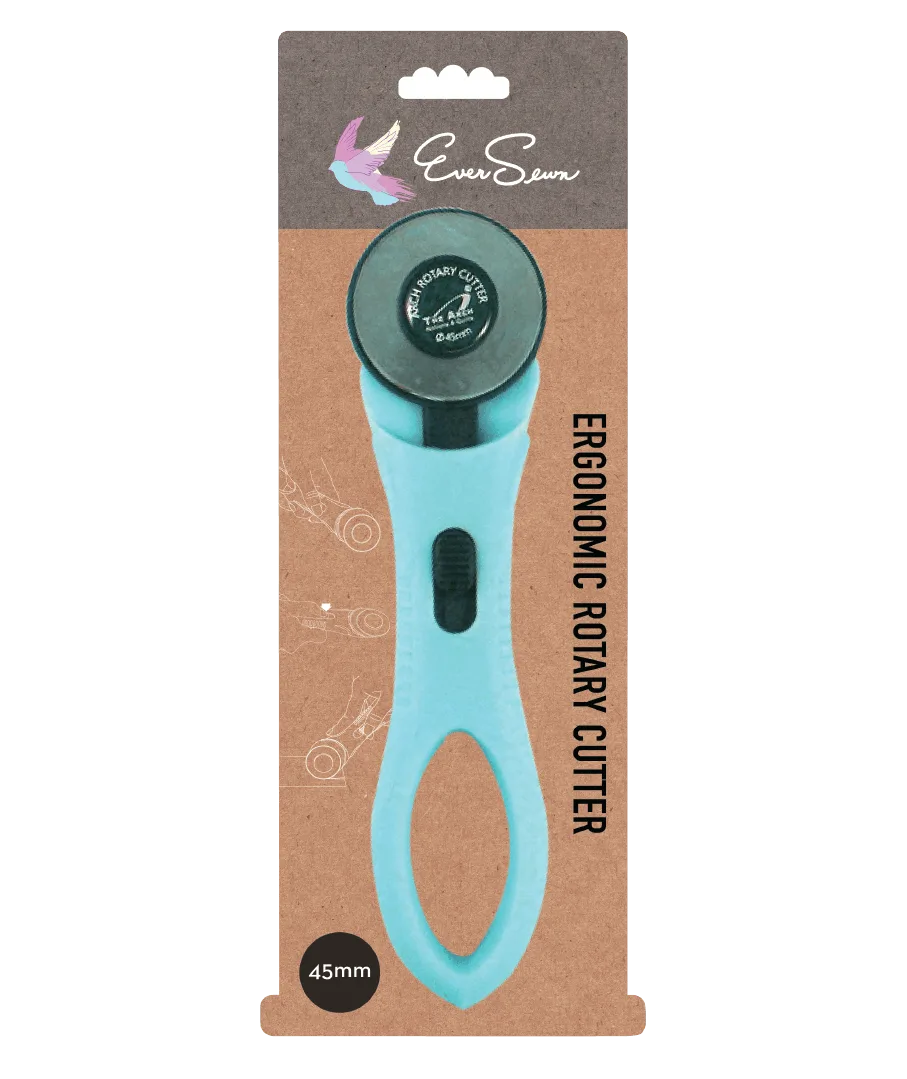
The point turner is for turning and pressing, not cutting. If you need to trim seam allowances or cut fabric pieces, reach for a rotary cutter like the EverSewn 45mm Ergonomic Rotary Cutter. Its soft cushion handle works for right- and left-handed use, and the flexible safeguard covers the blade when not in use. Keep both tools within reach: cutter for trimming, point turner for finishing.
Step-by-step: crisp corners with the Dritz Point Turner and Presser
- Trim and clip the corner: After sewing, trim seam allowances at the corner to about 1/8 inch and clip diagonally across the point. Do not cut through stitches. Checkpoint: the corner should lie flat without bulk before you turn it.
- Turn the project right side out: Reach into the corner with your fingers first to start the turn, then insert the rounded tip of the point turner from the inside. Mistake to avoid: forcing the tool before the fabric is turned can stretch the weave.
- Push the point out gently: Use the rounded tip to ease the fabric into a sharp point. Stop as soon as the point looks crisp; do not keep pushing. Checkpoint: if you see thin spots or shine, you have pushed too hard.
- Pre-press the seam or crease: Use the flat edge of the tool to press the seam open or to crease the collar point before ironing. This step helps the fabric hold a sharp fold and reduces the need for heavy iron pressure.
- Press with an iron: Press the corner and seam with an iron, using the tip to reach into the point. Use a pressing cloth for heat-sensitive fabrics. Mistake to avoid: pressing directly over the point turner can melt or damage the tool.
- Remove basting stitches if needed: If you basted the area, use the point of the tool to lift and remove the basting stitches without cutting the fabric. Checkpoint: the tool should slide under the thread, not through the fabric.
Tools that make corners and collars easier
- Dritz Point Turner and Presser: The Dritz Point Turner and Presser turns points, creases seams, or removes basting stitches, and is useful for turning points on collars, cuffs, and corners. One inexpensive notion replaces scissors, fingers, and a seam ripper for these finishing tasks, so you get cleaner results with less risk of damaging fabric.
- EverSewn 45mm Ergonomic Rotary Cutter: The EverSewn 45mm Ergonomic Rotary Cutter has an ergonomic soft cushion handle, works for right and left hand usage, and includes a flexible safeguard. Use it to trim seam allowances and cut fabric before turning corners; the safeguard and comfortable grip make trimming safer and more controlled.