Quick answer
Use your handheld LED tube light to add soft, controllable fill or accent light by positioning it close to your subject, adjusting color temperature and brightness to match your scene, and using the built-in effects for creative shots.
Why a handheld tube light works for video
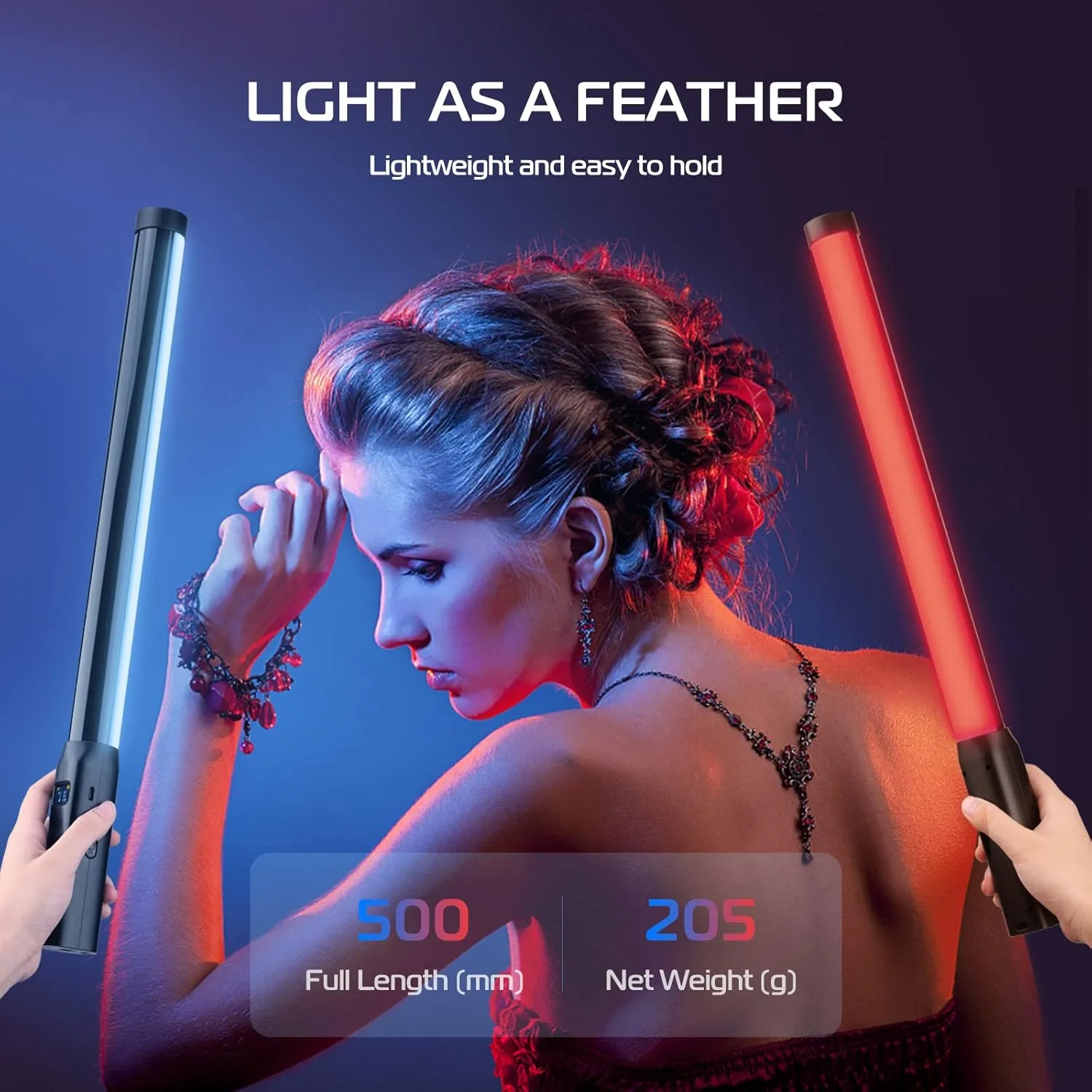
A handheld tube light is a versatile tool because its long, narrow shape creates a soft, diffused beam that flatters faces and products without harsh shadows. It's also lightweight and battery-powered, so you can move it freely to shape light exactly where you need it during a shoot.
The ULANZI VL119, for example, is a lightweight handheld tube light with 114 high color rendering LED beads and a 120° illumination angle. This wide spread means you can cover a larger area without the light looking spotty, which is especially useful when you're shooting in tight spaces or on the go.
Trade-offs to keep in mind
While a tube light is great for fill and accent lighting, it's not usually powerful enough to be your key light in bright conditions. You'll still need natural light or a stronger source for the main illumination, and use the tube to fill in shadows or add a colored rim.
Another trade-off: battery life. Because these lights are compact, they run on internal batteries, so always check your charge level before a long shoot. Carrying a power bank or spare light can save you from an unexpected shutdown.
Step-by-step: using your handheld LED tube light
- Set your color temperature: Start by setting the light to CCT mode and adjust the color temperature to match your environment—around 3200K for warm indoor light, 5600K for daylight. This ensures your subject's skin tones look natural. Common mistake: forgetting to match color temperature can make your footage look blue or orange. Always check your camera's white balance too.
- Position the light for flattering results: Hold the tube light at a 45-degree angle from your subject, slightly above eye level. This creates soft shadows and adds depth. Move it closer for a brighter, softer effect, or farther away to reduce intensity. Checkpoint: watch for harsh shadows on the face—if you see them, raise the light higher or diffuse it with a white cloth.
- Adjust brightness to balance with ambient light: Use the dimming control to set the light output so it complements, not overpowers, the existing light. A good starting point is to make the tube light about half as bright as your key light, then fine-tune from there. Common mistake: cranking the brightness up too high can blow out highlights. Use your camera's histogram to check exposure.
- Use RGB and Scene modes for creative effects: When you want a colored accent or a dynamic effect, switch to RGB mode to dial in a specific hue, or use Scene modes for pre-programmed effects like lightning or police lights. These are great for music videos, vlogs, or product shots. Checkpoint: for a subtle look, keep the saturation low; for a bold statement, go full saturation. Test on your subject first to avoid an unflattering cast.
- Secure the light for hands-free operation: If you need both hands free, mount the tube light on a light stand or tripod using a cold shoe adapter. This is essential for product demos or when you're talking to the camera and need to move around. Common mistake: using only the handheld grip can lead to shaky lighting. Always lock it down for static shots.
Gear that helps
-
ULANZI VL119 Handheld Light LED Video Tube Light: The ULANZI VL119 features RGB, CCT, and Scene modes with 20 lighting effects, letting you adjust hue, brightness, and color temperature. This gives you the flexibility to match ambient light or create a specific mood without needing extra gels or filters.
ULANZI VL119 Handheld Light LED Video Tube Light