Quick Answer
To use a magnetic phone grip for secure handling, attach it to the back of a MagSafe-compatible iPhone, adjust the grip to your hand, and use the clip or stand features as needed. Ensure a firm attachment and avoid covering wireless charging areas.
Why a Magnetic Grip Improves Handling
A magnetic phone grip attaches directly to the back of your phone, giving you a secure hold without stretching your fingers across the screen. This reduces the risk of drops, especially when walking, taking photos, or using your phone one-handed.
The magnetic connection also allows quick attachment and removal, so you can switch between using your phone flat on a table and holding it securely in your hand.
Trade-Offs to Consider
Magnetic grips work best with MagSafe-compatible iPhones or cases that include a magnetic ring. If your phone or case isn't compatible, the grip won't attach securely, and you may need an adhesive magnetic plate.
Adding any accessory to the back of your phone can interfere with wireless charging. If you use wireless charging, check that the grip doesn't block the charging area, or remove it when charging.
Step-by-Step Guide to Using a Magnetic Phone Grip
- Attach the grip to your phone: Place the magnetic grip on the back of your iPhone, aligning it with the MagSafe magnet area. Press firmly until it snaps into place. If your phone isn't MagSafe-compatible, attach an adhesive magnetic plate to the back of your phone or case first. Check that the grip is centered and doesn't cover the camera lens or wireless charging coil.
- Adjust the grip to your hand: Slide your fingers between the grip and the phone back. Adjust the grip's position or angle so your hand feels comfortable and secure. The grip should hold your phone firmly without forcing your fingers into an awkward position. Make sure you can reach the screen with your thumb without straining.
- Use the clip for hands-free carrying: Open the clip mechanism and attach it to a bag strap, belt loop, or backpack strap. Ensure the clip is fully closed and locked before letting go of the phone. This is useful when you need your hands free but want quick access to your phone. Test the clip's hold with a gentle tug before trusting it with your phone.
- Use the stand for hands-free viewing: Fold out the stand feature and place your phone on a flat surface at a comfortable viewing angle. Adjust the stand angle if possible to reduce glare or improve ergonomics. This is great for video calls, watching media, or following recipes. Ensure the stand is fully extended and the surface is stable to prevent tipping.
Product Spotlight
-
Big Grip™ Magnetic Grip, Clip + Stand: The Big Grip™ Magnetic Grip, Clip + Stand is MagSafe compatible and allows you to grip, clip, and stand your iPhone hands-free. This means you get three functions in one accessory: a secure handhold, a clip for attaching to bags or belts, and a stand for hands-free viewing.
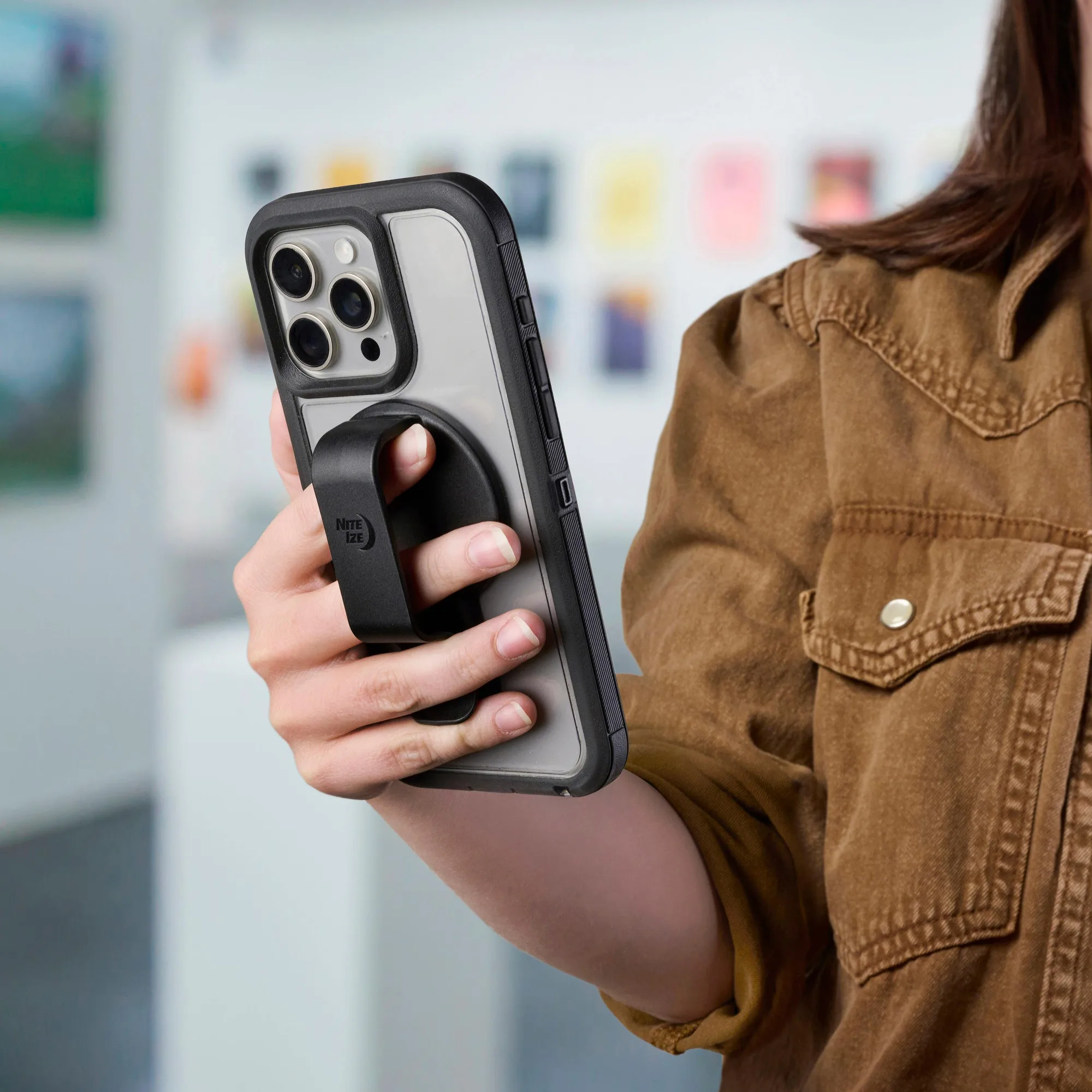
Big Grip™ Magnetic Grip, Clip + Stand