Quick Answer
Use the correct pentalobe screwdriver for iPhone and MacBook screws, and the right TORX size for other electronics. This kit gives you both in one set.
Why Pentalobe and TORX Screwdrivers Are Different
Pentalobe screws have a five-point star shape and are common on iPhones and some MacBooks. TORX screws have a six-point star and appear on many laptops, game consoles, and hard drives. Using the wrong driver strips the screw head, making removal nearly impossible. This repair kit includes both types so you don't have to guess.
Step-by-Step: Using the Repair Kit
- 1. Identify the Screw Type: Examine the screw head with good light. A five-point star needs the pentalobe driver; a six-point star needs the TORX driver. Common sizes: pentalobe P2 for iPhone, TORX T5 or T6 for laptops. Checkpoint: If the driver doesn't fit snugly, stop. Forcing the wrong size will strip the screw.
- 2. Select the Correct Driver Bit: Pick the pentalobe or TORX bit that matches exactly. The kit includes two pentalobe and four TORX bits for different sizes. Insert it firmly into the screw head until it clicks. Checkpoint: A loose fit means you have the wrong bit. Try the next size up or down.
- 3. Apply Steady, Downward Pressure: Press the driver straight down into the screw while turning counterclockwise. Do not tilt the driver. Use slow, controlled turns to avoid cam-out. Checkpoint: If the screw doesn't turn after a few tries, stop. Over-torquing can break the screw or strip the threads.
- 4. Remove and Organize Screws: Place removed screws in a magnetic mat or labeled container. Different lengths and thread types go in different spots. This prevents cross-threading during reassembly. Checkpoint: Mixing up screws from different depths is the most common cause of reassembly failure.
- 5. Reassemble in Reverse Order: Insert screws by hand first to feel alignment. Tighten gently clockwise until snug. Do not over-tighten; electronics use fine threads that strip easily. Checkpoint: If a screw resists, remove it and check for debris or misalignment. Never force it.
Product Facts
-
18-delige reparatiekit voor mobiele apparaten, met 2 x Pentalobe schroevendraaiers, 4 x TORX schroevendraaiers, pincet & meer | reparatie tools voor s: Pentalobe, Apple macbook reparatieset mobiele telefoon bestel je natuurlijk bij subtel.nl - Vandaag besteld, snel geleverd. Drie jaar garantie This kit includes two pentalobe drivers and four TORX drivers, so you have backups and the right size for both Apple and non-Apple devices.
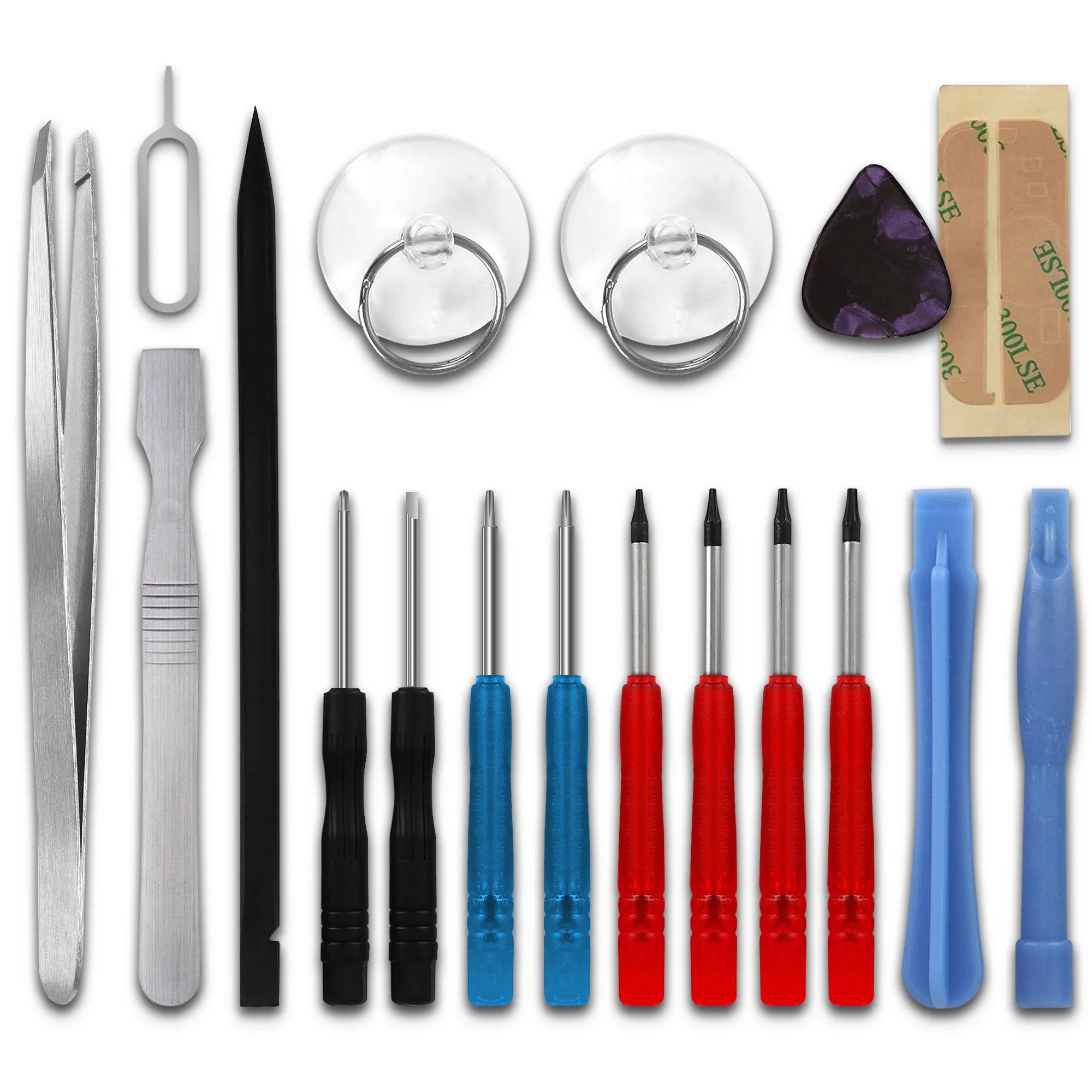
18-delige reparatiekit voor mobiele apparaten, met 2 x Pentalobe schroevendraaiers, 4 x TORX schroevendraaiers, pincet & meer | reparatie tools voor s