Quick answer
A stepping ring adapts one filter thread size to another so a single filter can fit several lenses. Screw the ring onto the lens first, then attach the filter to the ring. Use a step-up ring when the filter is larger than the lens thread, and a step-down ring when the filter is smaller. The most common mistake is buying a ring that is too small for your widest lens, which causes vignetting.
If you own more than one lens, you have probably noticed that filter thread sizes rarely match. A 55mm filter will not screw onto a 62mm lens, and buying a separate filter for every lens gets expensive fast. A stepping ring solves that problem for a few dollars.
This guide walks through the exact process for using a Promaster stepping ring correctly, from measuring your lens thread to mounting the filter without damaging anything. It also covers the step-up versus step-down decision and the mistakes that cause vignetting or stuck rings.
What a stepping ring actually does
A stepping ring is a metal adapter with different thread sizes on each side. One side screws into your lens filter thread; the other side accepts a filter or accessory. It does not change your lens optics, focal length, or image quality by itself. It simply changes the thread diameter so a filter made for one size can mount on a lens of another size.
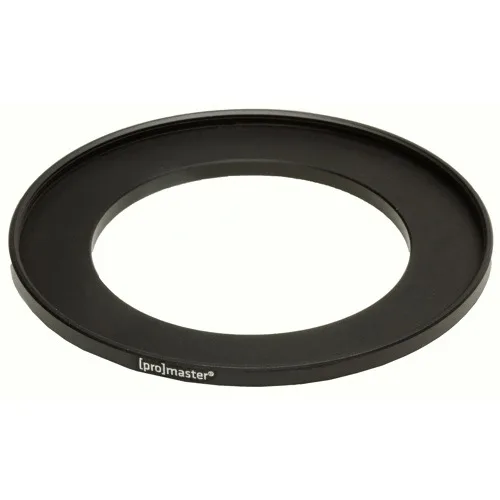
Promaster stepping rings are precision-machined, so the threads engage cleanly and sit flush against the lens front. That matters because a poorly cut ring can cross-thread or leave a gap that lets light leak in. For example, the Promaster Stepping Ring 55mm-62mm converts a 55mm lens thread to accept 62mm filters.
- Stepping rings are mechanical adapters, not optical elements.
- Match the first number to your lens thread and the second to your filter thread.
Step-up vs step-down: which one you need
A step-up ring goes from a smaller lens thread to a larger filter thread, such as 55mm to 62mm. This is the safer choice because a larger filter is less likely to intrude into the frame and cause vignetting, especially on wide-angle lenses. If you are starting from scratch, buy filters in the largest thread size you own and use step-up rings on your smaller lenses.
A step-down ring goes from a larger lens thread to a smaller filter thread, such as 72mm to 67mm. This lets you use a smaller filter you already own, but it can block the corners of the frame on wide lenses. Step-down rings are best reserved for telephoto or standard lenses where the angle of view is narrow.
- Step-up: lens thread smaller than filter thread. Usually the better long-term choice.
- Step-down: lens thread larger than filter thread. Watch for vignetting on wide lenses.
How to measure your lens filter thread
Look at the front of your lens or inside the lens cap. Manufacturers print the thread diameter with a diameter symbol, for example 55mm or 62mm. If the marking is worn off, check the lens barrel near the front element or the lens manual. Do not measure the outside of the lens barrel with a ruler; that gives you the wrong number.
Once you know your lens thread and your filter thread, you can pick the correct ring. For a 55mm lens and a 62mm filter, you need a 55mm-62mm ring. Write both numbers down before ordering so you do not reverse them.
- The thread size is the number next to the diameter symbol on the lens front.
- If you cannot find the marking, look up your exact lens model online.
Mounting the ring and filter correctly
Screw the stepping ring onto the lens first, turning gently until it seats. Do not force it. If it binds, back it off and start again; cross-threading is the fastest way to damage lens threads. Once the ring is snug, screw the filter onto the ring's outer thread. The ring stays on the lens, and the filter goes on and off as needed.
If you plan to use a lens hood, check whether it still fits over the larger filter. A step-up ring pushes the filter forward, and some hoods will not clear it. In that case, remove the hood or use a screw-in hood that mounts on the filter thread.
- Ring first, filter second. Always.
- Test the hood before you rely on it in the field.
Avoiding vignetting and stuck rings
Vignetting appears when the filter or ring blocks the corners of the frame. It is most common with step-down rings and wide-angle lenses. If you see dark corners, remove the ring or switch to a larger filter. A step-up ring is the fix when you need to use a filter on a wide lens.
Stuck rings usually come from overtightening. Aluminum threads can gall if you crank them down. Tighten just until the ring stops turning, and avoid stacking multiple rings unless you have no other option. If a ring does stick, a rubber jar opener or a filter wrench gives you grip without crushing the ring.
- Check the corners at your widest focal length before a shoot.
- Never stack more than one stepping ring if you can avoid it.
Step-by-step: using a Promaster stepping ring
- Find your lens thread size: Check the front of the lens or the lens cap for the diameter marking, such as 55mm or 62mm. If it is worn off, look up your exact lens model. Checkpoint: you should have two numbers, one for the lens and one for the filter.
- Choose step-up or step-down: If your filter is larger than the lens thread, choose a step-up ring. If it is smaller, choose a step-down ring. For example, a 55mm lens with a 62mm filter needs a 55mm-62mm ring. Common mistake: ordering the numbers in reverse. The lens size comes first.
- Attach the ring to the lens: Screw the stepping ring onto the lens thread by hand, turning gently until it seats. Do not force it if it binds. Checkpoint: the ring should sit flush with no gap and no cross-threading.
- Attach the filter to the ring: Screw your filter onto the outer thread of the stepping ring. Tighten just until it stops. Common mistake: overtightening, which makes the ring hard to remove later.
- Test for vignetting: Shoot a frame at your widest focal length and check the corners. If you see darkening, switch to a larger filter or remove the step-down ring. Checkpoint: corners should be clean before you rely on the setup.
- Store and carry the ring safely: Keep the ring in a pouch or filter case when not in use so the threads do not get dented or dirty. Next step: label the ring with its size so you can grab the right one quickly.
Product facts that matter
- Promaster Stepping Ring - 55mm-62mm: Thread size conversion: 55mm to 62mm, precision-machined construction. This is the exact ring you need to mount a 62mm filter on a 55mm lens thread. The precision machining helps the threads engage smoothly and sit flush.
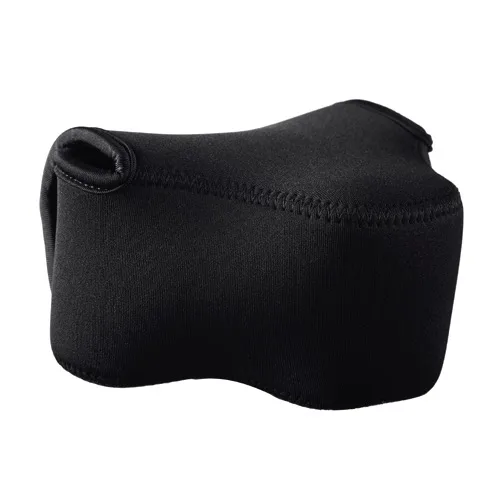
- Promaster Neoprene Mirrorless Camera Pouch - Small: Soft, elastic neoprene protects a mirrorless camera from scratches and scrapes without the bulk of a traditional camera case, with a zippered compartment for accessories. A stepping ring and filter are small accessories that are easy to lose. This pouch gives you a dedicated place to carry them alongside a compact camera.
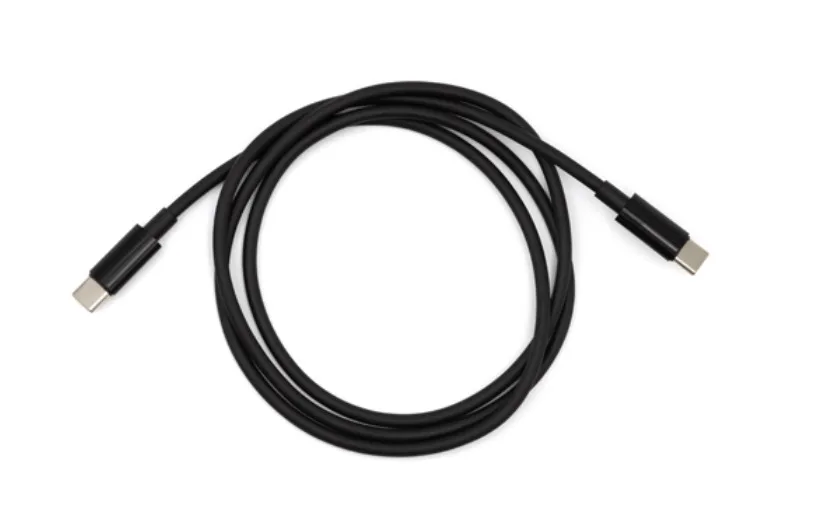
- Promaster USB-C to USB-C PD Cable 3: USB-C to USB-C connection with Power Delivery support. If you shoot with a modern mirrorless camera, this cable lets you power or charge it from a compatible USB-C source while you work.
A stepping ring is one of the cheapest ways to make your existing filters work across more lenses. Measure your threads, choose step-up whenever possible, and mount the ring before the filter. Do that, and you will avoid the vignetting and stuck-thread problems that give stepping rings a bad reputation.