Quick answer
A pulsing finder illuminator like the PulsGuide Jr pulses the reticle light so your eye rests between flashes, letting you see fainter guide stars without losing night vision.
Why pulsing beats steady illumination
Steady red-dot finder lights can overwhelm your dark-adapted eye, making faint stars invisible. A pulsing illuminator flashes the reticle briefly, then goes dark—your eye adapts during the off phase, so you perceive more contrast when the light returns. This is especially helpful when guiding on a dim star near the limit of your scope.
Trade-off: pulse rate and brightness interaction
The PulsGuide Jr uses a single knob for both on/off and brightness. Because the pulse width stays fixed, turning the knob changes only the brightness, not the flash duration. If you find the pulse too distracting at low brightness, try a slightly higher setting—the eye may integrate the brighter flash more comfortably. There is no separate rate control on this model, so adapt by adjusting brightness instead.
Setting up and using your pulsing finder illuminator
- Mount the illuminator on your finder scope: Attach the PulsGuide Jr to the finder scope’s illumination port or bracket. Ensure the LED faces the reticle window and the knob is accessible without reaching across the telescope tube. Common mistake: mounting it upside down so the knob is hard to reach. Test the knob position before tightening.
- Install the battery and test the pulse: Insert the included CR1/3N battery with the positive side toward the LED. Turn the knob clockwise from off. You should see a brief red flash repeating about once per second. If the flash is absent or continuous, check battery polarity. Checkpoint: a steady (non-pulsing) light usually means a dying battery. Replace it rather than cranking brightness higher.
- Set brightness for your target star: Point the scope at a medium-bright star. Turn the knob just until the reticle is clearly visible against the sky. Too bright will wash out the star; too dim will make the reticle invisible. The goal is the lowest setting where you can still see the crosshairs. Common mistake: setting brightness while looking at a bright star. Always set it on the actual guide star you will use.
- Let your eyes adapt before guiding: After setting brightness, look away from the eyepiece for 30–60 seconds. When you return, the pulsing reticle should appear crisp and the guide star should stand out clearly. If you still see a ghost image, reduce brightness slightly. Checkpoint: if you see a persistent afterimage, the pulse is too bright. Turn down the knob until the afterimage disappears.
- Adjust during the session as needed: As your eyes adapt further or the target star changes, revisit the brightness knob. A single knob makes this easy without fumbling. If clouds thin and the sky brightens, increase brightness slightly; if the moon rises, you may need a higher setting to see the reticle. Common mistake: forgetting to readjust after a long break. Always check the reticle visibility when you return to the scope.
Product spotlight
-
PulsGuide Jr Pulsing Finder Illuminator: The PulsGuide Jr uses a night-vision-safe 660nm red LED and a CR1/3N battery, with a one-knob on/off/brightness control. The specific red wavelength preserves dark adaptation better than mixed-color LEDs, and the single knob simplifies adjustment while wearing gloves in the dark.
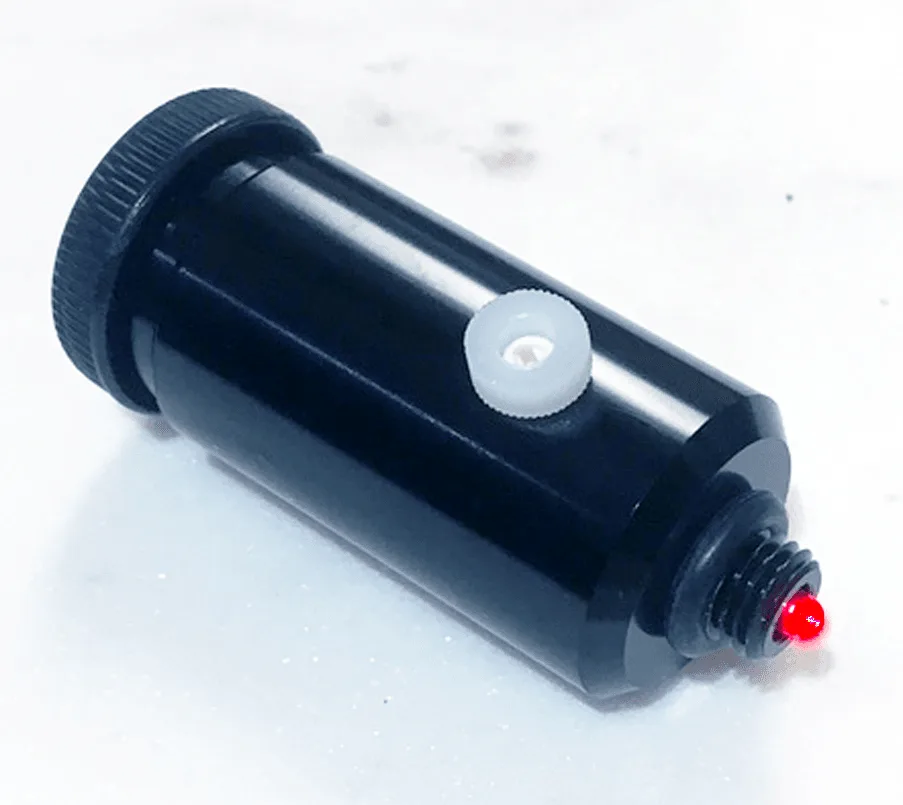
PulsGuide Jr Pulsing Finder Illuminator


