Quick answer
Pair SewSquish Cloud stabilizer with heavy prints like Romantic Island Flowers and Graffiti Hearts to add structure and breathability without adding bulk. Use half-yard cuts, pre-cut to 18"x56", and fuse or baste the stabilizer to the wrong side of your print before cutting your pattern pieces.
Why SewSquish Cloud works with heavy prints
Heavy prints often have a dense weave or thick ink layer that can make bag panels stiff or hard to shape. SewSquish Cloud is a 2mm thick 3D air mesh that adds cushion and airflow without the bulk, so your bag stays structured but not board-like.
The open mesh structure also helps prevent print distortion during sewing, especially on large pattern pieces like back panels or padded straps. This makes it a good match for bold patterns like Romantic Island Flowers and Graffiti Hearts.
Trade-off: Not for ultra-thin or sheer fabrics
SewSquish Cloud is designed for medium to heavy fabrics. If you use it with a very lightweight or sheer print, the mesh texture may show through or create an uneven surface. Stick to prints that have enough body to hide the mesh pattern.
Step-by-step: Using SewSquish Cloud with heavy prints
- Step 1: Prepare your materials: Cut a half-yard piece of SewSquish Cloud to match the size of your heavy print fabric. For prints like Romantic Island Flowers or Graffiti Hearts, pre-wash the fabric according to its care instructions to prevent shrinkage later. Check if your print fabric is pre-washed; if not, wash and dry it before cutting.
- Step 2: Layer the stabilizer: Place the SewSquish Cloud mesh side up on your cutting mat. Lay your heavy print fabric right side up on top. Smooth out any wrinkles or air pockets. Pin or use temporary spray adhesive along the edges to keep the layers from shifting. Do not iron directly on the mesh—use a pressing cloth or low heat if needed.
- Step 3: Cut your pattern pieces: Place your pattern pieces on the layered fabric-stabilizer stack. Use a rotary cutter and a sharp blade to cut through both layers at once. For curved edges, use small snips to avoid dragging the mesh. Change your rotary blade if it starts to snag the mesh—dull blades can pull the stabilizer out of shape.
- Step 4: Sew the layers together: Use a walking foot or a Teflon foot to feed the layers evenly. Set your stitch length to 3-3.5mm for a balanced seam. Sew slowly around curves to prevent the mesh from shifting. Test on a scrap first to confirm the stitch tension doesn't pucker the print fabric.
- Step 5: Finish the edges: Trim seam allowances to 1/4" and finish with a zigzag or serger stitch to prevent fraying. The mesh will not fray, but the print fabric edge may need reinforcement. If using a serger, use a 3-thread overlock to keep the seam lightweight.
Product facts
-
SewSquish Cloud (HY) - ROMANTIC ISLAND FLOWERS: Sold in half-yard cuts, approximately 18"x56"-57", precut. Retail pricing for prints is $17/half yard. You get a generous piece that fits most bag pattern pieces, and the precut size saves you measuring time.
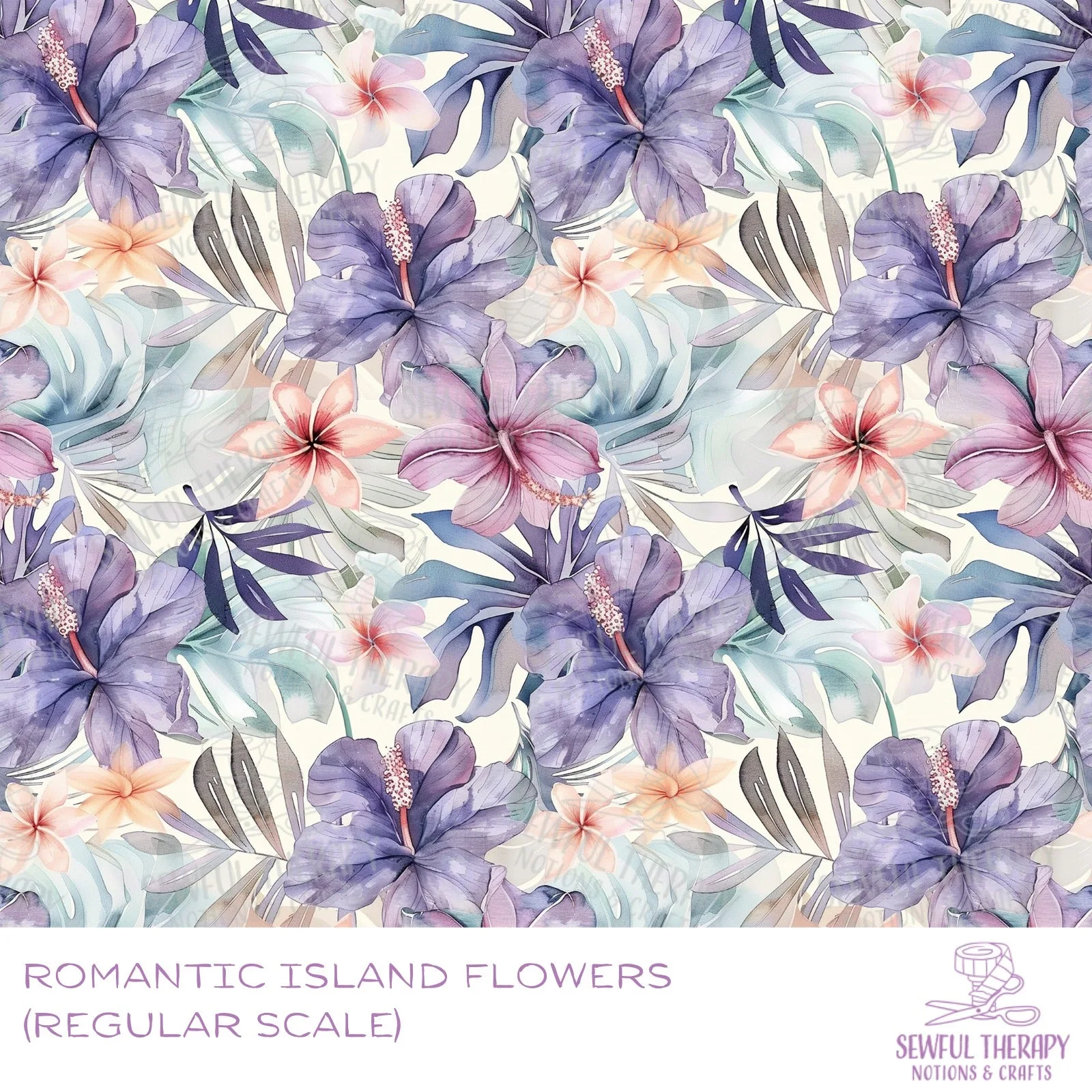
SewSquish Cloud (HY) - ROMANTIC ISLAND FLOWERS
-
SewSquish Cloud (HY) - GRAFFITI HEARTS: 2mm thick sandwich 3D air mesh, 100% polyester, structured mesh hole design. The 2mm thickness adds just enough structure for bag panels without making them stiff, and the mesh holes allow airflow to reduce moisture buildup.
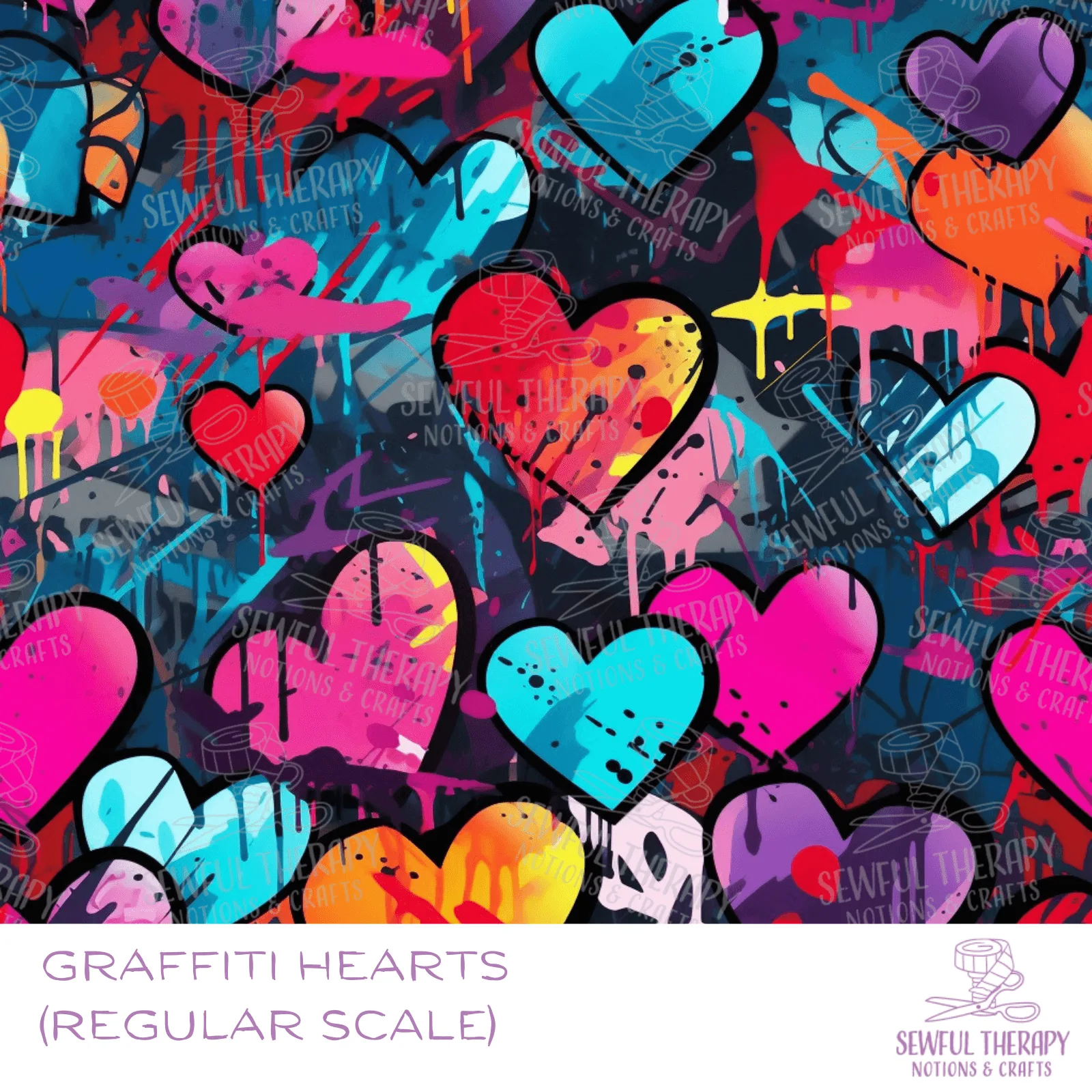
SewSquish Cloud (HY) - GRAFFITI HEARTS