Quick answer
Stacking clips let you securely layer Metropolis buildings without glue or tools. Slide them onto top corners to keep upper floors stable during assembly and gameplay.
Why stacking clips matter for modular scenery
Metropolis terrain is designed for modular stacking, but without clips, upper buildings can shift or topple during play. Stacking clips lock each layer in place, giving you stable multi-story setups that stay put even when you bump the table.
When you might not need them
If you only build single-story layouts or use magnets on every level, stacking clips may be optional. But for quick changes between games or for players who avoid permanent modifications, clips offer a no-tool, no-adhesive solution that preserves the original pieces.
Step-by-step: Using stacking clips
- Step 1: Align your base building: Place your first Metropolis building on the table where you want it. Make sure the top edges are clean and free of debris so the clips sit flat. Common mistake: Trying to attach clips to a crooked or uneven base. Always check that the building sits level first.
- Step 2: Slide a clip onto each top corner: Take one stacking clip and slide it onto a top corner of the building. The clip should grip the edge snugly. Repeat for all four corners. If your building has more than four corners, add clips to each corner that will support an upper layer. Checkpoint: Make sure each clip is fully seated and doesn't wobble. If it feels loose, try a different corner or check for damage.
- Step 3: Place the upper building: Carefully set your next Metropolis building on top of the clips. The clips will hold it in place without sliding. Press down gently to ensure the upper building sits flush on the clips. Common mistake: Forcing the upper building down too hard. Let the clips do the work—excessive pressure can bend the clips or damage the building edges.
- Step 4: Test stability before playing: Gently nudge the stacked building from different angles. If it shifts, check that all clips are engaged and the upper building is centered. Re-adjust as needed. Checkpoint: A stable stack should not move when you lightly tap the table. If it does, add more clips or re-center the building.
Product facts
-
Metropolis: 10 Count Stacking Clips: Extra stacking clips to make layering your Metropolis Buildings easier. Designed to hold your upper buildings securely in place, these clips ensure your displays stay intact during assembly and play. Simply slide the clips onto the top corners of your buildings. No special tools or adhesives are required. Includes 10 pieces. With 10 clips per pack, you can secure multiple buildings in a single session without buying extra hardware or waiting for glue to dry.
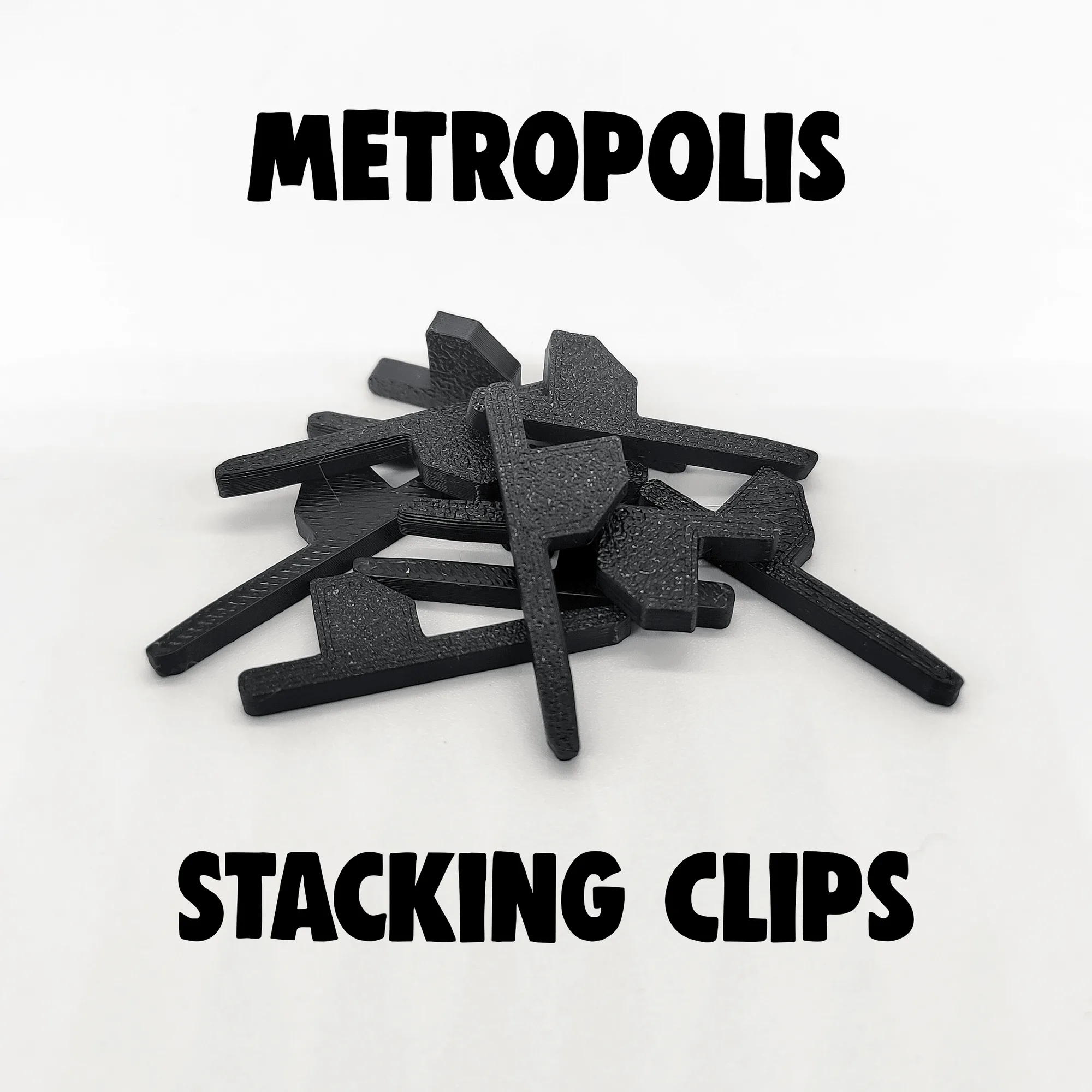
Metropolis: 10 Count Stacking Clips