Quick Answer
To use the Stelo wearable glucose biosensor, start by charging the sensor, then apply it to your upper arm, pair it with the Stelo app on your smartphone, and follow the app's calibration and wear instructions for accurate continuous glucose monitoring.
Why Continuous Glucose Monitoring Matters
Continuous glucose monitoring (CGM) gives you a real-time picture of how your diet, activity, and stress affect your blood sugar. Unlike a fingerstick test, which only shows a single moment, the Stelo biosensor tracks trends over time, helping you spot patterns that can inform your daily choices.
For women navigating menopause, glucose fluctuations can influence energy, mood, and cravings. Having this data can help you tailor your meals and exercise to keep your levels more stable, which may support overall well-being during this transition.
Trade-Offs and Limitations
The Stelo biosensor is designed for people who do not use insulin, so it is not a replacement for medical advice or insulin management. It provides insights, not diagnoses, and you should always discuss your glucose data with your healthcare provider.
The sensor is water-resistant but not waterproof, so you'll need to remove it before swimming or bathing. Also, the sensor needs to be replaced every 14 days, which is a recurring cost to factor into your budget.
Step-by-Step Setup and First Use
- Charge the sensor: Before first use, fully charge the Stelo sensor using the provided charger. A full charge typically lasts the entire 14-day wear period. Check the battery indicator in the app before applying the sensor to avoid a mid-wear shutdown.
- Choose the application site: Select a spot on the back of your upper arm. Avoid areas with scars, tattoos, or irritation, and rotate sites between sensors to give your skin a break. Pick a site that won't be rubbed by tight sleeves or straps, as friction can loosen the sensor.
- Apply the sensor: Clean the skin with an alcohol wipe and let it dry. Remove the adhesive backing, press the applicator firmly against your arm, and press the button to insert the sensor. Hold it in place for a few seconds, then gently remove the applicator. If the sensor doesn't stick well, use an overpatch (sold separately) to secure the edges.
- Pair with the Stelo app: Download the Stelo app on your smartphone, create an account, and follow the on-screen prompts to pair the sensor via Bluetooth. Make sure Bluetooth is on and your phone is within range. If pairing fails, restart your phone and try again; avoid pairing near other Bluetooth devices that may cause interference.
- Warm-up and calibration: After pairing, the sensor needs a warm-up period (usually up to an hour) before it starts showing readings. During this time, keep the sensor dry and avoid strenuous activity that could cause sweating. Plan to apply your sensor at a time when you can stay relatively inactive for the warm-up, like in the evening.
- Monitor and interpret your data: Use the app to view real-time glucose levels, trends, and alerts. Pay attention to patterns around meals, exercise, and stress, and use the insights to make small, informed adjustments. Set up alerts for high and low glucose thresholds in the app so you get notified when you need to take action.
Product Facts
-
Stelo Wearable Glucose Biosensor 2-Pack by Dexcom: Provides real-time glucose readings, allowing for precise and immediate adjustments to diet and insulin levels. You can see how a snack or workout affects your glucose within minutes, so you can make informed choices on the spot.
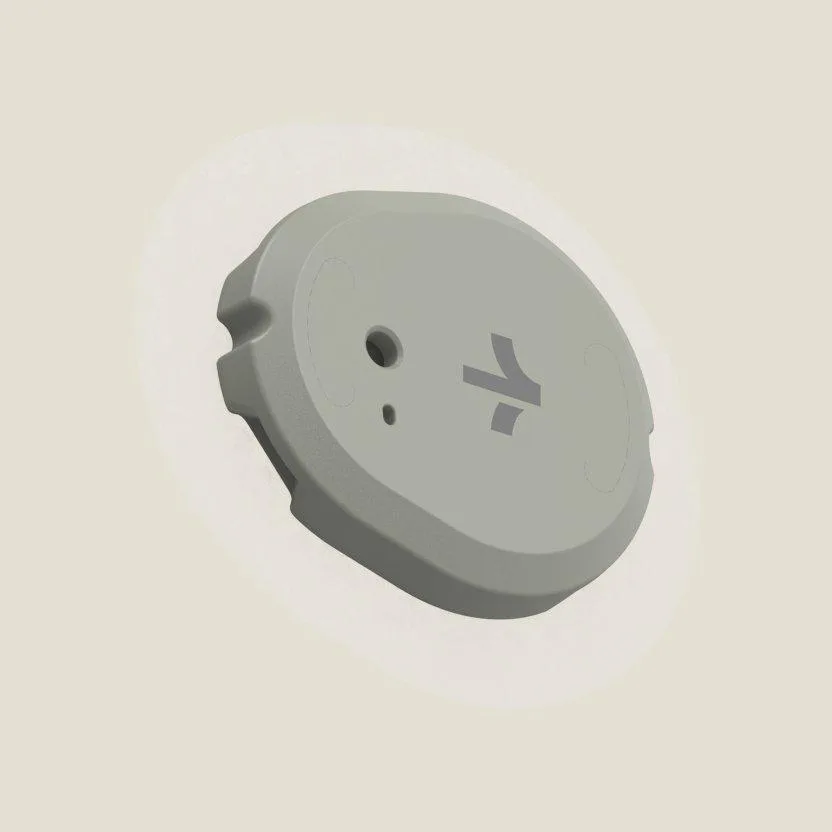
Stelo Wearable Glucose Biosensor 2-Pack by Dexcom
-
Stelo Wearable Glucose Biosensor 2-Pack by Dexcom: Syncs effortlessly with your smartphone to deliver alerts, trends, and historical data through an intuitive mobile app. The app becomes your dashboard, turning raw numbers into trends and alerts that help you spot patterns over time.