Quick Answer
To use SVG embellishment phrases for bag making, import the files into your cutting machine software, size them to fit your project, cut, weed, and apply with heat transfer or adhesive. Always test a small piece first to ensure the material and settings work together.
Why SVG Phrases Work for Bag Personalization
SVG embellishment phrases are a fast way to add a personal touch to your bag projects. Instead of stitching letters or painting designs, you can cut a phrase from vinyl or heat transfer material and apply it in minutes.
They work with a range of digital cutting machines, including Brother Scan N Cut, Silhouette, and similar devices, so you can use the same file across different machines if you have more than one.
Choosing the Right Material for Your Project
The material you cut your SVG phrase from depends on the bag fabric. For cotton or canvas, heat transfer vinyl (HTV) works well. For leather or faux leather, adhesive vinyl might be better because it doesn't require heat that could damage the material.
Consider the bag's use. If the bag will be washed, HTV is more durable. For decorative bags that won't see heavy wear, adhesive vinyl can be a lighter option.
Step-by-Step: Using SVG Embellishment Phrases
- Import the SVG file: Open your cutting machine software and import the SVG file. Check the file size, as some software may import at a default size that isn't what you need. Always verify the dimensions in your software before cutting.
- Resize and position the phrase: Resize the phrase to fit your bag panel. Keep the design proportional and leave enough margin around the edges to avoid cutting too close to the seam allowance. A common mistake is making the phrase too large for the space, so measure your bag panel first.
- Cut the design: Load your material (HTV or adhesive vinyl) into the cutting machine and run the cut. Use the recommended blade and pressure settings for your material type. If the cut doesn't go through cleanly, adjust the blade depth or pressure before cutting the final piece.
- Weed the excess material: Remove the excess vinyl around the letters using a weeding tool. Take your time with small letters to avoid tearing the design. Weed on a light table or bright surface to see the cut lines clearly.
- Apply to your bag: For HTV, use a heat press or iron at the recommended temperature and time. For adhesive vinyl, peel the backing and press firmly onto the fabric. Test on a scrap piece first to confirm the heat and pressure work for your fabric.
Product Facts
-
Backyard Beverage Caddy SVG Embellishment Phrases: The Backyard Beverage Caddy SVG Embellishment Phrases includes SVG files for cutting on digital cutting machines such as Brother Scan N Cut, Silhouette, Zing, and Artistic Edge. These files are ready to use with a variety of machines, so you can personalize a beverage caddy or similar bag project without needing to create your own design.
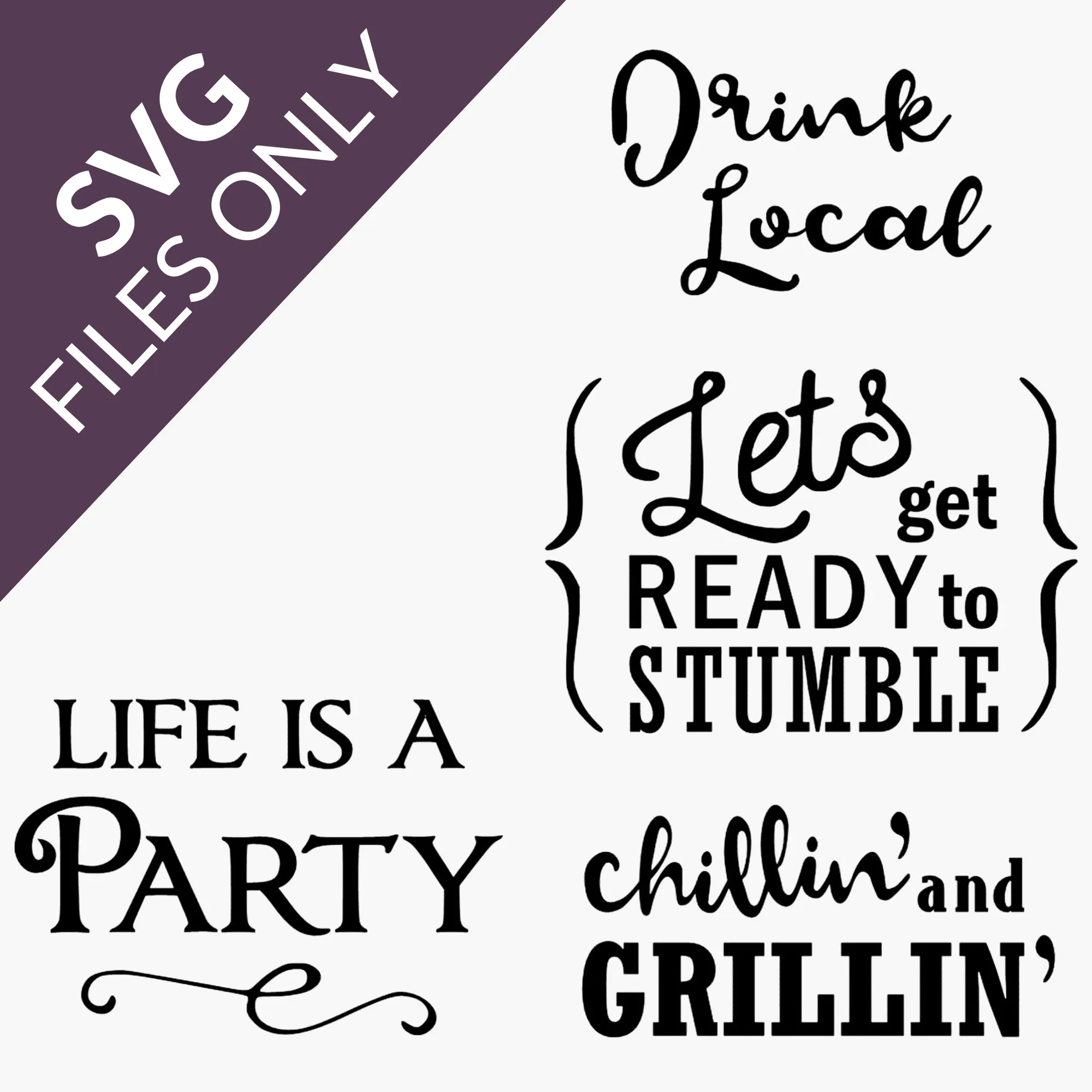
Backyard Beverage Caddy SVG Embellishment Phrases