Quick answer
To use the Zojirushi Micom Toaster Oven ET-ZLC30, start by selecting one of its 12 cooking functions via the bottom control panel, adjust temperature and time as needed, and always preheat for best results.
Why the control panel placement matters
The Zojirushi ET-ZLC30 places its control panel at the bottom of the unit. This design keeps the footprint smaller, but it also means you may need to bend slightly to see and press the buttons. If you are used to front-facing controls, give yourself a few uses to adapt.
The mirrored glass door and matte finish are not just for looks — they help the oven blend into your kitchen and reduce heat loss when closed. Always ensure the door is fully shut before starting a cycle.
Choosing the right cooking function
With 12 cooking functions, the ET-ZLC30 can handle everything from toast to pizza. The functions are labeled clearly on the panel, but it helps to know which ones are best for common foods. For example, the 'Toast' function is optimized for even browning, while 'Pizza' adjusts the top and bottom heating elements to melt cheese without burning the crust.
If you are unsure, start with the 'Auto' or 'Convection' mode for general baking and roasting. The micro-computerized technology maintains precise temperature, so you can trust the oven to do the work once you set it.
What the ET-ZLC30 cannot do (and why that's fine)
The ET-ZLC30 is not a full-size oven replacement. Its interior fits a 12-inch pizza, but you cannot cook a large turkey or multiple baking sheets at once. For small households or countertop cooking, this is a strength — it heats up faster and uses less energy than a conventional oven.
The oven does not have a built-in probe for meat temperature. If you need to cook meat to a precise internal temperature, use an external thermometer. The oven's precise temperature control still gives you consistent results.
Step-by-step guide to using the Zojirushi ET-ZLC30
- Place the oven on a stable, heat-safe surface: Set the oven on a flat, heat-resistant countertop away from walls, curtains, or other appliances. Leave at least 4 inches of clearance on all sides for airflow. Common mistake: placing it too close to a wall can cause overheating and poor ventilation.
- Plug in and open the door: Plug the oven into a grounded outlet. Open the mirrored glass door fully — it should not be blocked by anything on the counter. Check that the door closes completely; a gap can cause heat loss and uneven cooking.
- Select your cooking function: Press the 'Function' button on the bottom control panel until the desired cooking mode (e.g., Toast, Pizza, Bake, Broil) appears on the display. Refer to the user manual for the recommended function for your food. Common mistake: using the wrong function (e.g., Broil for toast) can burn food quickly. Match the function to the food type.
- Set the temperature and time: Use the 'Temp' and 'Time' buttons to adjust settings. For most functions, the oven defaults to a recommended temperature and time — you can override them. Press 'Start' to begin preheating. Do not skip preheating unless the recipe says otherwise. The oven beeps when ready.
- Place food inside and monitor progress: Once preheated, carefully place your food on the included baking tray or wire rack. Close the door. The oven will count down the remaining time. You can open the door mid-cycle to check, but this releases heat and may extend cooking time. Common mistake: overloading the oven. Leave space between items for hot air to circulate.
- Remove food and turn off the oven: When the timer ends, the oven beeps and turns off automatically. Use oven mitts to remove the tray or rack. Unplug the oven if you are finished using it. Let the oven cool completely before cleaning. Never immerse the oven in water — wipe the interior with a damp cloth.
Product facts
-
Micom Toaster Oven ET-ZLC30: The Zojirushi Micom Toaster Oven ET-ZLC30 features 12 cooking functions and an interior large enough to accommodate a 12-inch pizza. This means you can toast, bake, broil, and reheat a wide variety of foods without needing multiple appliances.
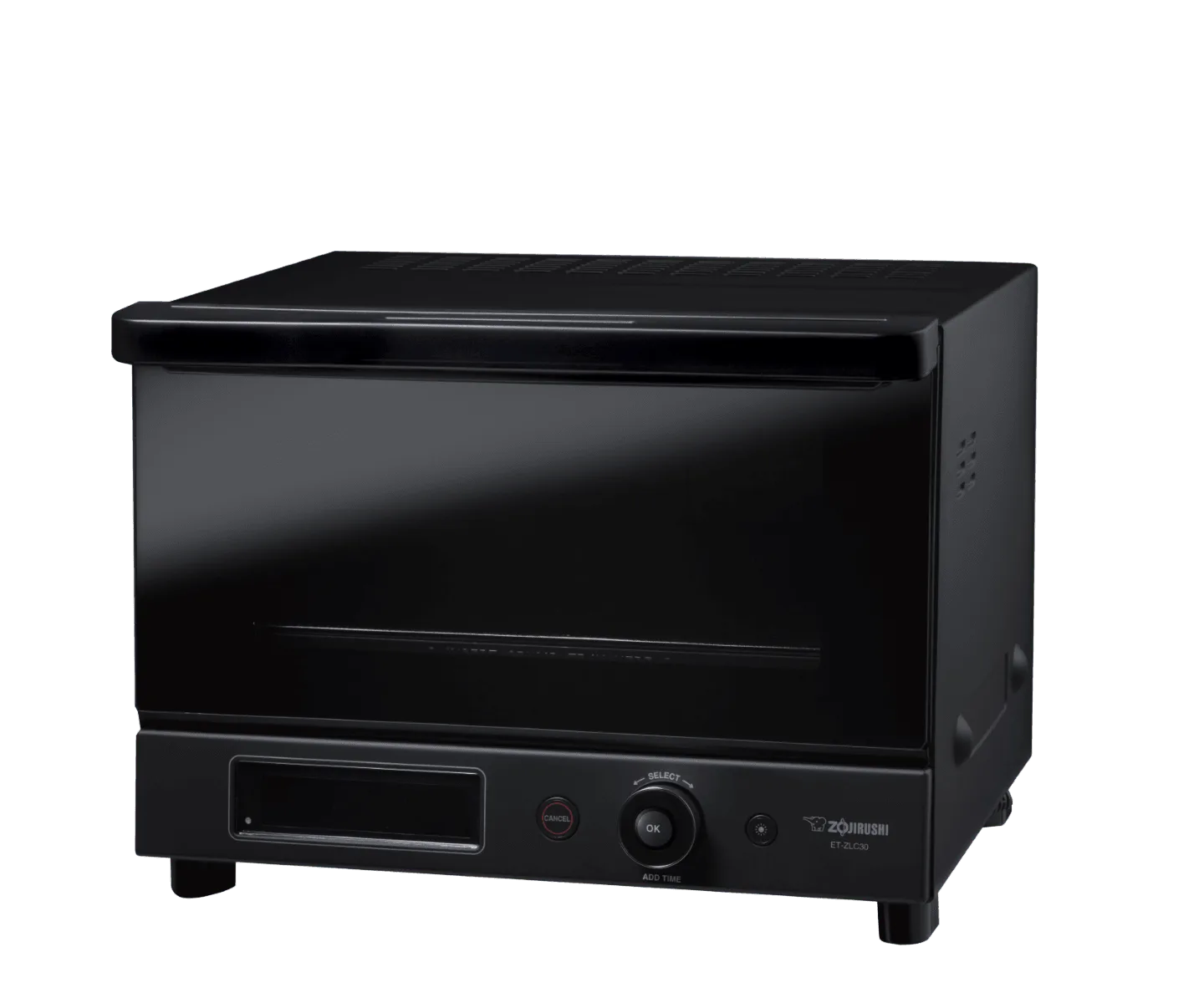
Micom Toaster Oven ET-ZLC30
-
Micom Toaster Oven ET-ZLC30: Advanced micro-computerized technology ensures precise temperature control. You get consistent cooking results every time, reducing the risk of burnt edges or undercooked centers.


