Quick answer
Install the extension brackets into the aluminum perimeter of your Adaptive Cutting System Project Table, then slide 2x4 boards into the brackets to create a stable support surface for large workpieces.
What you need before starting
You will need two or more Adaptive Cutting System Project Table Extension Brackets, two 2x4 boards (cut to your desired extension length), and a Phillips screwdriver. Make sure your Project Table is on a stable surface such as a Kreg Track Horse or Mobile Project Center.
Installation steps
- 1. Position the bracket on the table perimeter: Slide the extension bracket into the T-slot channel along the edge of your Project Table. Make sure the bracket is oriented so the opening for the 2x4 faces outward. A common mistake is forcing the bracket in upside down—check that the slot aligns with the channel before tightening.
- 2. Tighten the mounting screws: Use a Phillips screwdriver to tighten the two screws on the bracket until they are snug against the table perimeter. Do not overtighten, as this can strip the threads in the aluminum. If the bracket feels loose after tightening, remove it and check that the screws are fully seated in the channel.
- 3. Insert the 2x4 support board: Slide a 2x4 board into the bracket opening. The board should fit snugly but still slide freely. Adjust the bracket height so the top of the 2x4 is flush with the table surface (or 3/4" below if you plan to add a plywood top). Make sure the board is straight and not twisted—an uneven board will cause your workpiece to rock.
- 4. Repeat for additional brackets: Install a second bracket on the opposite side of the table for balanced support. For very long workpieces, add more brackets along the same edge. Space brackets no more than 4 feet apart to avoid sagging.
- 5. Test the extension: Place a workpiece across the table and the 2x4 extensions. Check that it sits level and does not rock. Make height adjustments as needed. If the workpiece rocks, recheck that all brackets are at the same height and the 2x4s are straight.
Product facts
-
Adaptive Cutting System Project Table Extension Brackets: Mount in aluminum table perimeter and accept 2x4 boards to extend work area of Project Table. Adjustable to position 2x4 supports flush with table surface, or 3/4" below when adding a plywood table surface is desired. This lets you match the bracket height exactly to your workpiece or to a plywood overlay, giving you a flat, level extension for accurate cuts.
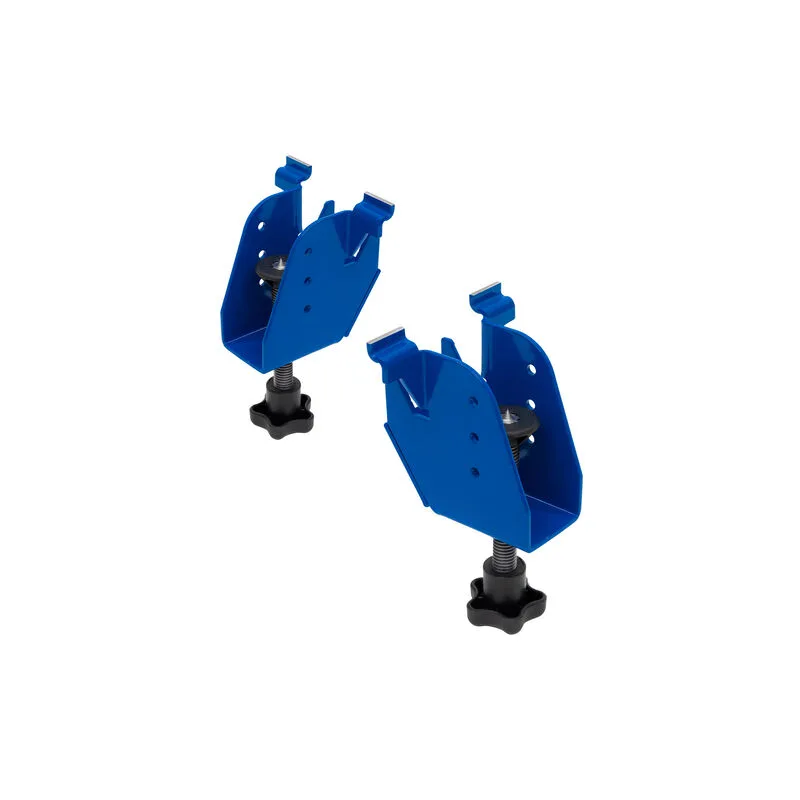
Adaptive Cutting System Project Table Extension Brackets