Quick Answer
To install the PRO SPRING SET on your racing pedals, follow the step-by-step process below, which covers preparation, removal, installation, and testing. This upgrade is designed for compatible Logitech pedals and improves pedal feel and consistency.
Why Replace the Springs on Your Racing Pedals
Over time, the springs in your racing pedals can wear out or feel too soft for your driving style. Replacing them with the PRO SPRING SET can restore consistent response and give you a more predictable braking or throttle feel. This is a straightforward upgrade, but it requires care with small parts and proper alignment.
Before you start, check that the spring set matches your pedal model. The PRO SPRING SET is intended for use with select gaming peripherals, so confirm compatibility with your specific pedals before opening the package.
Why Spring Tension Matters for Sim Racing
The spring in your pedal controls how much resistance you feel when you press down. A stiffer spring can make braking feel more precise, while a softer spring can make it easier to modulate. The PRO SPRING SET is designed for durability and consistent response, so it suits racers who want a reliable, uniform feel across sessions.
Installation Steps for the PRO SPRING SET
- Prepare your workspace and tools: Clear your desk, unplug the pedals from the PC or console, and have a small Phillips screwdriver ready. Place a soft cloth under the pedal base to protect the surface. Working on a stable, clean surface prevents losing small parts.
- Remove the pedal faceplate: Locate the screws on the back of the pedal set and remove them carefully. Keep the screws in a small container. Common mistake: stripping the screw heads by using the wrong size driver—use the correct Phillips size and apply steady pressure. If a screw feels stuck, stop and check the driver size before forcing it.
- Access the spring assembly: Once the faceplate is off, identify the spring mechanism. Note the current spring orientation and how it sits in the housing before removal. Take a photo of the original setup to reference during reassembly.
- Remove the old spring: Carefully lift out the old spring. Avoid prying with metal tools that could scratch the pedal surface or damage the mounting points. Check the old spring for wear or damage before discarding it.
- Install the new PRO SPRING SET: Place the new spring from the PRO SPRING SET in the same orientation as the original, ensuring it sits flush in the housing. Press down evenly until it locks into place. Confirm the spring is fully seated before reassembly.
- Reassemble and test the pedal: Reattach the pedal cover or mechanism, then press the pedal several times to check for smooth, consistent resistance. Listen for any squeaks or uneven feel. If the pedal feels too stiff or too soft, double-check the spring orientation and seating.
Product facts
-
PRO SPRING SET - Black: The PRO SPRING SET in Black is designed to enhance your gaming experience with reliable performance. This set provides a straightforward upgrade for compatible pedals, so you can adjust pedal feel without buying new hardware.
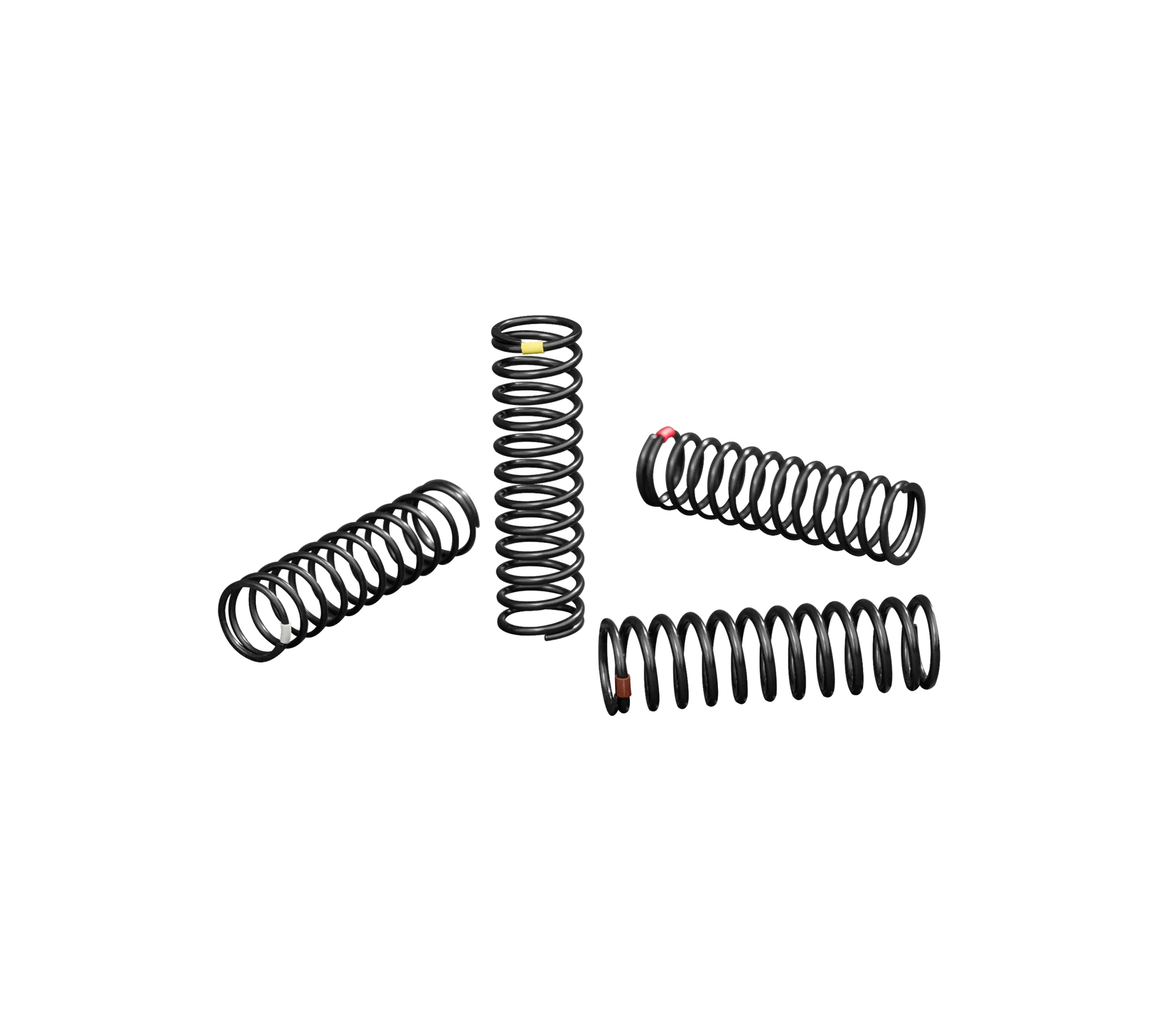
PRO SPRING SET - Black