Quick answer
Installing the Rebel clipper rear housing assembly is straightforward: attach the cover lid, screw it in place, add the bracket, then choose your lever and blade.
Why replace the rear housing?
A worn or damaged rear housing can affect clipper performance, causing uneven cutting or reduced battery life. Replacing it restores functionality without buying a whole new clipper.
The replacement rear housing assembly for the Rebel clipper comes fully assembled with battery, motor, and screws, saving you time and effort.
Installation steps
- Remove the old rear housing: Unscrew the existing rear housing from your Rebel clipper. Keep the screws—you'll reuse them for the new assembly. Check that the battery is disconnected before removing any wires.
- Attach the new rear assembly: Position the new rear housing assembly (includes battery and motor) onto the clipper body. Secure it with the screws you saved. Tighten screws evenly to avoid misalignment.
- Add the cover lid and bracket: Snap the cover lid into place over the rear housing. Attach the sliding or stretch bracket as needed for your blade setup. Ensure the bracket moves freely—if it binds, loosen the screws slightly.
- Choose your lever and blade: Select the lever and blade that match your cutting style. Install the blade and adjust the lever for desired cutting length. Test the clipper on a small area to confirm the blade alignment and cutting performance.
Product facts
-
Replacement Rear Housing Clipper Assembly for Rebel: This rear assembly package includes battery, motor, and screws, saving you time and effort. You don't need to source separate parts or do complex wiring—just install the assembly and add your cover lid and blade.
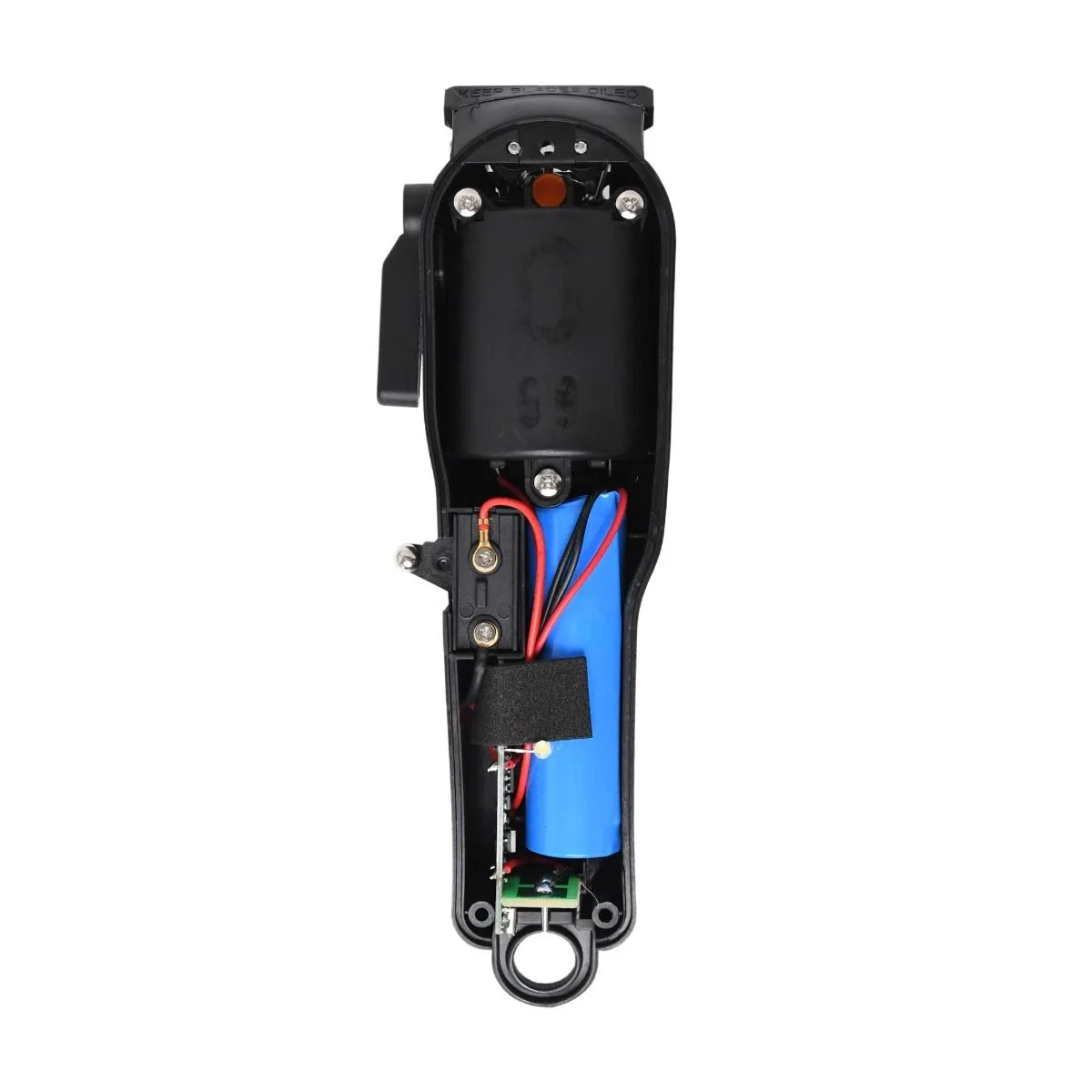
Replacement Rear Housing Clipper Assembly for Rebel