Quick answer
Install your T1C EZ Adjust Concealment Claw Light Bearing in minutes with basic hand tools. Position the claw on the holster's mounting holes, secure with the included hardware, and then adjust the pressure arm to fine-tune concealment.
Why the EZ Adjust Claw Improves Concealment
The T1C EZ Adjust Concealment Claw pushes the grip of your firearm inward toward your body, reducing printing. This light-bearing version is engineered for holsters that accommodate a weapon-mounted light, where standard claws may not provide the same leverage. The new patented design uses a high durability injection polymer with a Hex pattern for added structural integrity at the arm of the claw.
Installation steps with common mistakes
- 1. Remove existing hardware: Use a small flathead screwdriver or Allen wrench to remove the screws and clips currently attached to your light-bearing holster. Keep all original hardware in a safe place. Mistake: Reusing stripped or worn screws can cause the claw to loosen. Check the condition before reinstalling.
- 2. Position the concealment claw: Align the EZ Adjust Concealment Claw over the mounting holes on the holster body. Ensure the arm of the claw faces the direction that will press against your belt when holstered. Mistake: Installing the claw upside down will prevent the arm from contacting your belt. Double-check orientation before tightening.
- 3. Secure with new hardware: Insert the screws through the claw and holster mounting holes, then fasten with the corresponding nuts or washers. Tighten until snug—do not overtighten. The manufacturer recommends purchasing a hardware pack (sold separately) if you don't have the correct screws. Mistake: Overtightening can crack the injection polymer or strip the threads. Stop turning once the claw is firm.
- 4. Adjust the pressure arm: Gently press the arm of the claw inward to engage the adjustable pressure stacks. Test the resistance by reholstering and drawing your firearm; the arm should push the holster grip inward without binding. Mistake: Setting the arm too tight may cause holster retention issues. Adjust in small increments until you feel slight resistance against your belt.
- 5. Test carry and refine: Wear the holster and check concealment in front of a mirror. If printing persists, increase the claw's leverage by sliding the pressure stacks further along the arm, or add a wedge for additional tilt. Mistake: Forgetting to recheck fit after changing clothing or belt thickness—recalibrate if your carry setup changes.
Product facts
-
T1C EZ Adjust Concealment Claw™ - Light Bearing: The new patented T1C EZ Adjust concealment claws are made from a high durability injection polymer with a Hex pattern designed to give more structural integrity to the arm of the claw. This means the arm resists flexing under pressure, providing consistent concealment over time.
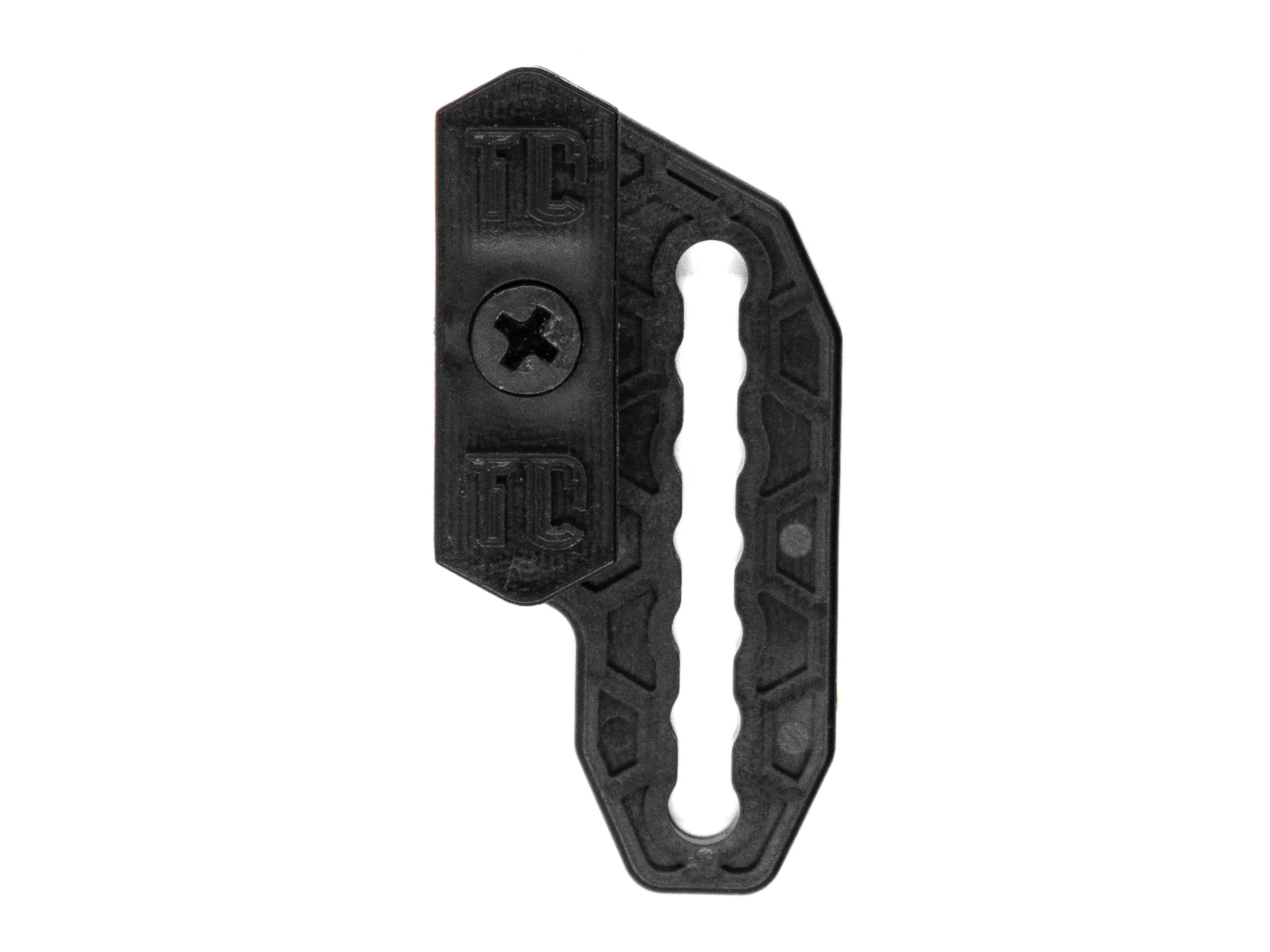
T1C EZ Adjust Concealment Claw™ - Light Bearing