Quick answer
Install the Zendure Smart Home Panel by mounting it near your main breaker panel, connecting the transfer switch to your SuperBase V, and wiring the EV outlets for solar integration.
Why location matters for your Smart Home Panel
The panel must be installed indoors, within 10 feet of your main electrical panel and within reach of a grounded AC outlet. Avoid damp areas like basements to prevent corrosion.
If you plan to add solar panels later, leave at least 3 feet of clearance on one side for future conduit runs.
What you need before starting
You'll need a voltage tester, screwdrivers, wire strippers, and a drill with masonry bits if mounting on concrete. The panel comes with the transfer switch and dock but not the mounting screws.
Double-check that your SuperBase V is fully charged and placed on a stable surface nearby. The panel communicates wirelessly, so keep the power station within 30 feet.
Installation steps
- Mount the panel: Secure the Smart Home Panel to a wall stud using the provided mounting bracket. Ensure it is level and at least 4 feet off the ground. A common mistake is mounting on drywall alone; always use a stud finder.
- Connect the transfer switch: Plug the transfer switch into the dock on the back of the panel, then connect the other end to the SuperBase V AC input port. Make sure the power station is turned off before connecting to avoid arcing.
- Wire the EV outlet: Run a 240V circuit from your main panel to the Smart Home Panel's EV outlet terminals. Use 6 AWG wire for 50-amp capacity. Hire a licensed electrician for this step if you are not experienced with high-voltage wiring.
- Configure the app: Download the Zendure app, pair the panel with your SuperBase V via Bluetooth, then set your charging schedule and backup thresholds. Firmware updates are required; check for updates in the app before testing.
- Test the system: Turn on the main breaker, then simulate a grid outage by switching the transfer switch to battery mode. Verify the EV outlet powers a charger. If the panel does not switch, check the wireless connection between the panel and the SuperBase V.
Product facts
-
Zendure Smart Home Panel with EV Outlets: The Smart Home Panel integrates with the Zendure SuperBase V via a transfer switch and dock. This allows automatic switching between grid power and battery backup without manual intervention.
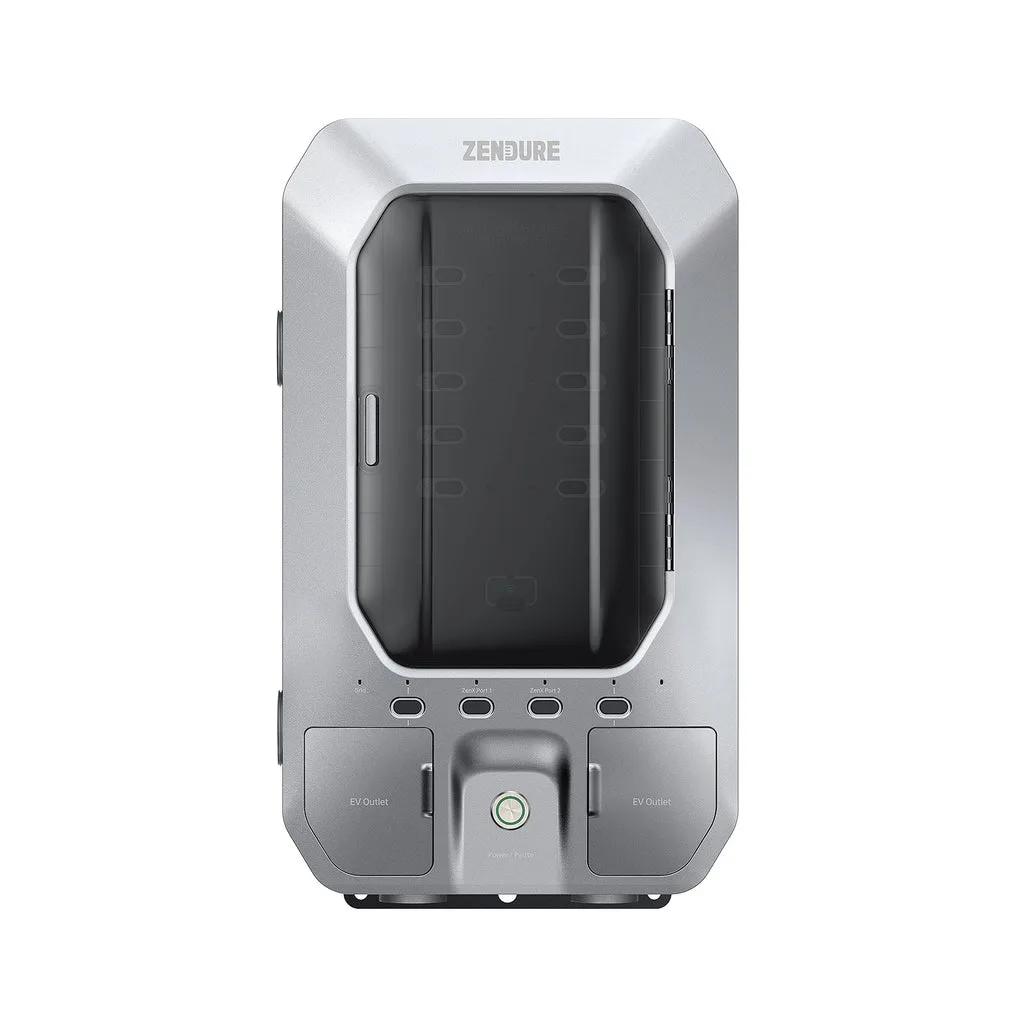
Zendure Smart Home Panel with EV Outlets