Quick answer
To install an iPhone 17 or Air Series tempered glass screen protector without bubbles, clean the screen thoroughly in a dust-free environment, align the protector carefully, and use a firm, even press from the center outward.
Why bubbles happen and how to avoid them
Bubbles usually form because of dust, lint, or improper alignment. A clean workspace and steady hands are your best tools.
Even a tiny speck of dust under the glass can create a bubble that won't press out. Taking a few extra minutes to prepare pays off.
What you'll need
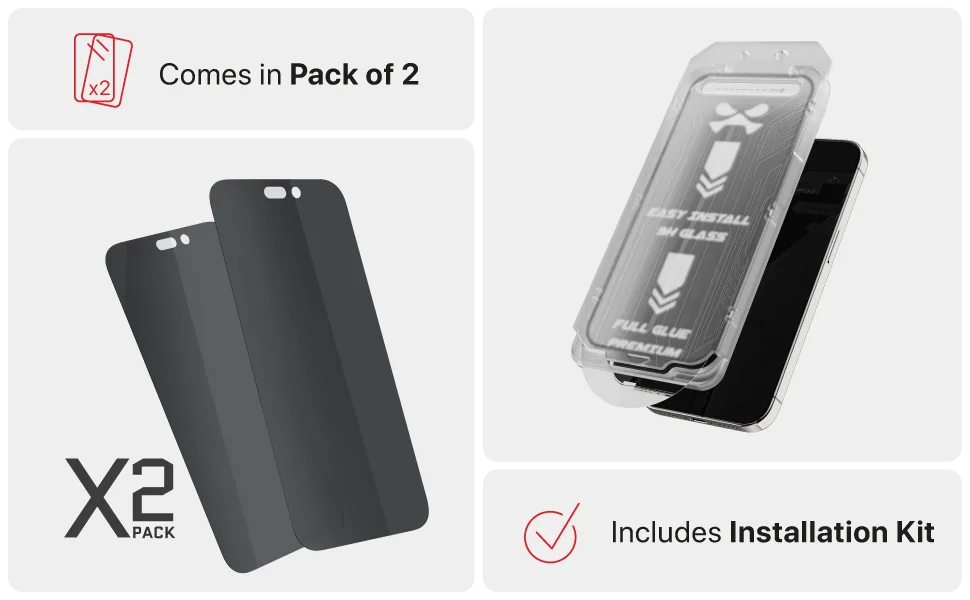
You'll need a tempered glass screen protector (like Ghostek's 2-pack for iPhone 17 / Air Series), a microfiber cloth, dust removal stickers, and a well-lit area.
Ghostek's pack includes two protectors, so you have a spare if the first attempt doesn't go perfectly.
Step-by-step installation guide
- Prepare your workspace and clean the screen: Wash your hands to remove oils. Use the included microfiber cloth to wipe the iPhone 17 screen. Follow with a dry cloth to remove any streaks. Use a dust removal sticker to pick up any remaining specks. Common mistake: skipping the dust sticker. Even invisible dust causes bubbles.
- Peel and align the protector: Peel the backing from the tempered glass protector. Hold it by the edges and align it with the iPhone 17's speaker grille and home button area (if applicable). Lower it gently from one side. Check alignment before letting the glass touch the screen. Once it contacts, repositioning is difficult.
- Press from the center and remove bubbles: Once aligned, press firmly in the center of the glass. The adhesive will spread outward, pushing air to the edges. If a small bubble remains, lift the nearest corner slightly and press again. For stubborn edge bubbles, use a credit card wrapped in cloth to gently push them out. Never press hard on the glass center after it's set.
Product facts
-
iPhone 17 / Air Series Tempered Glass Screen Protectors (2-Pack) — Screen Protection: This 2-pack of tempered glass screen protectors is designed for iPhone 17 or Air Series, providing scratch and impact protection while maintaining touch sensitivity. Having a spare protector means you can practice the installation technique without worrying about wasting a single sheet.
iPhone 17 / Air Series Tempered Glass Screen Protectors (2-Pack) — Screen Protection