Quick Answer
Set up your HCT1 KESTREL Holster by choosing the right clip style, adjusting the cant, and practicing a consistent draw. This guide covers the key steps and common pitfalls.
Why the KESTREL Holster Stands Out
The HCT1 KESTREL Holster is designed in collaboration with Brian Morgan from Hat Creek Training. It's built to make your Kestrel 5000 series ballistic calculator more accessible during training or field use. The holster secures the device while allowing quick access to atmospheric and ballistic data.
One trade-off: the holster is optimized for the Kestrel 5000 series. If you use a different model, check dimensions before purchase. The lifetime warranty covers manufacturing defects, but normal wear from daily carry is expected.
Choosing the Right Clip Style
The KESTREL Holster offers multiple clip style options. Your choice affects how the holster attaches to your belt or gear. For concealed carry, a low-profile clip works best. For range or duty use, a more robust clip provides extra security.
Common mistake: selecting a clip that doesn't match your belt width. Measure your belt before ordering to ensure a snug fit.
How to Set Up and Carry the KESTREL Holster
- Select Your Clip Style: Choose the clip style that matches your belt width and intended use. For everyday carry, pick a low-profile clip. For range or duty, choose a more secure option. Install the clip by sliding it onto the belt and snapping it into the holster's mounting holes. Check your belt width before ordering to avoid a loose fit.
- Adjust the Cant Angle: The KESTREL Holster allows cant adjustment for a more natural draw. Use a screwdriver to loosen the retention screws, tilt the holster to your preferred angle (typically 0-15 degrees forward), then retighten. Test the draw to confirm comfort. Don't overtighten the screws; they can strip. Use moderate pressure.
- Position the Holster on Your Belt: Slide the holster onto your belt at the 3-4 o'clock position (strong side) for open carry, or appendix for concealed. Adjust so the Kestrel is easily reachable with your dominant hand. Ensure the holster doesn't dig into your hip or side. Practice drawing the Kestrel a few times to confirm the placement feels natural.
- Secure the Kestrel in the Holster: Insert the Kestrel 5000 series device into the holster until it clicks into place. The retention should be firm but not overly tight. If the device wobbles, adjust the retention screws slightly. Test by shaking the holster gently. If the Kestrel doesn't click in, check that you're using the correct model. The holster is designed for the 5000 series.
- Practice Your Draw and Reholster: With an unloaded Kestrel, practice drawing it from the holster and reholstering. Use a smooth, deliberate motion. The holster should release the device without snagging. Repeat until the motion feels automatic. Never force the draw. If it snags, check the cant angle or clip position.
Product Details
-
HCT1 KESTREL HOLSTER: LIFETIME WARRANTY You can rely on the holster for years without worrying about manufacturing defects.
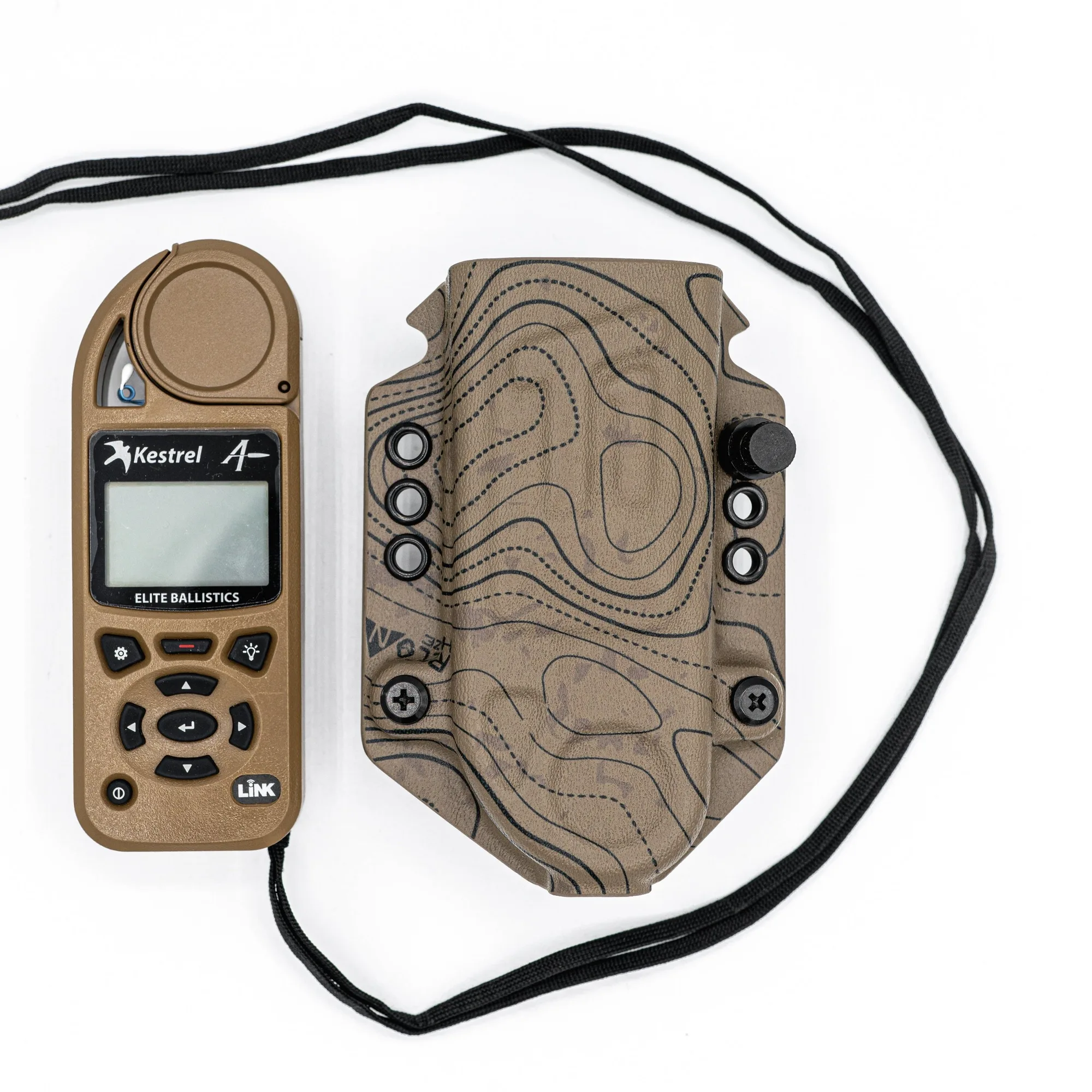
HCT1 KESTREL HOLSTER
-
HCT1 KESTREL HOLSTER: Designed in conjunction with Brian Morgan from Hat Creek Training The design is field-tested for practical use, not just theoretical carry.
-
HCT1 KESTREL HOLSTER: Makes your Kestrel more accessible when gathering atmospheric and ballistic data You can quickly deploy the Kestrel without fumbling, keeping focus on your environment.