Quick answer
Most label maker printing problems trace back to one of three things: the stepper motor isn't getting a clean signal, the label path is binding, or the print head isn't calibrated to the motor's steps. Start by checking that the motor moves freely when you rotate the label advance by hand. If it does, the issue is electrical or calibration. If it doesn't, stop and fix the mechanical bind first.
Symptom: Motor buzzes but label doesn't advance
A buzzing stepper that doesn't turn usually means the motor is receiving power but the rotor can't complete a step. This is common when the drive current is too low or when the motor is fighting a mechanical load. On the Label Maker - Stepper Motor, the motor drives the label feed directly, so any drag in the paper path shows up as a buzz instead of motion. Check that the label roll turns freely and that no adhesive is stuck to the feed roller. If the path is clear, the next suspect is the motor cable seating.
Symptom: Labels print but spacing drifts or overlaps
Drift and overlap are calibration symptoms, not motor failure. The stepper motor moves a fixed number of steps per label, so if the printed image doesn't line up with the label gap, the issue is usually the gap sensor or the step count setting. Re-run the label calibration routine and watch whether the motor pauses at each gap. If it pauses but the print still drifts, the problem is in the print head alignment, not the motor. Adjust one variable at a time and test with a single label before running a full batch.
Symptom: Motor runs but nothing prints
If the motor advances the label but the print is blank or faint, the stepper is doing its job. Look at the print head: a clogged or misaligned head won't deposit ink even when the motor is perfect. This is the point where you should stop adjusting the motor and switch to print head maintenance. Continuing to tweak motor settings when the head is the problem will only introduce new calibration errors.
When to stop and choose another option
If you've confirmed the motor moves freely by hand, the cable is seated, and calibration still fails, the stepper motor itself may be faulty. At that point, replacing the motor or the kit is more practical than further troubleshooting. For builders who want to keep experimenting, the Tank Plant - Capacitance offers a different mechanism to explore, and the Power Bank Replacement (Hack Pack) is a simple way to rule out power delivery as the root cause of intermittent motor behavior.
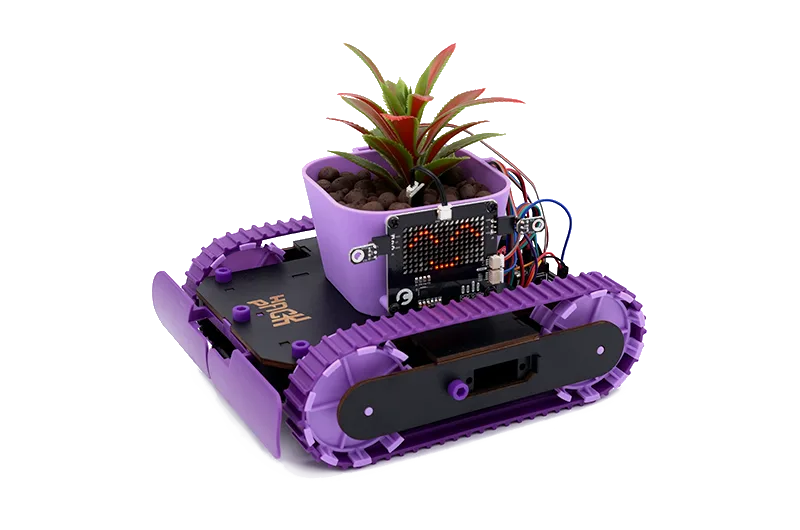
Tank Plant - Capacitance
Diagnosis: match the symptom to the fix
- Motor buzzes, no movement: Check for mechanical bind first: turn the label feed by hand. If it's stiff, clear the paper path and adhesive buildup. If it turns freely, reseat the motor cable and confirm the battery pack is charged. If the motor still buzzes after a free-spin check and cable reseat, the driver or motor is likely faulty.
- Labels advance but spacing drifts: Re-run label calibration and watch the gap sensor. Adjust the step count in small increments, testing one label at a time. If drift continues after two calibration attempts, stop tuning the motor and inspect the print head alignment.
- Motor runs, print is blank or faint: The stepper is working. Shift focus to print head cleaning and alignment. Do not adjust motor settings further. If the head is clean and aligned but print is still faint, the issue is ink or media, not the motor.
Parts and power facts
- Label Maker - Stepper Motor: The Label Maker - Stepper Motor is part of the CrunchLabs Hack Pack Toys line, built for hands-on engineering exploration. This kit contains 16 total parts. Knowing the part count helps you verify nothing is missing before you troubleshoot, since a missing spacer or gear can cause the exact binding that makes a stepper motor stall.
- Power Bank Replacement (Hack Pack): Your Hack Pack robot gets energy from a pocket-sized battery pack that powers the whole system. A weak or intermittent battery pack can make the stepper motor behave erratically, so swapping in a fresh Power Bank Replacement is a fast way to rule out power as the cause of printing problems.