Quick answer
Replace your Lascal BuggyBoard arm when it is cracked, bent, or no longer holds the board securely. Order the correct side (left or right) for your Mini or Maxi model and follow the simple steps below.
Why the arm matters and when to replace it
The arm on your Lascal BuggyBoard is the connection between the board and your stroller. It takes the weight of a standing child and absorbs the bumps, so it can wear out over time. A damaged arm can make the board unstable, which is a safety risk for your child.
Replace the arm if you notice visible cracks, bending, or if the board feels loose even after tightening the connector. Also check the arm after a rough ride or if the board has been knocked against a curb. Regular inspection helps you catch wear early.
Choosing the correct side
The replacement arm is available as a left or right arm, so you must pick the side that matches the damaged part. On most strollers, the left arm is on the left when you stand behind the stroller facing forward. Double-check your existing arm for any markings or compare the shape to the product images.
If you are unsure, measure the arm or consult your stroller manual. Using the wrong side can prevent the board from attaching correctly and may compromise stability.
Step-by-step replacement guide
- Remove the board from the stroller: Unclip or unscrew the BuggyBoard from your stroller frame and lay it on a flat surface. This gives you clear access to the arm attachment point. Check the connector and frame for wear while the board is off.
- Detach the damaged arm: Locate the screws or pins holding the arm to the board. Use the correct screwdriver or hex key to remove them. Keep the small parts in a safe place. Note the orientation of the arm and any washers before removal.
- Compare the new arm: Place the new replacement arm next to the old one to confirm it is the correct side and shape. If it does not match, stop and reorder the correct side. A mismatched arm will not attach securely.
- Attach the new arm: Position the new arm in the same orientation as the old one and insert the screws or pins. Tighten them firmly but avoid over-tightening, which can strip the threads. Check that the arm moves smoothly without excessive play.
- Reattach the board to the stroller: Clip or screw the BuggyBoard back onto the stroller frame. Give the board a gentle push to ensure it is secure and does not wobble. Test with your child standing on the board before a full outing.
Product facts
-
Lascal BuggyBoard Replacement Arm: This replacement arm is compatible with Lascal Mini and Maxi BuggyBoard models and is available as a left or right arm (left option code 81300, right option code 81301). You can replace only the damaged side, saving money and ensuring a proper fit for your specific board model.
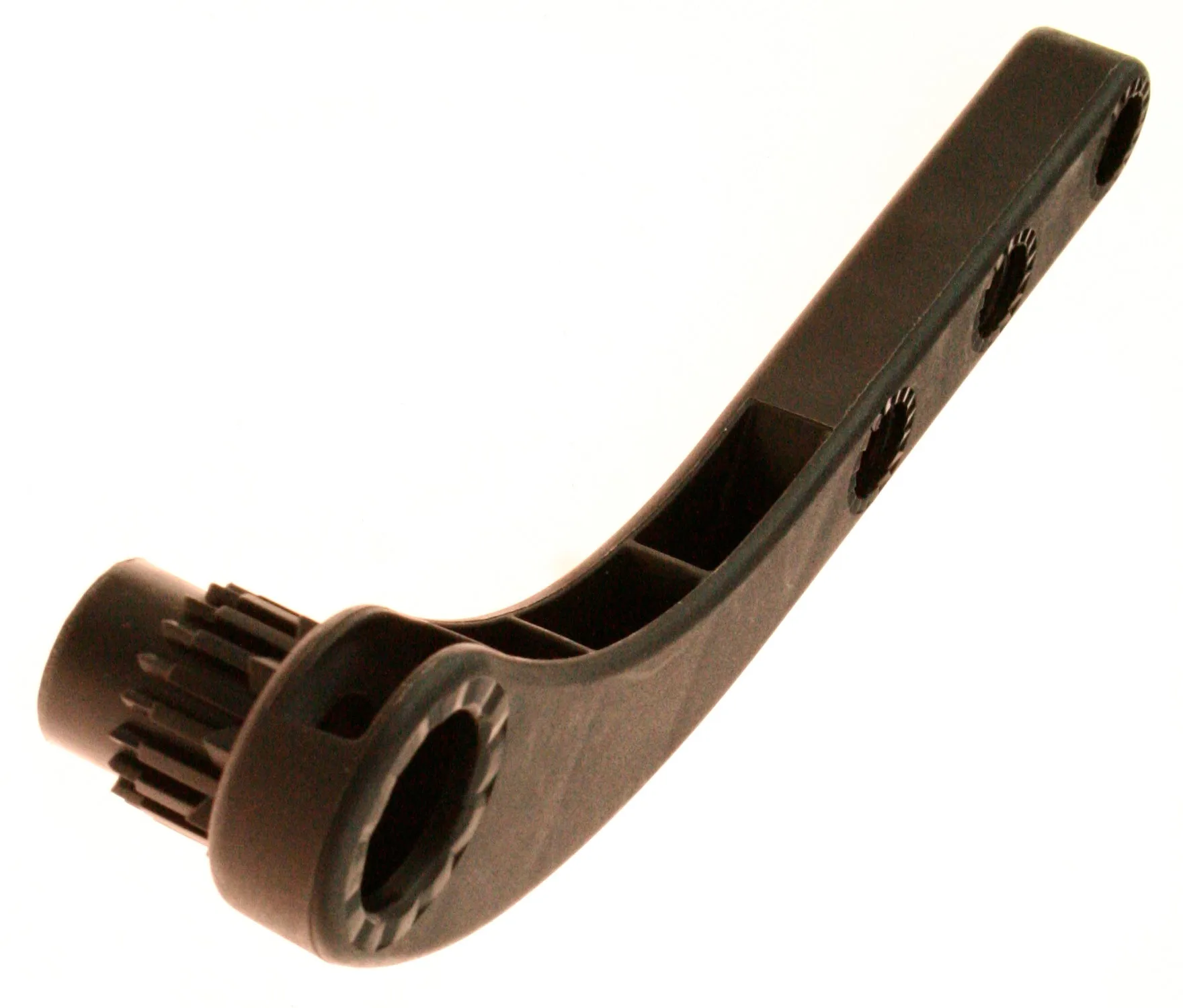
Lascal BuggyBoard Replacement Arm