Quick Answer
Laser tag uses light collimation to keep the beam narrow and focused so it can travel across the room and hit a sensor accurately. For your CrunchLabs Hack Pack build, understanding this principle helps you align the lenses and aim properly for reliable hits.
Why Light Collimation Matters in Laser Tag
Light from a typical LED spreads out in all directions, which makes it hard to aim at a small target. Collimation is the process of making light rays parallel, so they travel in a tight beam instead of scattering. In laser tag, this focused beam is what lets your blaster hit a sensor across the room without losing intensity.
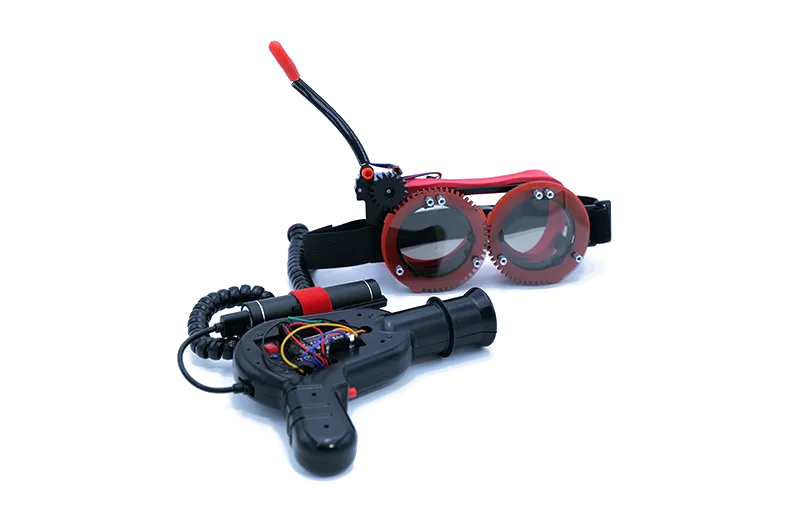
The CrunchLabs Laser Tag - Light Collimation pack gives you 16 parts to build a working blaster that demonstrates this principle. As you assemble it, you'll see how lenses and alignment work together to keep the beam narrow and bright.
Trade-Off: Collimation vs. Beam Spread
Perfect collimation would make a beam that never spreads, but in practice, some divergence is inevitable. A perfectly parallel beam would also be invisible to the naked eye, which is why many laser tag systems add a slight spread or a visible glow. For your Hack Pack build, you'll want a balance: enough collimation to reach the target, but enough spread to make aiming forgiving for younger players.
How to Build and Use Your Laser Tag Blaster
- Assemble the emitter module: Start by mounting the LED and the collimating lens in the emitter housing. Make sure the lens sits at the correct distance from the LED—too close and the beam spreads; too far and it dims. Check the alignment before tightening the screws. If the beam looks wide or weak, adjust the lens distance slightly.
- Align the sensor: Position the sensor on the target vest so it faces the emitter. Test the alignment by shining the beam directly at the sensor from a short distance. If the sensor doesn't trigger, check that the beam is centered and that no part of the housing blocks it. A common mistake is mounting the sensor at an angle, which reduces the hit area.
- Test at increasing distances: Start at 1 meter and fire. If the sensor triggers, move back to 2, 3, and 4 meters. At longer distances, the beam may spread, so adjust the lens or aim slightly higher. If the beam becomes too faint to trigger the sensor, you may need to recalibrate the lens. If hits become unreliable past 3 meters, recheck lens alignment before blaming the sensor.
Product Spotlight
-
Laser Tag - Light Collimation: The Laser Tag - Light Collimation pack is part of the CrunchLabs Hack Pack Toys line and includes 16 total parts focused on light collimation. It gives you a hands-on way to see how lenses and alignment turn scattered light into a focused beam, which is exactly what you need for a working laser tag blaster.
Laser Tag - Light Collimation