Quick answer
The Litter-Robot 4 Carpet Tray improves the accuracy of SmartScale weight readings when Litter-Robot 4 sits on carpet or uneven surfaces. It is not required for the litter box to function. If your Litter-Robot 4 sits on carpet, a rug, or a slightly uneven floor, install the tray before you start relying on weight-based insights.
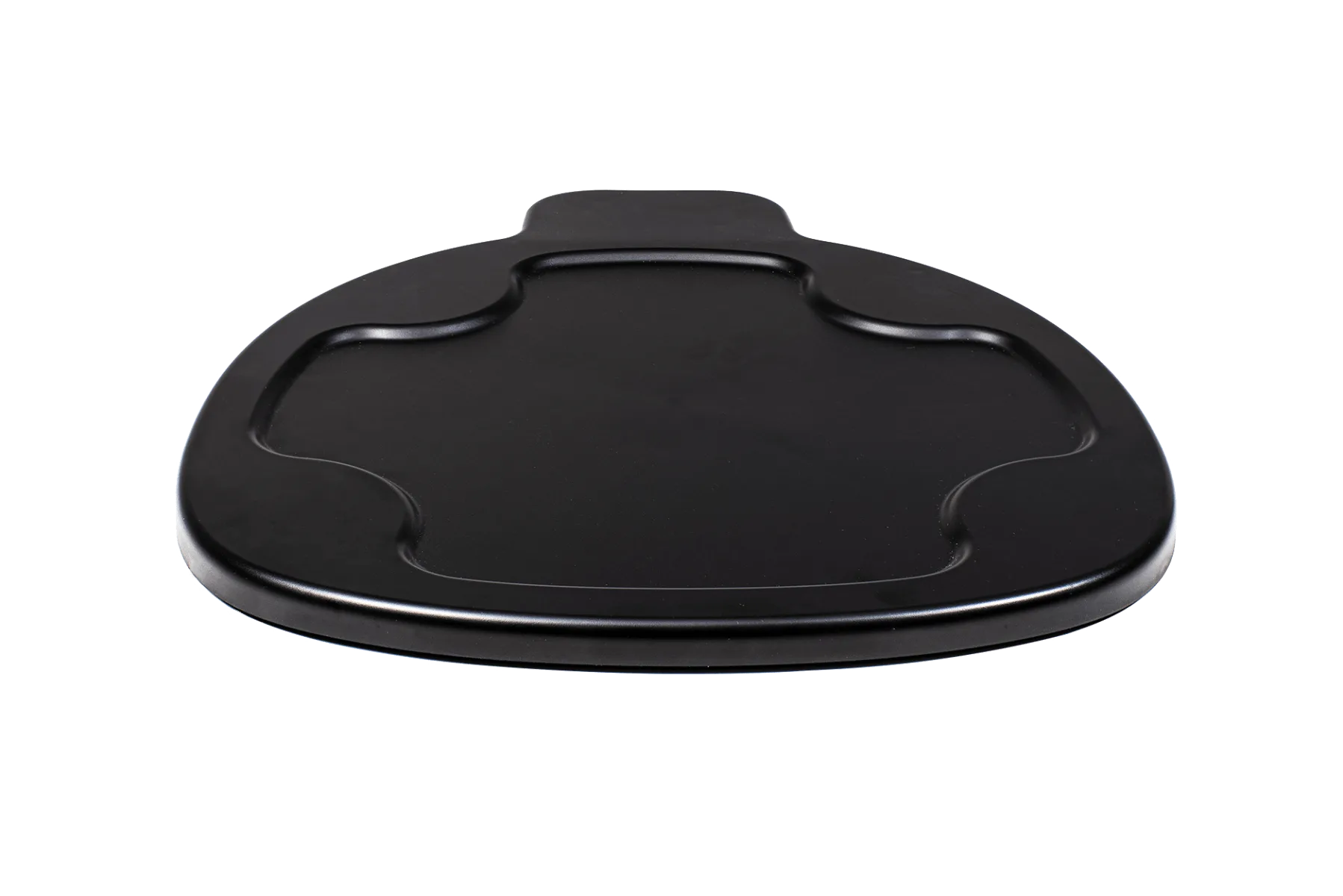
Litter-Robot 4 Carpet Tray
Carpet is one of the most common reasons a Litter-Robot 4 reports weight readings that do not match your cat. The unit's SmartScale works best on a firm, level surface, and a soft or uneven floor can throw off what it senses. The Litter-Robot 4 Carpet Tray is the accessory Whisker makes for exactly this situation.
This guide explains who actually needs the tray, what it does and does not change, and how to install it correctly so your weight readings become useful again. If you have been searching for a litter-robot carpet tray review before buying, the short version is this: it solves one specific problem well, and it is unnecessary if your floor is already hard and level.
What the Carpet Tray actually does
The Litter-Robot 4 Carpet Tray improves the accuracy of SmartScale weight readings when Litter-Robot 4 sits on carpet or uneven surfaces. That is its entire job. It does not clean the box, reduce odor, or change how the globe cycles, and Whisker notes it is not required for Litter-Robot 4 to function.
Think of it as a stable platform rather than an upgrade. On a hard, level floor, the litter box already has the firm footing SmartScale needs. On carpet, the tray gives the base a flatter, more consistent surface so the scale is not fighting the cushioning underneath. If your cat's weight readings look erratic or lighter than expected, the floor is the first thing to check.
- Checkpoint: if your Litter-Robot 4 already sits on tile, hardwood, or concrete, you can skip the tray entirely.
Do you need one? Match your floor to the fix
You need the tray if Litter-Robot 4 sits on carpet, a thick rug, a rug pad, or a floor that is not quite level. You do not need it on hard flooring that is flat and solid. The tray is a targeted fix for a specific surface, not a universal accessory.
It is also worth knowing what the tray will not do. It will not make an unlevel floor perfectly level, and it will not fix weight readings caused by something else, such as a cat who steps off mid-weigh-in or a unit that needs basic cleaning. Install the tray, then watch a few readings before deciding the problem is solved.
If you are already planning to add accessories, the Litter-Robot 4 Accessory Kit bundles premium Litter-Robot accessories for hands-free litter refills, minimal litter tracking, and litter box odor control. The Carpet Tray is a separate, floor-specific purchase, so buy it only if carpet is actually your issue.
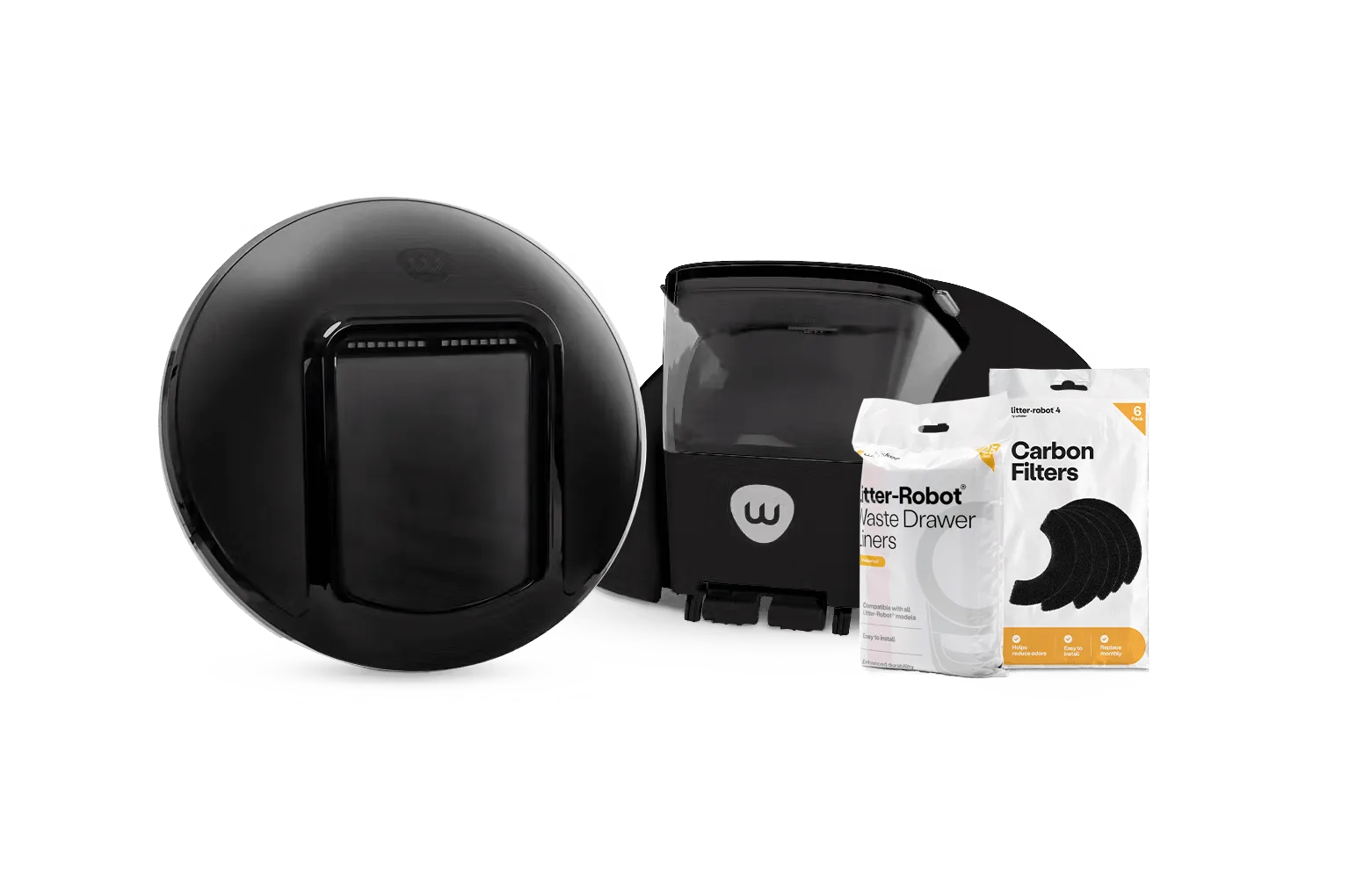
Litter-Robot 4 Accessory Kit
- Common mistake: buying the tray to fix odor or tracking. It does neither; those are different accessories.
Before you install: a two-minute check
Clear the area around the litter box and unplug the unit so nothing cycles while you work. Move the Litter-Robot 4 off the carpet for a moment so you can place the tray flat on the floor without the weight of the unit pinning it down.
Confirm the tray is oriented the same way as the base, with the opening facing the direction your cat enters. Once it sits flat, you should not be able to rock it with a light press. If it rocks, something is underneath it or the carpet is too plush for a stable fit.
- Checkpoint: the tray should sit flush with no wobble before the litter box goes back on top.
How to install the Litter-Robot 4 Carpet Tray
- Step 1: Unplug and clear the area: Unplug Litter-Robot 4 so it cannot cycle while you work, then move the unit off the carpet and set it aside. Clear any litter, toys, or cords from the spot where the tray will go. Checkpoint: the unit is unplugged and the floor area is completely empty.
- Step 2: Place the tray flat on the floor: Set the Carpet Tray down on the carpet or uneven surface, oriented the same direction as the litter box base so your cat's entry path is unchanged. Press down lightly around the edges to seat it. Common mistake: installing the tray on top of a thick rug pad or bunched carpet, which reintroduces the wobble you are trying to remove.
- Step 3: Set Litter-Robot 4 back on the tray: Lift the litter box onto the tray, centering it so the base sits fully within the tray's footprint. Do not let any corner overhang the edge. Checkpoint: press gently on each corner of the unit; if it rocks, reseat the tray or reposition the box.
- Step 4: Power on and verify weight readings: Plug the unit back in and let it complete its startup cycle. Have your cat use the box normally, then compare the reported weight against a recent vet or home weight for the same cat. Next step: if readings are still inconsistent after a few uses, the floor may be too uneven for the tray alone and the unit should move to a hard, level surface.
Product facts
- Litter-Robot 4 Carpet Tray: The Litter-Robot 4 Carpet Tray improves the accuracy of SmartScale weight readings when Litter-Robot 4 sits on carpet or uneven surfaces. It is not required for Litter-Robot 4 to function. Buy it only if carpet or an uneven floor is affecting your weight readings; on hard, level flooring it adds nothing.
- Litter-Robot 4 Accessory Kit: Upgrade your Litter-Robot 4 with premium Litter-Robot accessories for hands-free cat litter refills, minimal litter tracking, litter box odor control, and more. If your complaints are refills, tracking, or odor rather than weight accuracy, this kit addresses those problems; the Carpet Tray does not.
The Litter-Robot 4 Carpet Tray is a small, single-purpose fix: it improves SmartScale accuracy when your litter box sits on carpet or an uneven floor. Install it flat, center the unit, and verify a few readings before assuming it solved the problem. If your floor is already hard and level, save the money and skip it.