Quick answer
The littleBits i25 MP3 player Bit lets you play custom MP3 files in your inventions. Use it to add sound effects, music, or spoken instructions to classroom projects.
Why add audio to your littleBits inventions?
Sound makes projects more engaging and interactive. The MP3 player Bit turns a simple circuit into a media player, sampler, or looper—perfect for storytelling, music lessons, or science demonstrations.
Because it uses an SD card you load yourself, you control the content. No internet or app required during playback, which keeps classroom distractions low.
Trade-offs to consider
The i25 Bit plays only MP3 files—no WAV, AAC, or streaming. You must pre‑load audio on a computer before class. The module does not include a speaker, so you need a separate speaker Bit (i21) or headphones to hear the output.
How to set up the MP3 player Bit for a classroom project
- Prepare your audio files on a computer: Convert or download MP3 files (any length, but keep them under 100 MB each for quick loading). Name each file clearly—e.g., "countdown.mp3" or "applause.mp3". Insert the included SD card into your computer and copy the MP3 files onto it. Eject the card safely. Common mistake: using unsupported formats like WAV or AAC. The Bit only reads MP3 files.
- Insert the SD card into the i25 Bit: Slide the SD card (label facing up) into the slot on the back of the module until it clicks. Power the Bit by connecting it to a power source (e.g., the littleBits power Bit or a USB power adapter). Checkpoint: if the card doesn't click into place, try flipping it over. The slot is keyed to insert only one way.
- Connect a speaker or headphones: Plug the speaker Bit (i21) or a pair of headphones (3.5 mm jack) into the output port on the i25. Without a speaker or headphones, you won't hear any audio. Common mistake: assuming the i25 has a built-in speaker. It only outputs audio through the jack.
- Trigger playback in your invention: Send a signal from another Bit (like a button, light sensor, or timer) to the input of the MP3 player. The module will start playing the first MP3 file on the SD card. To play a different file, disconnect and reconnect the signal—it cycles through files in alphabetical order. Checkpoint: if no sound plays, verify the SD card is inserted and the file names are short (no special characters). Also confirm the speaker Bit is powered and connected.
Product details
-
littleBits i25 MP3 player: The MP3 player Bit plays your own MP3 files using littleBits. Load files onto the provided SD card to use it as a media player, sampler, or looper. You can prepare custom audio clips ahead of time, then trigger them during a project without needing a computer or internet connection.
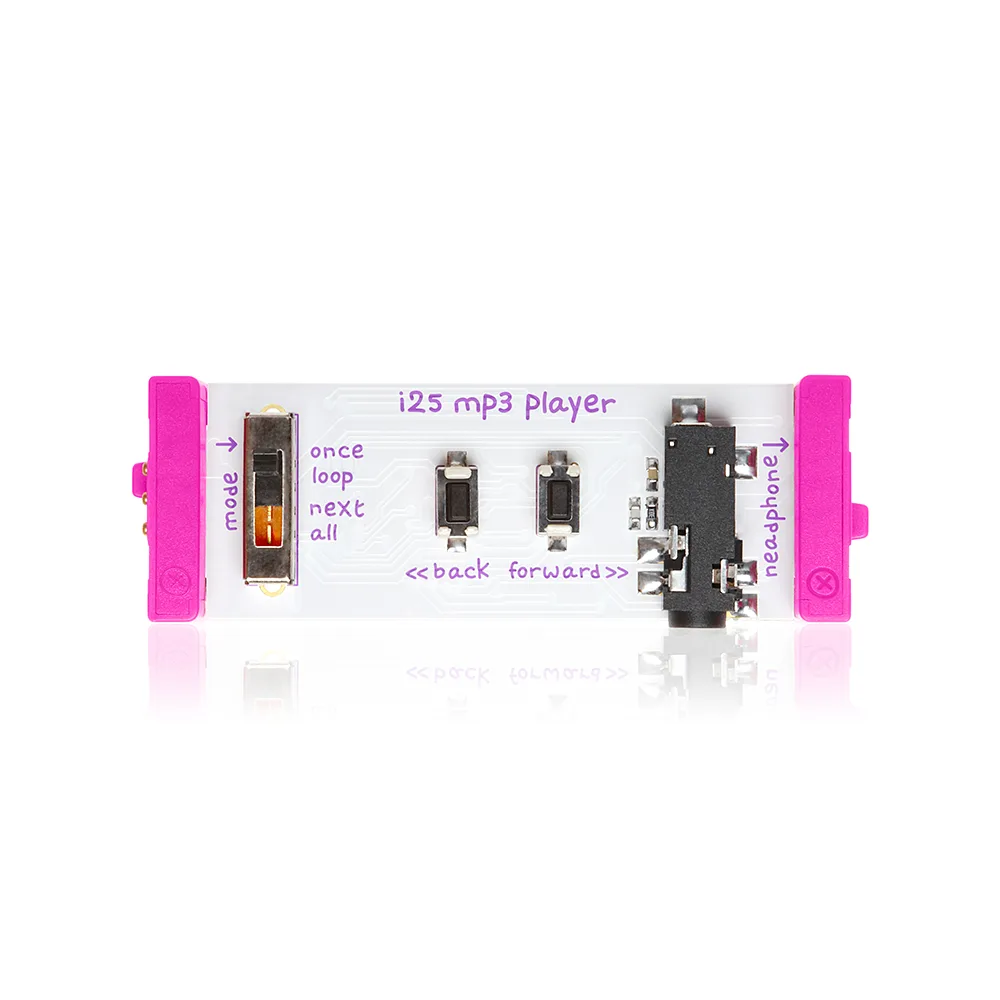
littleBits i25 MP3 player