Quick answer
To fit and install LOC cardboard motor mount adapters, first identify your kit's motor mount tube diameter and the motor you intend to use. Select the matching MMA number (MMA-1 through MMA-4 for friction fit, MMA-5 and MMA-6 for 75mm mounts with T-nuts, MMA-7 and MMA-8 for 98mm mounts with T-nuts). Then slide the adapter into the motor mount tube, ensuring a snug fit, and secure it using friction or the provided hardware. Always test-fit before applying any adhesive.
Understanding LOC MMA Numbering and Compatibility
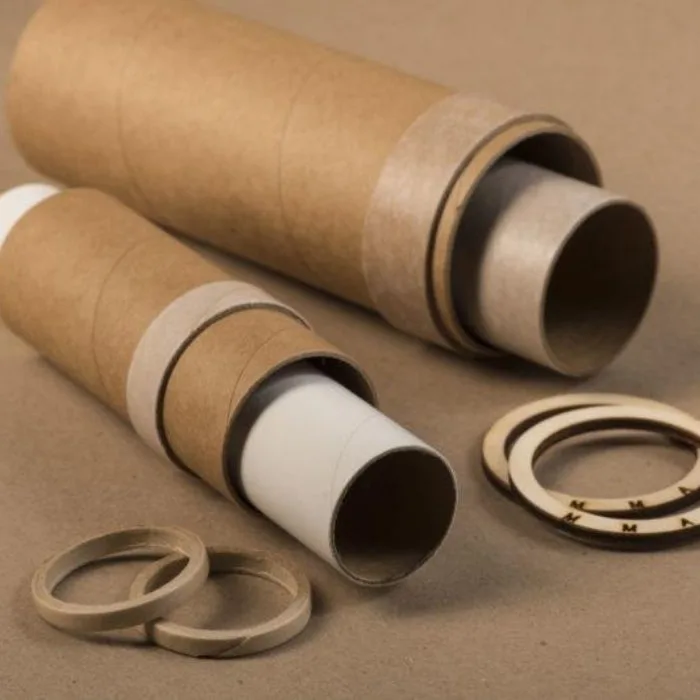
LOC cardboard motor mount adapters are labeled MMA-1 through MMA-8. The first four (MMA-1 to MMA-4) are designed for simple friction fitting in kits with cardboard motor tubes. MMA-5 and MMA-6 are for kits that have a 75mm motor mount tube and bolt into existing T-nuts in the aft ring. MMA-7 and MMA-8 are for 7.5-inch or larger kits with a 98mm motor mount tube, also bolting into existing T-nuts. Note that these adapters are not designed to be used with motor mounts that lack the corresponding T-nuts or with non-LOC kits unless dimensions match exactly.
Step-by-Step Installation Process
Follow these steps to install your LOC cardboard motor mount adapter correctly. Each step includes a common mistake to avoid.
Installation steps
- Identify your motor mount tube diameter: Measure the inner diameter of your rocket's motor mount tube. LOC kits typically use 29mm, 38mm, 54mm, 75mm, or 98mm tubes. Match this to the MMA number: MMA-1 to MMA-4 for cardboard tubes (friction fit), MMA-5/6 for 75mm with T-nuts, MMA-7/8 for 98mm with T-nuts. Common mistake: assuming all adapters fit all kits. Always verify your kit's motor mount size and retention type.
- Test-fit the adapter: Slide the adapter into the motor mount tube without adhesive. It should slide in with light resistance and not wobble. For friction-fit adapters (MMA-1 to MMA-4), the fit should be snug enough to hold the motor without additional hardware. Checkpoint: If the adapter is too loose or too tight, do not force it. Contact LOC for the correct size.
- Secure the adapter: For friction-fit adapters, simply insert the motor into the adapter and then into the mount; friction holds it. For bolt-in adapters (MMA-5 to MMA-8), align the adapter's holes with the T-nuts in the aft ring and secure with the provided bolts. For additional retention, consider adding a Z Clip Motor Retainer Set (product 884028) if your airframe allows. Common mistake: over-tightening bolts, which can crush the cardboard tube. Tighten until snug only.
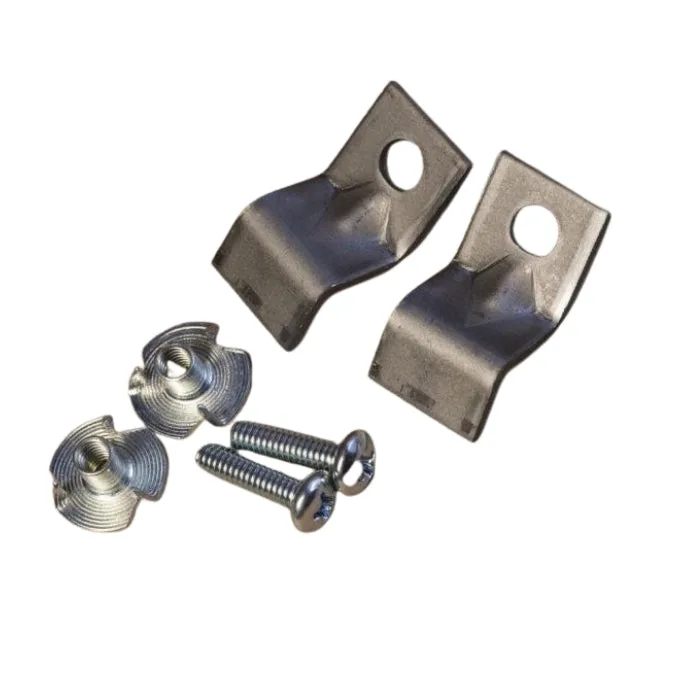
- Install the motor and check retention: Insert your motor into the adapter. Ensure the motor cannot be pulled out by hand. If using a Z Clip, position the clip so the center hole is at least 1/2 inch from the edge, and secure with the provided screw. The Z Clip should engage the motor's thrust ring. Checkpoint: Perform a gentle pull test on the motor to confirm it is secure before flight.
Product facts
- LOC Cardboard Motor Mount Adapters: MMA-1 through MMA-4 are for simple adapting in our kits with cardboard motor tubes using friction fitting. MMA-5 and MMA-6 are for our kits that have a 75mm MMT and bolt into the existing T-nuts in the aft ring. MMA-7 and MMA-8 is for our 7.5" or larger kits that have a 98mm MMT and bolt into the existing T-nuts in the aft ring. Choosing the correct MMA number ensures compatibility with your kit's motor mount and retention method, preventing unsafe fits.
- Z Clip Motor Retainer Set: Z Clip Style Motor Retainer Set For Existing Airframes - includes 2 each Heavy Duty Z Clip, T-Nut Insert with grip tongs for press in insertion, Low Profile Hold down Screw. Z clips are strong steel 3/4" wide. The center hole needs to be located at least 1/2" from the edge to mount properly. Use on larger rockets to keep motors with thrust rings in securely during flight and ejection. Z clips provide a secure motor retention method that can be used alongside motor mount adapters, especially when the adapter alone may not provide sufficient retention for high-thrust motors.