Quick Answer
To use Leica M lenses on your Fujifilm GFX camera, you need a high-quality M-mount adapter that fits the GFX's G-mount. The adapter allows manual focusing and aperture control, but you'll lose autofocus and electronic communication.
Why Use Leica Lenses on GFX?
Leica M lenses are renowned for their compact size, exceptional build quality, and unique rendering. Mounting them on a Fujifilm GFX medium format camera lets you combine that classic look with the GFX's high-resolution sensor. However, because the GFX has a larger sensor than the M system's full-frame format, you'll experience a crop factor of about 0.79x, meaning your lenses become slightly wider than their stated focal length.
Understanding Adapter Limitations
Most M-mount adapters are purely mechanical, so you'll need to focus manually and set the aperture on the lens itself. The camera will not record lens metadata, and some features like focus peaking and magnification will rely on the camera's manual focus aids. Ensure you choose an adapter that is precisely machined to maintain infinity focus and proper flange distance.
Step-by-Step Setup Guide
- Choose the Right Adapter: Select an M-mount to G-mount adapter that is specifically designed for Fujifilm GFX cameras. Look for one with a solid metal build and a secure locking mechanism. Avoid cheap adapters that may not maintain proper flange distance. Check for reviews that confirm infinity focus accuracy.
- Attach the Adapter to the Camera: Align the adapter's mounting index with the camera's lens release button and rotate it clockwise until it clicks into place. Make sure it's fully seated to avoid any wobble. If the adapter doesn't lock firmly, remove and reattach it.
- Mount the Leica Lens: Attach the Leica M lens to the adapter by aligning the red dot on the lens with the corresponding mark on the adapter. Rotate the lens counterclockwise until it locks. The lens should feel secure with no play. Never force the lens; if it doesn't mount smoothly, check alignment.
- Set Aperture and Focus: Set the aperture ring on the lens to your desired f-stop. For focusing, switch the camera to manual focus mode and use the focus ring on the lens. Use the camera's focus peaking or magnification to achieve sharp focus. Remember that the aperture is not controlled by the camera, so adjust it manually.
- Test and Adjust: Take a few test shots at different apertures and distances to verify sharpness and exposure. Since the camera cannot read the lens, use the histogram to check exposure and adjust accordingly. If images appear soft, refine your manual focus technique.
Product Spotlight
-
WCL-X100 II Wide Conversion Lens Silver: The WCL-X100 II is a dedicated wide conversion lens that multiplies the fixed focal length by approx. 0.8x, converting it to 28mm (35mm format equivalent). While not an adapter, this lens demonstrates Fujifilm's approach to expanding lens versatility, and it's a great companion for GFX shooters who also own an X100 series camera.
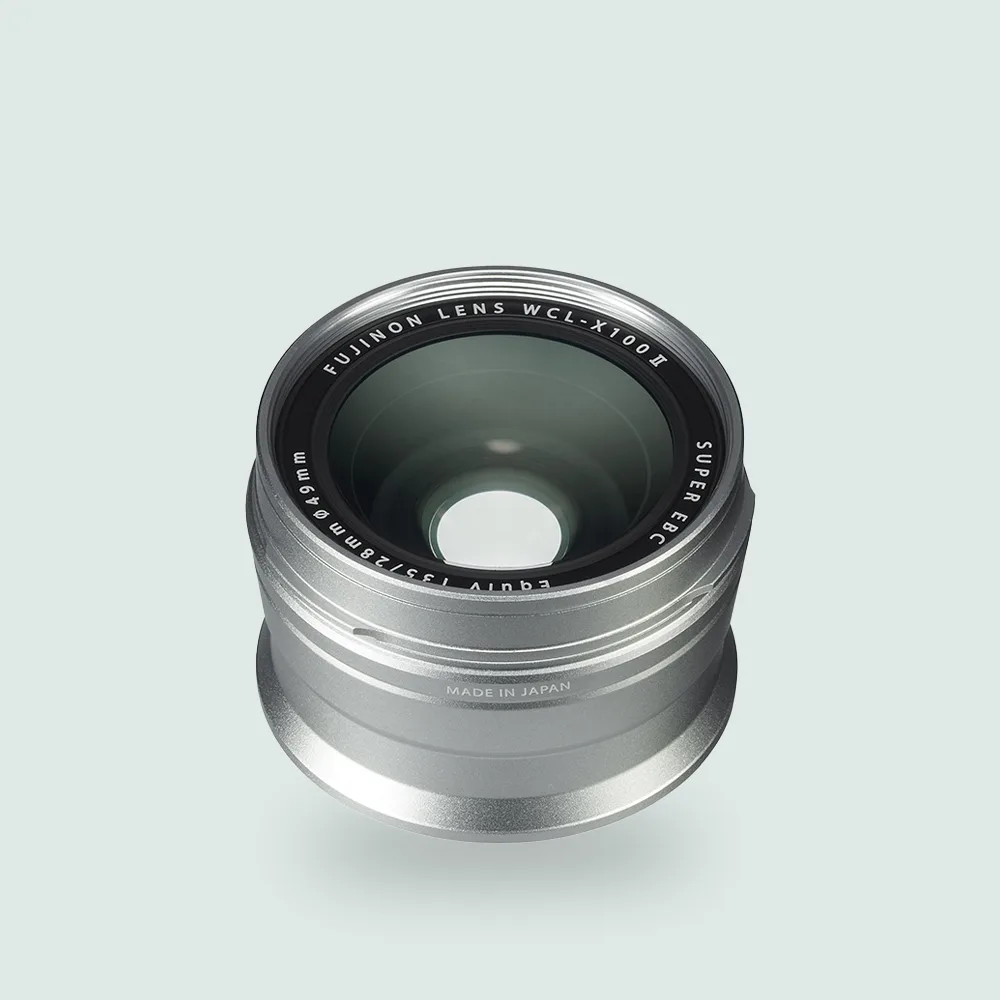
WCL-X100 II Wide Conversion Lens Silver