Quick answer
For most DSLR and mirrorless cameras, a full-size SD card is the safer choice because it matches the standard slot and avoids adapter issues. Choose a microSD card when your device only accepts microSD—like many action cameras, drones, or smartphones—or when you need the smallest possible storage. Speed class matters more than physical size: both formats use the same UHS-I and UHS-II ratings, so check your camera's required speed before buying.
Speed classes: what the labels actually mean
Speed ratings are printed on both microSD and full-size SD cards, and they follow the same standards. The minimum write speed is shown by a number inside a C (Class), U (UHS Speed Class), or V (Video Speed Class). For example, U3 and V30 both guarantee at least 30 MB/s write speed, which is enough for 4K video on many cameras. UHS-II cards have a second row of pins and can reach much higher speeds, but only if your device supports UHS-II. If you put a UHS-II card in a UHS-I slot, it will work but at UHS-I speeds. Always match the card's speed class to your camera's requirements—especially for burst shooting or high-bitrate video.
Capacity and physical size: microSD vs SD
Full-size SD cards are 32 x 24 x 2.1 mm, while microSD cards are 15 x 11 x 1 mm—about the size of a fingernail. That size difference means microSD cards are easier to lose and more fragile if handled roughly. Full-size SD cards are easier to grip and less likely to be dropped. Capacity-wise, both formats are available in similar ranges, but microSD cards often top out at lower maximum capacities for the same price. For cameras that shoot large RAW files or long video clips, a higher-capacity full-size SD card is usually more cost-effective. However, microSD cards are ideal for devices with tiny slots, such as action cameras or drones.
Compatibility: adapters and device slots
MicroSD cards often come with a full-size SD adapter, which lets you use them in standard SD slots. But adapters can be a weak point: they add an extra connection that may slow down data transfer or fail over time. For critical shoots, a native full-size SD card is more reliable. Some cameras have two slots—one full-size SD and one microSD—so you can use both. Always check your camera manual for the exact card type and maximum supported capacity. If your device only takes microSD, you have no choice, but for cameras with full-size slots, using a full-size card avoids adapter headaches.
Trade-offs: microSD vs full-size SD
- Size and durability: MicroSD cards are tiny and easy to misplace, and their small contacts can be more vulnerable to damage. Full-size SD cards are easier to handle and less likely to be dropped. If you frequently swap cards in the field, full-size SD is more forgiving.
- Adapter reliance: MicroSD cards often need an adapter to fit full-size slots, which can slow transfers or introduce reliability issues. Full-size SD cards plug directly into compatible cameras. For mission-critical shoots, avoid adapters when possible.
- Device compatibility: Some devices—action cameras, drones, smartphones—only accept microSD. Others, like most DSLRs and mirrorless cameras, use full-size SD. Check your device before buying. Match the card to your device's native slot for best performance.
Product facts
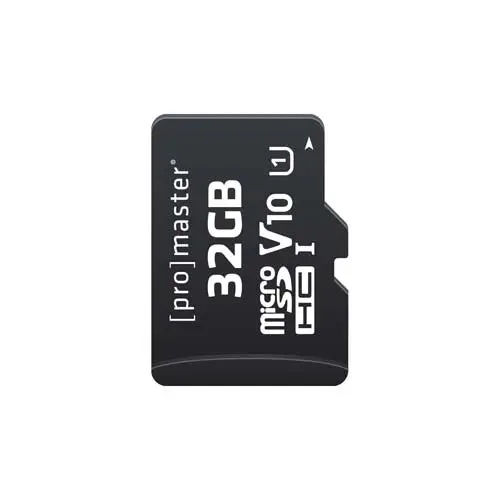
- PM microSD Performance 2.0: PM microSD Performance 2.0 is available in 32 GB, 64 GB, and 128 GB capacities. This range covers basic needs like a day of photos or short 1080p clips, but for 4K video or large RAW bursts, you may need to manage files more frequently or step up to a higher-capacity card.
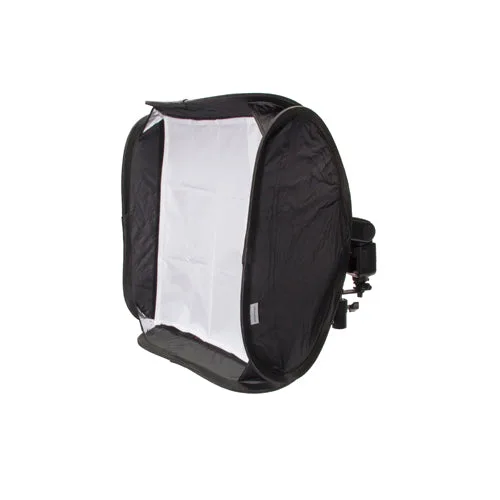
- PM Easy Fold 16" Speedlight Softbox: PM Easy Fold 16" Speedlight Softbox folds compact and includes a carry bag. If you shoot with a camera-mounted flash and want softer light, this diffuser is a practical addition to your kit—though it doesn't affect memory card choice.
Which should you choose?
Best for
- Action camera or drone users who need the smallest card
- Smartphone or tablet users expanding storage
- Photographers who need a backup card that fits multiple devices via adapter
Not for
- DSLR or mirrorless shooters who want maximum reliability and speed without adapters
- Professionals shooting high-bitrate 4K or burst RAW who need UHS-II speeds
- Anyone who frequently swaps cards in harsh conditions where small cards are easily lost