Quick Answer
Choose the Ender Dragon Backpack based on your child's torso length, not age, and pack heaviest items closest to the back to protect posture and the bag's shape.
Why Size Matters More Than Age
Kids grow at different rates, so age alone is a poor guide for backpack sizing. A bag that sits too low pulls on the shoulders and can cause discomfort, while one that sits too high limits access to the main compartment. Measure your child's torso from the base of the neck to the waistline to find the right fit.
The Ender Dragon Backpack is made from polyester, which is durable but not adjustable in the straps beyond standard shoulder adjustments. If your child is between sizes, prioritize a snug fit over extra room—an oversized bag encourages overpacking and strain.
Packing for Posture and Durability
How you pack affects both your child's comfort and the backpack's lifespan. Heavy items like textbooks should sit against the back panel, while lighter items like lunch boxes and pencil cases go toward the front. This keeps the center of gravity close to the body and reduces strain.
Avoid overloading the front pocket with dense items—it can distort the dragon design and stress the zippers. Use the main compartment for bulky items and keep the front pocket for flat essentials like a tablet or papers.
Step-by-Step Sizing and Packing Guide
- Measure Torso Length: Have your child stand straight and measure from the bony bump at the base of the neck down to the waistline (where the back curves inward). The backpack should sit about 2 inches below the shoulders and no lower than 4 inches above the waist. Check the measurement twice; a wrong torso length is the most common sizing mistake.
- Adjust Shoulder Straps: Loosen the straps fully, put the backpack on, and tighten evenly so the bag sits snug against the back. The straps should follow the natural curve of the shoulders without digging in. The bottom of the bag should rest in the curve of the lower back. If the bag sags below the waist, the straps are too loose—retighten before adjusting the load.
- Pack Heavy Items First: Place textbooks and binders vertically against the back panel. Then add lighter items like notebooks and a lunch box toward the front. Keep the front pocket for flat items only. The total weight should not exceed 10-15% of your child's body weight. If the bag feels heavy even after packing, remove non-essential items rather than tightening straps more.
- Secure Loose Straps and Zippers: Tuck or clip any dangling chest or side straps so they don't catch on doors or bus rails. Zip all compartments fully and smooth the front panel to keep the dragon design looking sharp. Check that no strap is hanging loose before your child heads out—this prevents snags and keeps the bag neat.
- Clean and Store Properly: Spot clean the polyester fabric with a damp cloth and mild soap; avoid machine washing. Air dry completely before storing. Store the backpack on a hook or flat surface, not crushed under other items, to maintain its shape. Never put the backpack in the dryer—heat can warp the polyester and damage the print.
Product Facts
-
Minecraft Ender Dragon Backpack School Bag: This officially licensed backpack is crafted from high-quality polyester material. Polyester resists wear and is easy to wipe clean, so the bag holds up to daily school use and minor spills.
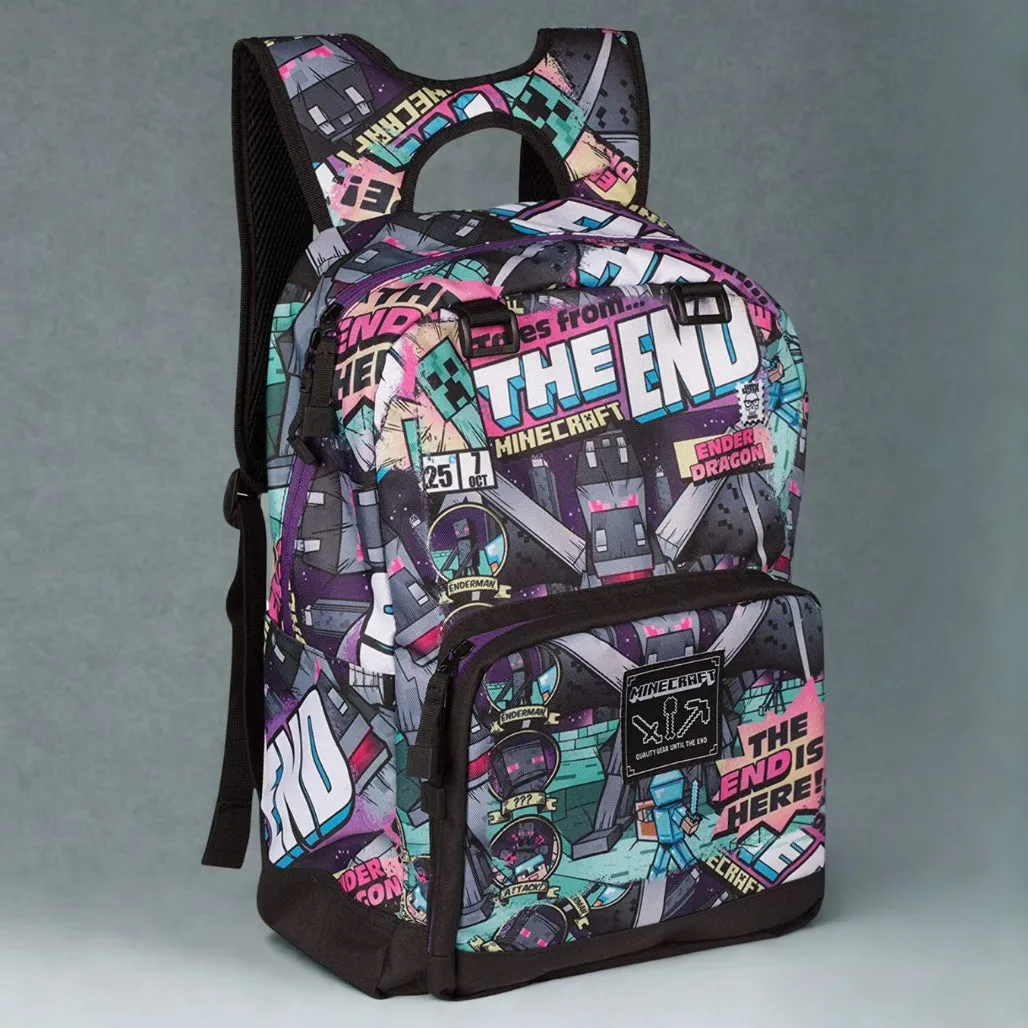
Minecraft Ender Dragon Backpack School Bag