Quick Answer
To securely mount your iPhone 16 Pro Max on a motorcycle, use the IntraLock® Motorcycle Bar Mount with a compatible Evolution case. Follow the step-by-step setup below to ensure a safe and stable fit.
Why a Secure Mount Matters
Riding with your phone mounted on handlebars exposes it to constant vibration, wind, and potential impacts. A mount that isn't properly secured can let your phone slip or even fall off mid-ride, which is both dangerous and costly. The IntraLock® system uses a mechanical locking mechanism that physically grips your case, providing a much more reliable hold than friction-based mounts.
Another advantage of the IntraLock® mount is its compatibility with the Evolution case series. This means you don't need to remove your protective case every time you ride—your phone stays protected while being securely attached. This convenience is a significant plus for riders who use their phones for navigation or music during trips.
Step-by-Step Setup Guide
- Attach the Mount Base to the Handlebars: Position the IntraLock® Motorcycle Bar Mount on your handlebars where you have a clear view of the phone. Tighten the clamp securely, but avoid over-tightening to prevent damage to the bars. Check that the mount doesn't interfere with controls or cables. Ensure the mount is positioned so you can still reach brake and clutch levers comfortably.
- Install the Evolution Case on Your iPhone: Place your iPhone 16 Pro Max into the Evolution case, making sure it clicks into place and all buttons align. The case must be fully seated for the IntraLock® mechanism to engage correctly. A partially installed case can cause the phone to sit unevenly and reduce grip strength. Double-check that the case's edges are flush with the phone—any gap means it's not properly seated.
- Lock the Phone into the Mount: With the case installed, align the back of the phone with the mount's locking mechanism. Press firmly until you hear a click, indicating the IntraLock® has engaged. Give the phone a gentle tug to confirm it's locked. If it slides, re-engage and press harder. Always do a 'tug test' before riding to ensure the phone is locked securely.
- Adjust the Viewing Angle: Loosen the tilt adjustment knob and set the phone to a comfortable viewing angle that minimizes glare and allows quick glances. Tighten the knob firmly, but avoid over-tightening. Test that the angle doesn't block your view of the road or instruments. Set the angle before you start riding; adjusting mid-ride is unsafe.
- Test Ride and Recheck Tightness: Take a short test ride on a smooth road, then recheck the mount's tightness and the phone's lock. Vibrations can loosen clamps over time, so it's wise to inspect the mount after the first few rides and periodically thereafter. Make it a habit to check the mount before every ride, especially after long trips.
Product at a Glance
-
IntraLock® Motorcycle Bar Mount: The IntraLock® Motorcycle Bar Mount attaches to your motorcycle's handlebars using ultra-secure mechanical mounting technology. This mechanical lock provides a vibration-resistant hold that keeps your iPhone 16 Pro Max firmly in place, even on rough roads.
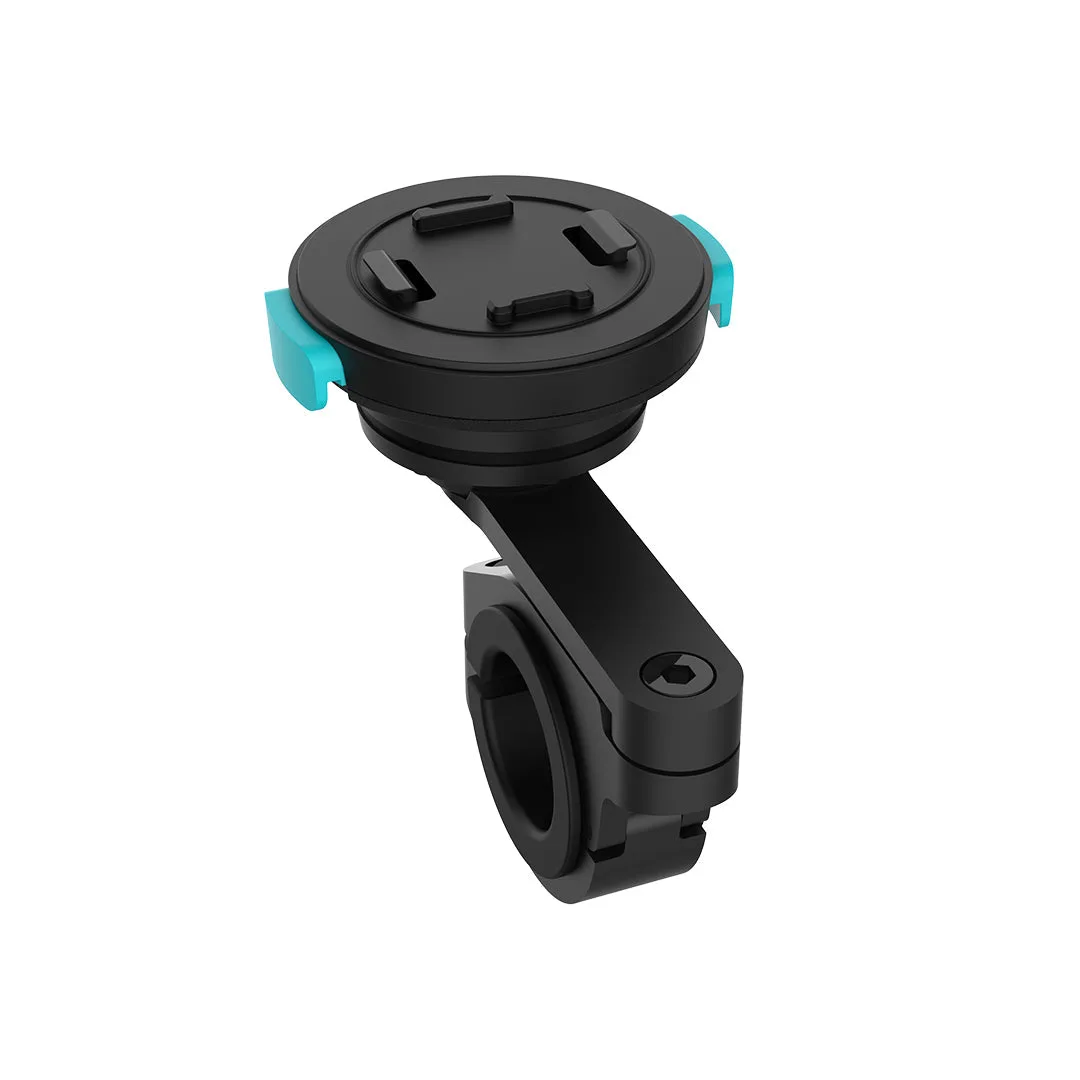
IntraLock® Motorcycle Bar Mount