Quick answer
The TR-One Universal Motor Mount is designed to fit Simucube 2, VRS, Simagic, and MIGE wheelbases directly. This guide walks you through the installation steps to get your direct drive wheelbase mounted securely and aligned correctly.
Why the TR-One Mount Works for Multiple Wheelbases
The TR-One Universal Motor Mount from Trak Racer is designed as a universal solution for most direct drive wheelbases. Its adjustable slot pattern and central mounting plate accommodate the bolt patterns of Simucube 2, VRS, Simagic, and MIGE models without needing extra adapters.
Because it replaces the original wheel deck mount, you can keep your existing rig structure while upgrading or swapping wheelbases. The mount itself is made from aluminum, which provides a rigid connection without adding unnecessary weight.
What You Need Before Starting
The TR-One mount comes with the mounting plate and necessary bolts for most wheelbases, but you will need a standard metric hex key set (typically 4mm, 5mm, and 6mm). A torque wrench is recommended to avoid over-tightening the bolts into the wheelbase's threaded holes.
Make sure your rig's front mounting plate is clean and free of debris. If you are switching from a different wheelbase, remove the old mount entirely and check that the rig's deck surface is flat.
Step-by-step mounting process
- 1. Position the TR-One mount on your rig's deck: Place the TR-One mounting plate onto the front deck of your rig. Align the center holes with the slot pattern that matches your wheelbase's bolt spacing. For Simucube 2, use the wider outer slots; for VRS, use the middle set. Common mistake: using the wrong slot pattern can cause the wheelbase to sit off-center, leading to misalignment with your pedals.
- 2. Secure the mount to the rig deck: Use the supplied M8 bolts to fasten the TR-One plate to your rig's deck. Tighten them evenly in a cross pattern to avoid warping the plate. Torque to approximately 15 Nm if using a torque wrench. Checkpoint: after tightening, ensure the plate does not rock or shift. If it moves, the deck may have an uneven surface—shim with a thin washer.
- 3. Attach the wheelbase to the mount: Place your Simucube 2, VRS, Simagic, or MIGE wheelbase onto the TR-One plate. Align the threaded holes in the wheelbase with the slots you selected in step 1. Insert the provided M6 bolts and tighten by hand first, then torque to 10 Nm. Common mistake: over-tightening can strip the aluminum threads in the wheelbase. Always use a torque wrench and stop at the recommended value.
- 4. Adjust wheelbase position and angle: Before fully tightening, slide the wheelbase forward or backward in the slots to achieve your preferred distance from the pedals. Also check the wheelbase is level side-to-side using a small bubble level on the top surface. Checkpoint: if the wheelbase is not level, loosen the deck bolts slightly, adjust with thin washers under one side of the plate, then retighten.
- 5. Final torque and cable routing: Once the position is set, torque all bolts to the final values (15 Nm for deck bolts, 10 Nm for wheelbase bolts). Route the wheelbase's power and USB cables away from moving parts and secure them with cable ties to the rig frame. Common mistake: leaving cables loose can cause them to get caught in the wheelbase's moving parts or the rig's pedal mechanism. Secure them before testing.
Product facts
-
TR-One Universal Motor Mount for Simucube 2, VRS, Simagic & MIGE Wheelbases: The TR-One Universal Motor Mount is designed for Direct Drive Force Feedback wheelbases including Simucube, Simucube 2, VRS, Simagic, Fanatec, MIGE, and more. This means you can use one mount for multiple wheelbase brands, making it easy to swap or upgrade without changing your rig's front mount.
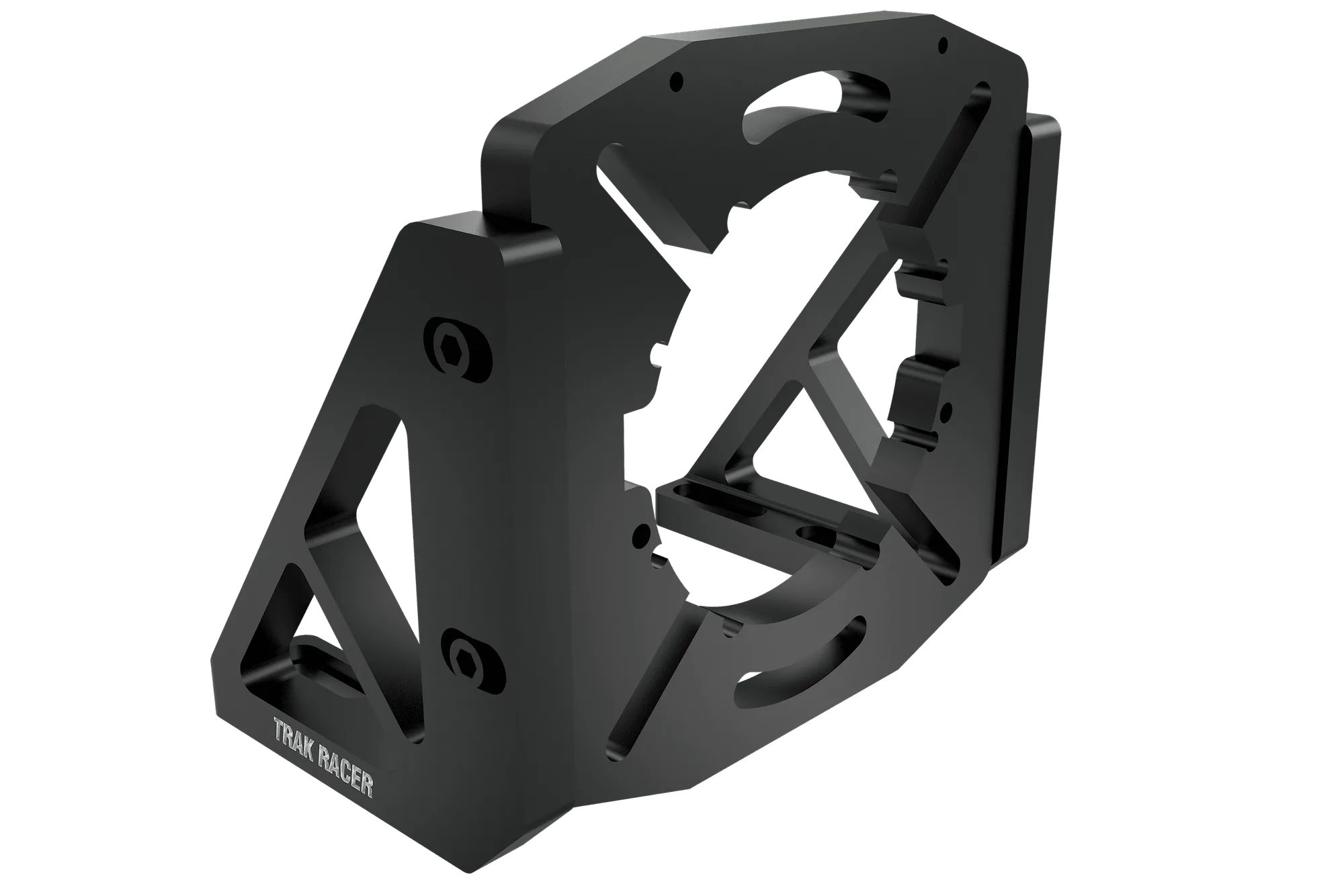
TR-One Universal Motor Mount for Simucube 2, VRS, Simagic & MIGE Wheelbases