Quick Answer
Mount the wheel to a compatible MOZA base, connect to Xbox or PC via USB, and configure control mappings in-game for optimal performance.
Why the MOZA ESX Stands Out
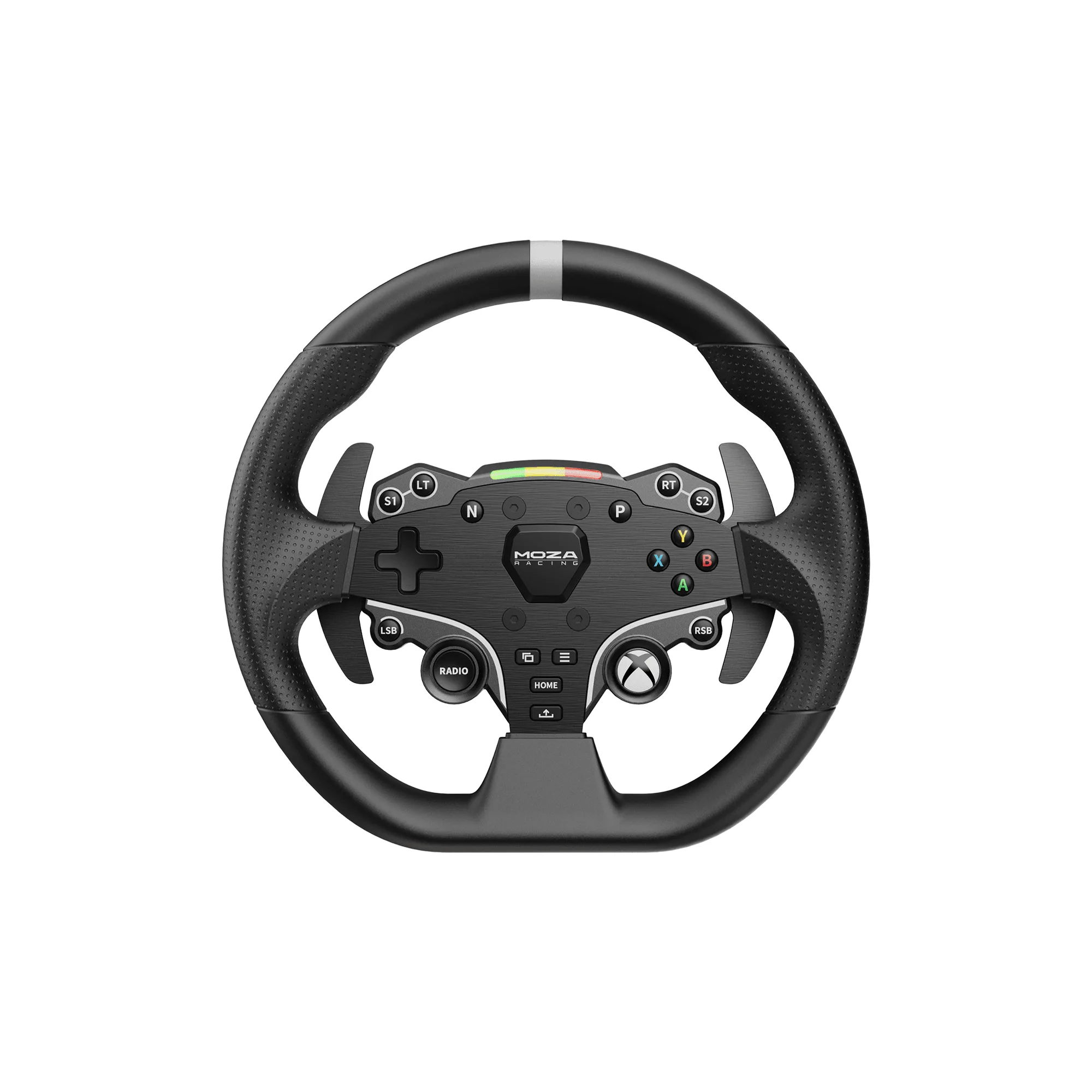
The MOZA ESX is one of the few officially licensed Xbox steering wheels for sim racing, meaning it works natively with Xbox Series X|S and Xbox One without workarounds. Its 280 mm aluminum rim and ISF polyurethane grips offer a durable, realistic feel for road, rally, and GT racing.
Before You Start: Compatibility Check
The ESX is a wheel rim, not a complete base. You need a compatible MOZA wheel base (like the R5, R9, or R16) to attach it. On Xbox, the ESX's official license ensures plug-and-play functionality, but on PC, you may need to update firmware via MOZA Pit House software for full feature support.
Step-by-Step Setup
- Attach the Wheel Rim: Align the MOZA ESX's quick-release hub with your MOZA wheel base and push until it clicks. Tighten the locking collar by hand. Check that the collar is fully seated to avoid wobble during use.
- Connect to Power and PC: Plug the wheel base's power supply into a wall outlet. Connect the base to your PC via USB using the provided cable. Use a USB 3.0 port for reliable data transfer; avoid USB hubs if possible.
- Install MOZA Pit House (PC Only): Download and install MOZA Pit House from the official website. Launch the software and connect your wheel base. Update firmware if prompted. Skipping firmware updates can cause button mapping issues or missing features.
- Configure Button Mapping: In MOZA Pit House, assign functions to the 22 programmable controls. For racing games, map essential controls like throttle, brake, and gear shift to the wheel's buttons and paddles. Save your profile before exiting; many games require in-game mapping as well.
- Set Up on Xbox: Connect the wheel base to your Xbox via USB. The console will recognize the ESX automatically. Launch a compatible racing game and calibrate steering range in the game's controller settings. Not all Xbox games support custom wheel settings; check the game's compatibility list first.
- Adjust RGB Shift Lights: In MOZA Pit House, set the RGB shift lights to trigger at your preferred RPM threshold. This helps with gear timing without looking at a separate display. Start with factory defaults and adjust based on your car's redline in each game.
- Test and Fine-Tune: Run a practice lap in your chosen game. Adjust force feedback strength and rotation angle in MOZA Pit House or in-game settings to match your driving style. If the wheel feels too loose or stiff, reduce or increase force feedback gain by 5% increments.
Product Highlights
-
MOZA ESX Steering Wheel for Xbox and PC: Officially licensed for Xbox, compatible with Windows PC, and features a 280 mm aluminum alloy rim with ISF polyurethane grips. This means no adapter is needed for Xbox consoles, and the durable construction withstands intense racing sessions.
MOZA ESX Steering Wheel for Xbox and PC