Quick answer
Most needle file problems come down to three causes: moisture left on the steel, packed debris between the teeth, or worn cutting edges. Dry and oil your files after every use, clean clogged teeth with a file card or brass brush, and replace a file once the teeth feel smooth and stop cutting. If rust has pitted the surface or the teeth are rounded over, restoration will not bring the file back.
Needle files are small, precise, and easy to neglect. A file that worked well last week can start skipping across the workpiece, leaving burnished marks instead of shavings. Before you blame your technique, check the file itself. Rust, packed debris, and worn teeth are the three most common reasons a needle file stops performing.
This guide separates each symptom from its likely cause, gives you a corrective action, and tells you when to stop trying to save the file. The same logic applies whether you are working on metal, wood, plastic, or resin.
Symptom: Rust Spots or Orange Dust on the File
Rust on a needle file usually appears as orange or brown speckling along the teeth, and you may see orange dust on your fingers or workpiece. The cause is moisture left on the steel after cleaning, combined with storage in a humid drawer or pouch. Carbon steel files are especially vulnerable because they have no protective coating unless you apply one.
Corrective action: remove light surface rust with a brass brush and a few drops of light oil, brushing along the direction of the teeth. Do not use sandpaper or a steel brush, which can round the cutting edges. After cleaning, dry the file completely and apply a thin coat of oil before storing it. If rust has pitted the surface or the teeth feel rough and uneven, stop. Pitting changes the cutting geometry and no amount of cleaning will restore it.
- Dry files with a cloth, then let them air for a few minutes before oiling.
- Store files in a dry pouch or a drawer with a desiccant pack.
- Avoid washing files in water; if you must, dry and oil immediately.
Symptom: Teeth Packed with Debris (Clogged File)
A clogged file looks like it has lost its bite, but the teeth are still there. Soft materials such as aluminum, resin, wax, and some plastics smear and pack between the teeth, a condition called pinning. The file skates over the workpiece instead of cutting, and you may see a shiny, burnished surface rather than shavings.
Corrective action: clean the file with a file card or a brass brush, brushing perpendicular to the teeth. For stubborn packing, use a sharp pick or a piece of hardwood to push debris out of the grooves. Clean your file every few minutes when working with soft materials, and apply chalk or a light oil to the teeth before filing to reduce pinning. If the debris has hardened and the teeth remain packed after cleaning, the file may need a longer soak in solvent, but never use acid or harsh chemicals that can damage the steel.
- Clean the file before the debris hardens; fresh swarf comes out easily.
- Use a file card with short strokes; do not scrub back and forth.
- Chalk works well on wood and resin; light oil works better on metal.
Symptom: Dull Teeth That Slide Instead of Cut
Dull file teeth feel smooth when you run a finger across them, and the file slides over the workpiece with little resistance. The cause is wear from use, especially on hard metals or after many hours of filing. Needle files are consumables; even high-quality steel eventually loses its edge.
Corrective action: first confirm the file is clean. A clogged file can feel dull. If it is clean and still slides, the teeth are worn. You can extend life slightly by using lighter pressure and letting the teeth do the work, but you cannot sharpen a file. Once the teeth are rounded, replace the file. For precision work, keep a spare set so you are not tempted to push a dull file harder, which can cause slips and injury.
- Test on a scrap piece: if it takes more than a few strokes to remove material, the file is dull.
- Do not press harder to compensate; that bends the file and dulls it faster.
- Replace individual files as they wear rather than waiting for the whole set to fail.
When to Stop and Choose Another Option
Stop trying to restore a file when rust has pitted the surface, when teeth are visibly rounded or broken, or when the file no longer cuts even after cleaning. These are signs of permanent damage. Continuing to use a damaged file can scratch your workpiece, slow your work, and increase the risk of slipping.
If you frequently file soft materials that clog, consider a file with a coarser cut or a different tooth pattern. If you need to remove material quickly, a needle file is the wrong tool; use a larger file or a saw. For precision work in tight spaces, a fresh set of needle files is often more economical than trying to revive a worn one. The Excel Blades 12 Piece Assorted Needle File Set includes a storage pouch, which helps keep files dry and separated when not in use.
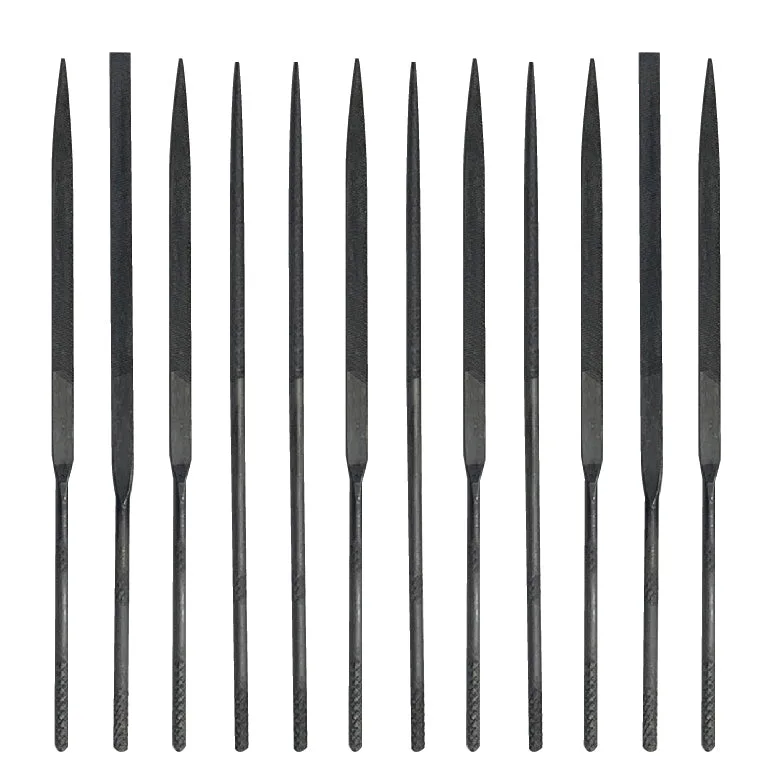
12 Piece Assorted Needle File Set
- Replace rather than restore when pitting, rounded teeth, or broken teeth are present.
- Match the file cut to the material: fine cuts for hard metals, coarser cuts for soft materials.
- Keep files separated to avoid dulling each other in storage.
Diagnosis: match the symptom to the fix
- Orange or brown speckling on the file: Rust from moisture left on carbon steel. Clean with brass brush and light oil, dry fully, then oil before storage. If pitting is visible, replace the file.
- File slides and leaves shiny marks: Teeth are clogged with soft material (pinning). Clean with a file card or brass brush; use chalk or oil to reduce future packing. If cleaning does not restore bite, check for worn teeth.
- Teeth feel smooth and file removes little material: Worn cutting edges. Confirm the file is clean first; if still dull, the teeth are rounded. Replace the file; do not press harder.
Product facts that matter for file maintenance
- 12 Piece Assorted Needle File Set: Includes a storage pouch and a large assortment of high-quality steel file styles for artists, crafters, and DIY enthusiasts. A pouch keeps files dry and separated, which directly prevents rust and tooth damage between uses.
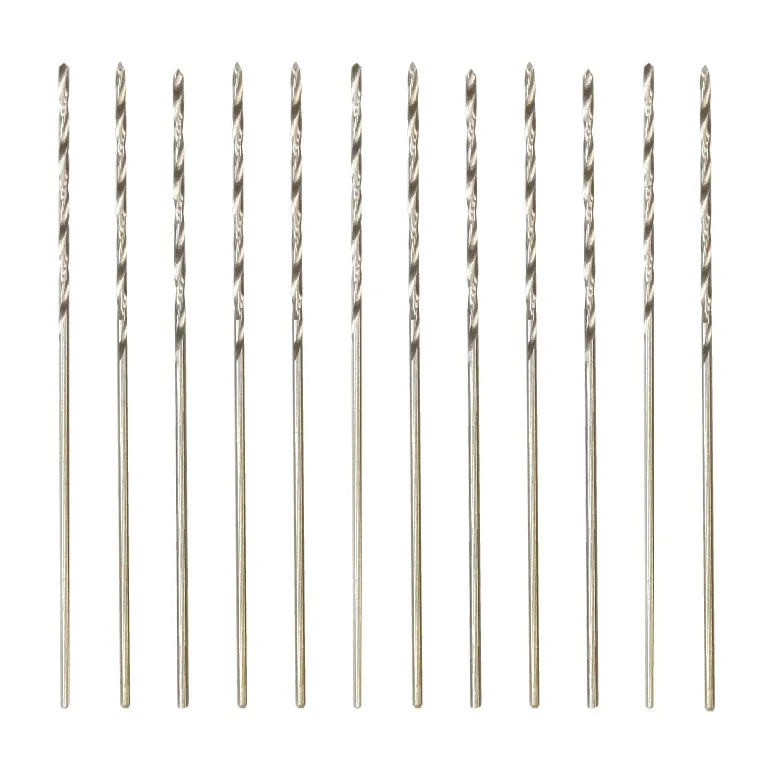
- Drills #74: Made from high-speed steel for wood, resin, and plastic, with a #74 size of 0.0225 inches (0.572mm). If your work involves drilling small holes before filing, high-speed steel bits hold up better than carbon steel and reduce the chance of breaking in delicate materials.
Most needle file problems are preventable with a dry, oiled, and clean storage routine. When rust pits the steel or the teeth wear smooth, replacement is the practical choice. Keep a spare set on hand so a dull file never forces you to compromise on precision.