Quick answer
Focus on the condition of the 72-pin connector, power and reset switches, and the overall shell integrity. A clean, tested console with a known repair history is worth the premium.
Why the 72-pin connector matters most
The NES uses a push-down loading mechanism that relies on a 72-pin connector to read game cartridges. Over time, the pins can bend or lose tension, causing the infamous blinking red light. A console with a recently replaced or refurbished connector is far more reliable than one with original, worn pins.
Model differences: top-loader vs. front-loader
The original front-loading NES (model NES-001) is the most common, but the top-loading NES-101 (released in 1993) uses a simpler slot-loading mechanism that avoids the blinking light issue. However, the top-loader lacks composite video output and has a shorter RF cable, which may affect your setup. Choose based on whether you prioritize reliability or compatibility with modern displays.
Trade-offs: original vs. refurbished
An original, untouched console may have nostalgic value but often requires immediate repair. A refurbished unit from a reputable seller like Powr Up Gaming has been cleaned, tested, and disinfected, saving you time and frustration. The trade-off is cost: refurbished consoles typically sell for a bit more, but you avoid the hassle of sourcing parts and troubleshooting.
NES console decision rules
- Check the 72-pin connector: Inspect or ask the seller: is the connector original or replaced? A worn connector is the top cause of blinking light issues. If buying a used console, factor in a potential replacement cost of $10-20.
- Test the power and reset switches: Press the power button and reset switch several times. Sticky or non-responsive switches indicate internal corrosion or worn springs. These can be replaced but add to repair time.
- Examine the shell and tray door: Look for cracks, yellowing, or broken tabs on the cartridge tray. A damaged tray may cause improper cartridge seating, leading to read errors. Minor yellowing is cosmetic; cracks can affect function. If the tray is broken, budget for a replacement part.
- Verify audio/video output: If possible, test the console with a known working game. Check for clean composite video output and clear audio. Fuzzy video or buzzing audio may indicate a failing RF modulator or capacitor issues. A console that passes this test saves you from immediate troubleshooting.
Product facts
-
Nintendo Entertainment System NES Console: Nintendo Entertainment NES Console with options for add-on modifications. All consoles/controllers are cleaned and disinfected in an UltraSonic Cleaner to ensure germ-free delivery. Thoroughly tested to ensure a well-working machine. You get a console that's been professionally cleaned and verified to work, reducing the risk of receiving a non-functional unit.
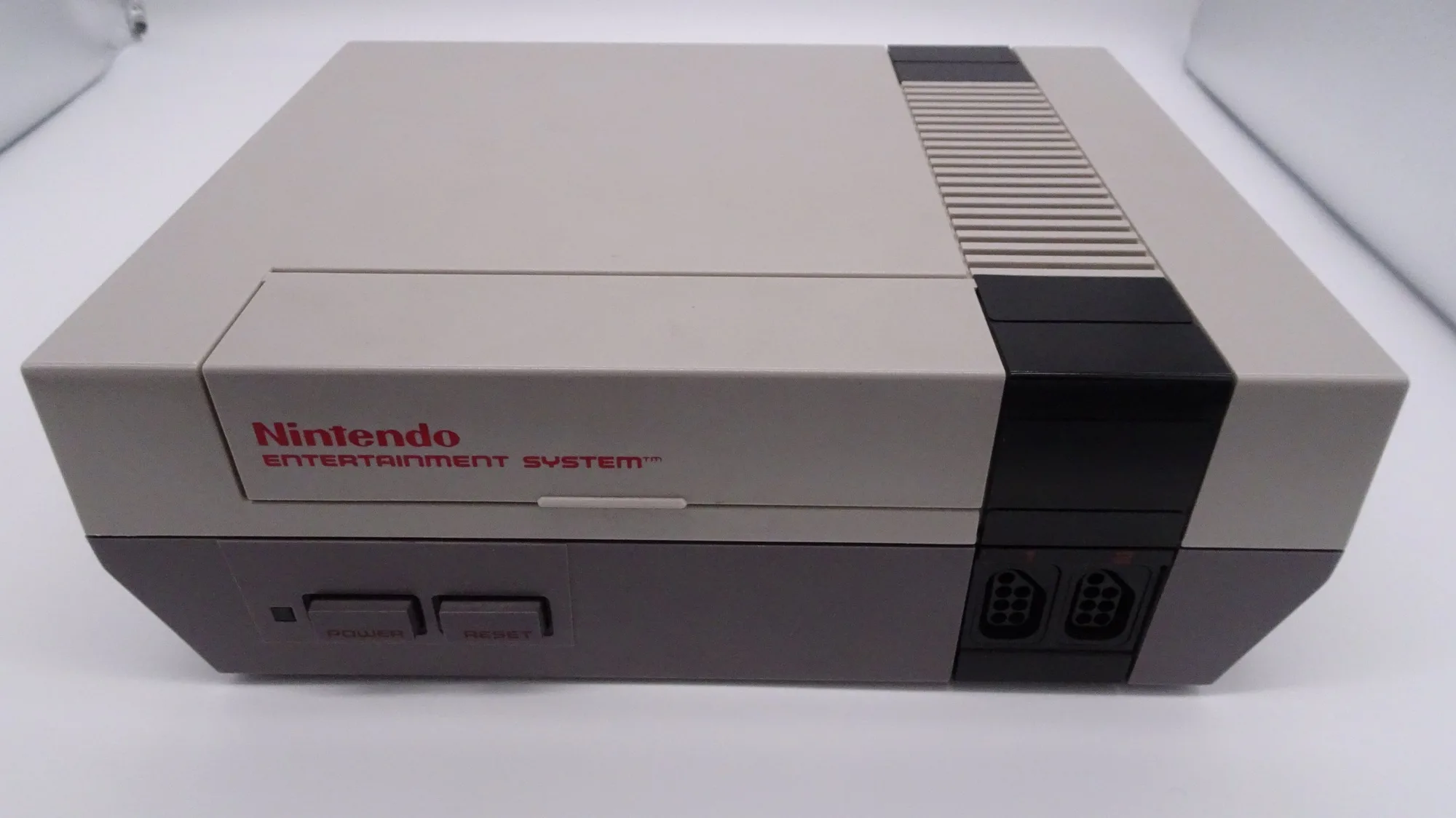
Nintendo Entertainment System NES Console
Who should buy what
Best for
- Retro gamers who want a ready-to-play NES without repairs
- Collectors who value a clean, tested console with a known service history
Not for
- DIY enthusiasts who enjoy repairing and restoring original hardware
- Budget buyers who only need a cheap, untested console as a project