Quick Answer
The NIKKOR F 85MM MICRO PCE D combines a 1:1 macro lens with tilt-shift movements, letting you control focus plane and perspective for product and detail shots. This guide walks through setup, focusing, and common pitfalls.
Why Use a Tilt-Shift Macro Lens?
Standard macro lenses give you a flat plane of focus, which can leave parts of a product or surface blurry at close distances. The tilt function tilts the lens relative to the sensor, angling the focus plane to match your subject. This keeps more of the object sharp from front to back without stopping down excessively.
The shift function moves the lens parallel to the sensor, correcting perspective distortion. For product photography, this means straight lines stay straight — useful when photographing boxes, electronics, or architectural details. The 85mm focal length provides a comfortable working distance for small to medium subjects.
Trade-Offs to Know Before Renting
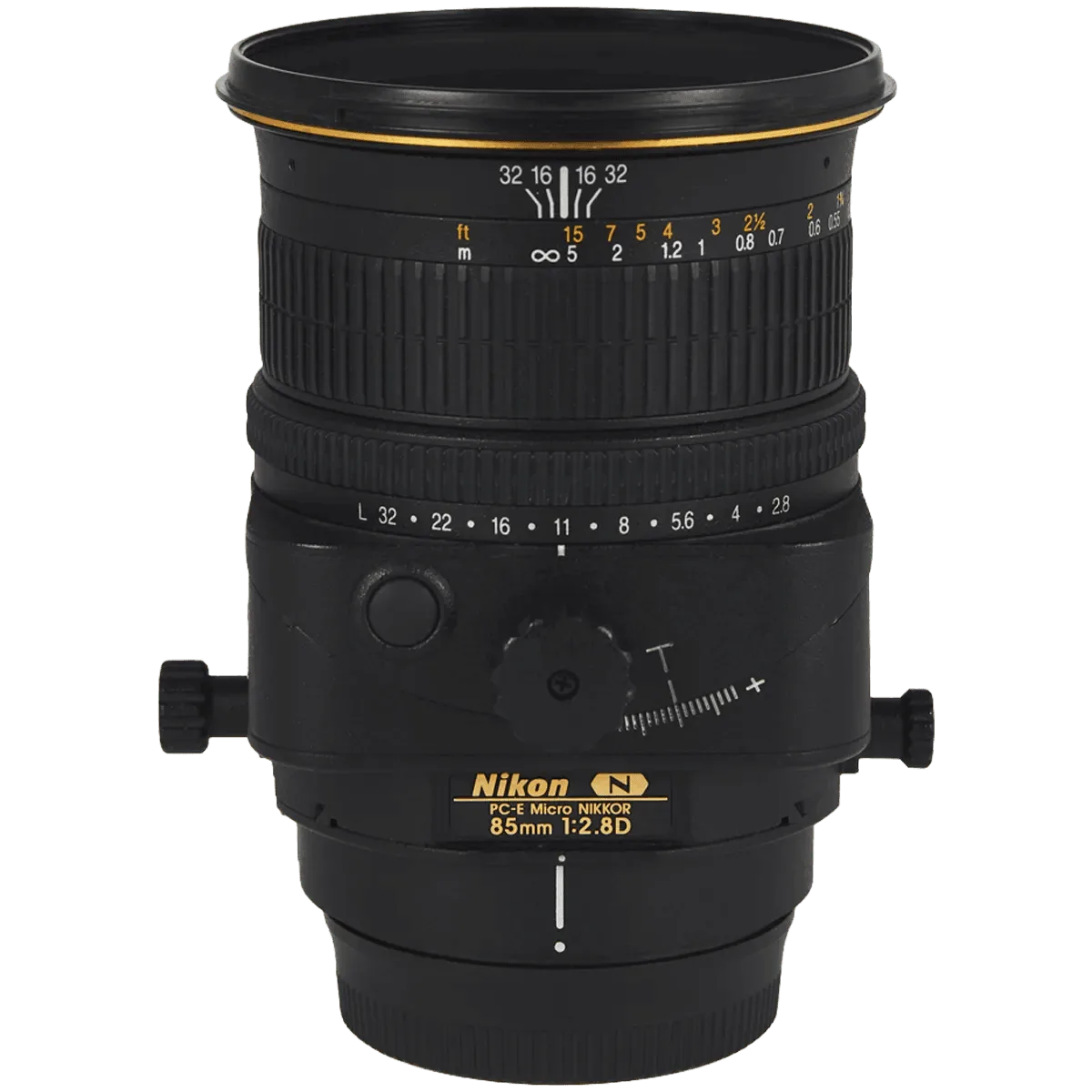
This lens is manual focus only — there is no autofocus. The tilt and shift mechanisms also require manual adjustment via knobs on the barrel. This slows down shooting but gives you precise control.
The close focus distance is 39 cm, which is good for 1:1 macro but not extreme close-ups. For very tiny subjects, you might need extension tubes. Also, the 77 mm front diameter means you'll need compatible filters or lens hoods.
How to Use the NIKKOR F 85MM MICRO PCE D for Macro and Tilt-Shift
- Mount and Set Initial Tilt/Shift to Zero: Attach the lens to your Nikon F-mount body. Rotate both the tilt and shift knobs until the indicators point to zero (neutral position). This gives you a standard macro lens to start with. Common mistake: Forgetting to zero the movements before focusing. If the lens is already tilted, your initial focus point may be off.
- Focus and Compose Without Movements: Use live view and magnify the critical area. Focus manually using the large focus ring. Compose your shot as you normally would for a macro subject. This establishes your baseline sharpness. Checkpoint: Confirm your subject is sharp at the desired aperture before adding tilt. If it's already blurry, tilt won't fix it.
- Apply Tilt to Extend Depth of Field: Loosen the tilt lock knob and tilt the lens forward or backward. Watch the focus plane shift in live view. Tilt toward the subject to bring more of a slanted surface (e.g., a product lying flat) into focus. Tighten the lock when satisfied. Common mistake: Over-tilting creates a narrow band of focus. Start with a small tilt angle (1-3°) and increase gradually.
- Use Shift to Correct Perspective: Loosen the shift lock knob and shift the lens up, down, or sideways. For product shots, shift upward to keep vertical lines straight when the camera is pointed slightly down. Tighten the lock. Checkpoint: Shift changes the image circle position — check for vignetting at extreme shifts. Stop down to f/8 or f/11 if needed.
- Refine and Shoot: Re-check focus with tilt and shift applied. Adjust aperture for desired depth of field (f/8 to f/16 is typical for product work). Use a remote shutter or self-timer to avoid shake. Take test shots and review on a large screen. Common mistake: Ignoring diffraction. At f/22 or smaller, sharpness drops noticeably on high-resolution sensors. Stay at f/11 or f/16 for best results.
Product Facts
-
NIKKOR F 85MM MICRO PCE D: This NIKKOR F 85MM MICRO PCE D has a close focus distance of 39 cm, front diameter of 77 mm, and weight of 635 g. The 39 cm close focus enables 1:1 macro reproduction, while the 77 mm filter thread allows standard polarizers or ND filters for product work.
NIKKOR F 85MM MICRO PCE D