Quick answer
The Nikon MB-D12 battery grip improves handling and battery life on your D800 or D810. This guide walks through installation, battery options, and common setup mistakes.
Why add a vertical grip to your D800 or D810?
The MB-D12 provides a secondary shutter release, command dials, and AF-ON button for vertical shooting. This reduces hand strain during portrait-oriented work and gives a more balanced feel with heavy telephoto lenses.
It also accepts either one EN-EL15 battery or eight AA batteries, effectively doubling your shooting time. For event or studio photographers, this means fewer battery swaps during a session.
Battery compatibility and trade-offs
The MB-D12 works with Nikon EN-EL15 lithium-ion batteries or AA alkaline/lithium cells via the included MS-D12 battery holder. Using AA batteries gives you a backup option when you cannot recharge, but note that AA performance varies: lithium AAs offer the best runtime, while alkaline AAs drain quickly and are not recommended for high-drain cameras like the D800/D810.
The grip does not support the newer EN-EL15b or EN-EL15c batteries with full compatibility. Stick with EN-EL15 or EN-EL15a for reliable communication and battery status display.
How to install and set up the Nikon MB-D12
- Remove the battery and contact cover: Take the EN-EL15 battery out of your D800 or D810. Slide the battery compartment cover off and store it safely. Then remove the small rubber contact cover from the camera body's terminal port. Keep the contact cover in a safe place; losing it can expose the camera's electrical contacts to dust.
- Attach the grip to the camera body: Align the MB-D12's mounting screw with the tripod socket on the camera base. Slide the grip forward until it clicks into place. Tighten the large locking knob firmly by hand—do not use tools. Overtightening can strip the plastic threads. A snug hand-tight fit is sufficient.
- Insert batteries into the grip: Open the grip's battery chamber. For EN-EL15 use, slide the battery into the BL-5 tray. For AA batteries, use the MS-D12 tray and insert eight fresh lithium or NiMH cells, observing polarity markings. Never mix battery chemistries (e.g., alkaline with NiMH). This can cause leakage or damage.
- Turn on the camera and verify connection: Power on the camera. The camera should detect the grip automatically. Check that the battery indicator shows the grip's battery level. Test the vertical shutter release button and command dials. If the grip is not recognized, remove and reattach it, ensuring the locking knob is fully tightened.
- Configure custom settings for the grip: Go to the Custom Setting menu (f6: Assign MB-D12 buttons). You can assign the vertical AF-ON button, AE-L/AF-L, and function button to your preferred actions. This is especially useful for back-button focus. Leaving buttons unassigned wastes the grip's potential. Set them to match your shooting workflow.
Product facts
-
Nikon MB-D12 Multi Power Grip D800/D810 Battery Pack: Nikon MB-D12 Multi Power Grip D800/D810 Battery Pack It adds a vertical shutter release and supports both EN-EL15 and AA batteries, giving you extended shooting flexibility without changing your camera body.
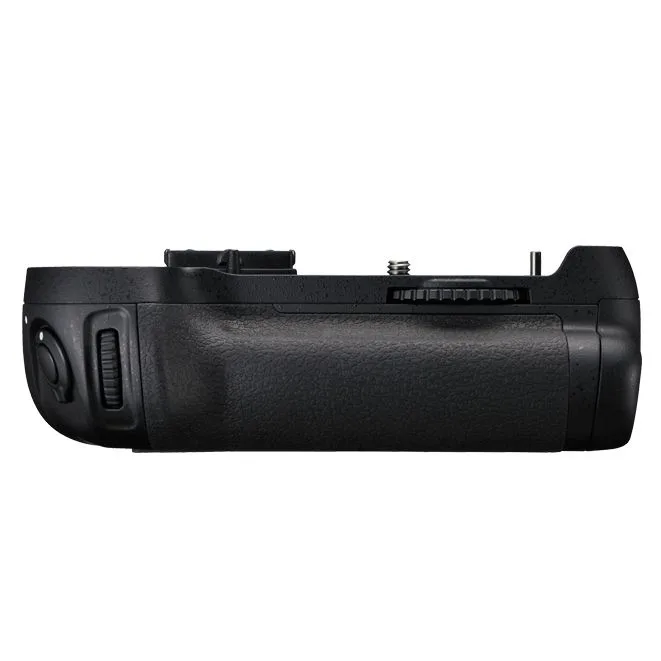
Nikon MB-D12 Multi Power Grip D800/D810 Battery Pack