Quick answer
Most nipple vibrator app connection issues are caused by Bluetooth interference, an outdated app, or the toy being in standby mode. Follow the diagnosis below to restore control quickly.
Why Bluetooth vibrators drop connection
Bluetooth signals can be blocked by walls, metal objects, or even your own body. If you're more than 10 meters from your phone or have other Bluetooth devices nearby (like headphones or smartwatches), the connection may fail.
Some app-controlled toys, including the Adjustable Nipple Vibrator with APP Control & 9 Modes, enter a deep sleep after a period of inactivity to save battery. Waking it up properly is essential before pairing.
Diagnosis steps
- Symptom: App shows 'No device found' or toy doesn't respond when you tap a mode.
- Likely cause: Toy is in standby mode, Bluetooth is off, or the app is outdated. Check that your phone's Bluetooth is on and the app has location permission (required on Android 10+).
- Corrective action: Press and hold the toy's power button for 3 seconds until the LED blinks. Open the app, tap 'Search device', and wait up to 15 seconds. If it fails, restart both the toy and the app, then try again. If the LED doesn't blink, charge the toy for 30 minutes and retry.
- Stop or choose another option: If the toy still won't pair after a full charge and reinstalling the app, the Bluetooth module may be faulty. Contact Oronova.co.uk support for a replacement. Do not attempt to open the toy yourself—it voids the warranty.
Product in focus
-
Adjustable Nipple Vibrator with APP Control & 9 Modes: Features APP control with 9 intense vibration modes and non-slip straps for discreet wear. If the app won't connect, you lose access to custom vibration patterns and remote control—so fixing the connection restores the full experience.
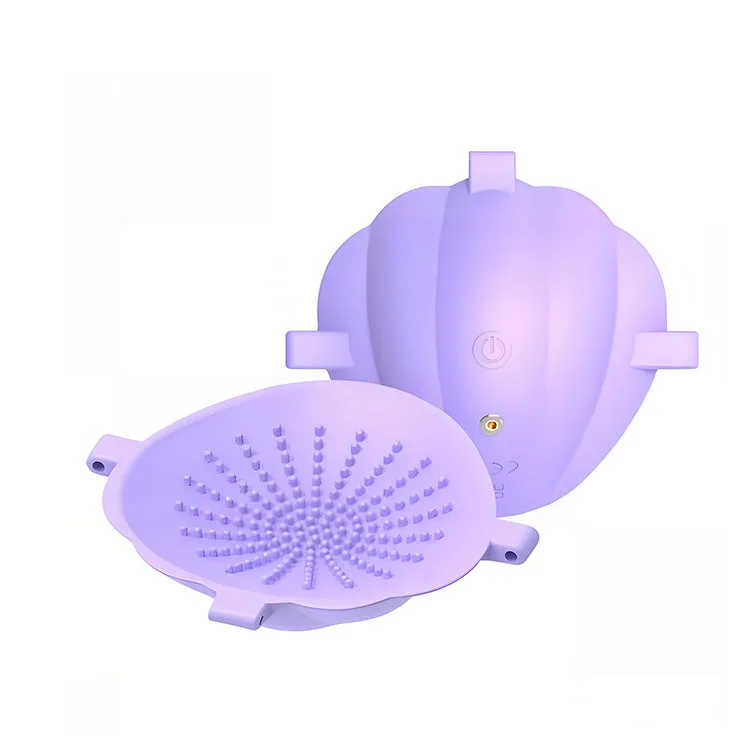
Adjustable Nipple Vibrator with APP Control & 9 Modes