Quick Answer
To set up your Nissin Air10s Commander for off-camera flash, install fresh batteries, power on the commander and your compatible Nissin flashes, set them to the same channel and group, mount the commander on your camera hot shoe, and test the radio link before shooting.
Why Radio Triggering Beats Optical
The Nissin Air10s uses 2.4 GHz radio transmission, which is more reliable than optical triggering in bright outdoor conditions or when flashes are not in line of sight. This makes it a solid choice for location shoots where you need consistent firing without worrying about sun interference or obstacles.
One trade-off is that the Air10s only works with Nissin flashes that have a built-in Air receiver or with a compatible receiver attached. If you mix brands, you'll need to check compatibility or use a different trigger system.
Step-by-Step Setup
- Install fresh batteries and power on: Insert fresh AA batteries into the Air10s Commander and press the power button. Make sure your Nissin flashes are also powered on with fully charged batteries. Weak batteries are the most common cause of intermittent triggering—replace them if you see low-battery warnings.
- Set the same channel on commander and flashes: On the Air10s, navigate to the channel setting (usually labeled CH) and select a channel number. Then set each Nissin flash to the same channel using its own menu or buttons. A common mistake is forgetting to confirm the channel on every flash—double-check each one before shooting.
- Assign groups for separate control: If you want to control flashes independently, assign each flash to a different group (A, B, C, etc.) on the flash itself. The Air10s lets you adjust power and settings per group. When using multiple groups, be careful not to accidentally change the group setting on a flash—it's easy to mix them up.
- Mount the commander on your camera: Slide the Air10s into your camera's hot shoe and tighten the locking ring. Ensure it's securely seated to avoid intermittent contact. A loose mount can cause the commander to power off or lose connection—check the fit before you start shooting.
- Test the radio link: Press the test button on the Air10s to fire the flashes. If they don't fire, check the channel, group, and that the flashes are in wireless slave mode (not just manual mode). Always do a test fire before the actual shoot to catch any misconfiguration early.
Gear You'll Need
-
Nissin Air10s Commander: The Nissin Air10s Commander is part of the TIPA award-winning 2.4 GHz radio transmission wireless flash system, offering control, flexibility, and reliability. This means you can trigger and control multiple Nissin flashes remotely without line-of-sight, making your off-camera setup faster and more dependable.
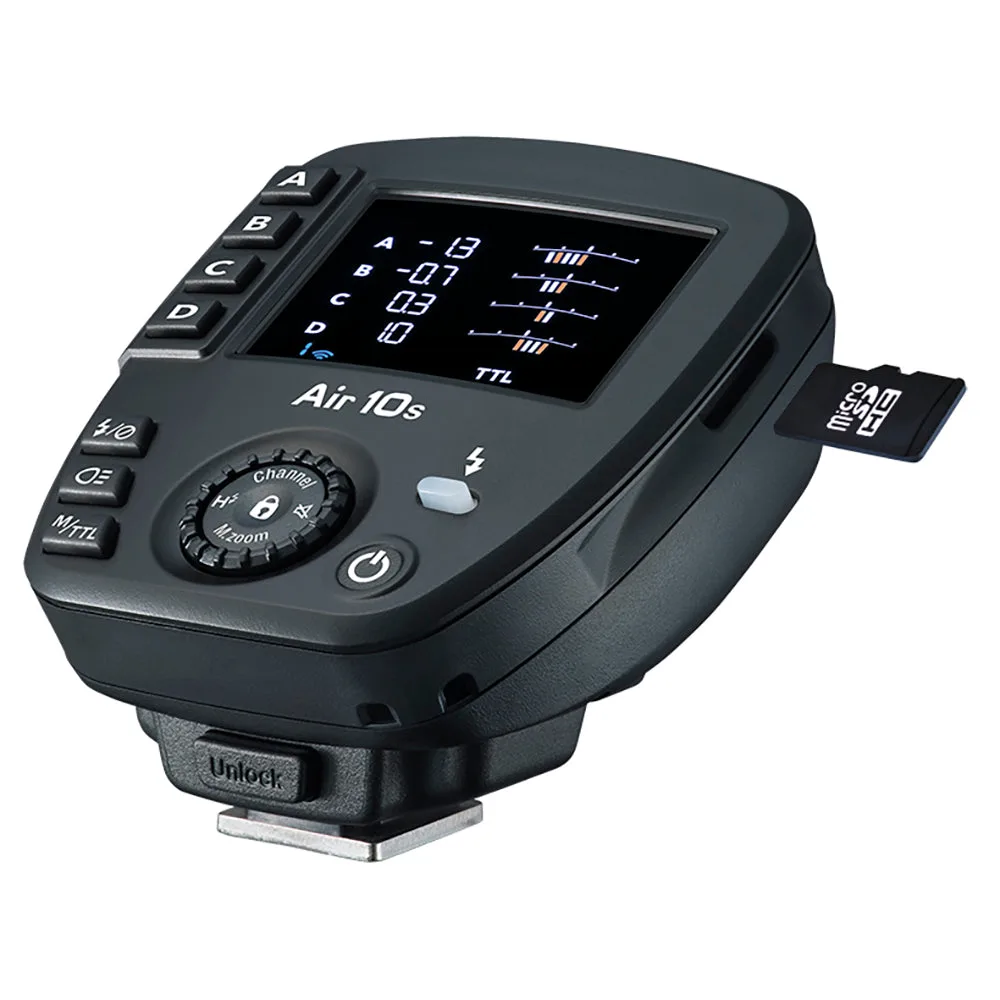
Nissin Air10s Commander


