Quick answer
The Nitro Deck Retro Purple Edition Bundle includes the zero-stick-drift handheld deck, a custom Gear Bag, and an 8-pack of retro-style Stick Tops—everything you need to upgrade your Switch or OLED model from day one.
Why this bundle saves you money
Compared to buying each item separately, the Nitro Deck Retro Purple Bundle costs $72.42—a $42.54 discount off the individual catalog prices. The Gear Bag alone is designed to fit the deck and accessories snugly, while the Stick Top 8 Pack lets you swap out thumb grips for a personalized feel without extra purchases.
What you get in the box
The bundle contains three physical items: the Nitro Deck in Retro Pink Edition (the Retro Purple variant uses the same shell design as the pink but with a purple finish), the Gear Bag with a padded interior and zippered compartments, and the Stick Top Retro Edition 8 Pack featuring colorful, textured caps. No separate charging cable or screen protector is included—the deck uses your Switch's USB-C port for power.
Compatibility note
The Nitro Deck works with both the standard Nintendo Switch and the OLED model. The Stick Top 8 Pack is designed for the deck's analog sticks and won't fit other controllers. The Gear Bag accommodates the Nitro Deck with the Joy-Con grip attached, but not a full dock.
Setup steps & decision rules
- Before you start: Remove the Joy-Con from your Switch. The Nitro Deck replaces the entire handheld grip portion.
- Insert your Switch: Slide the Switch into the deck's top opening until it clicks. The USB-C connector on the deck plugs into the console's port. Ensure the console is oriented with the screen facing you. If the screen doesn't turn on, reseat the console—it may not be fully inserted.
- Install the Stick Tops: Pull off the existing caps on the deck's analog sticks and press on the Stick Top 8 Pack caps of your choice. Each top is shaped for either the left or right stick (marked on the underside). Mix and match colors for a personal look; all caps fit securely without tools.
- Pack the Gear Bag: Fit the Nitro Deck with Stick Tops installed into the main compartment. Use the smaller zippered pocket for cables or a game card case. The bag can also hold a phone or portable charger.
- Test before long use: Play a few minutes to ensure the deck's buttons, D-pad, and analog sticks respond correctly. The zero-stick-drift design should feel precise immediately. If you feel any resistance on a stick, check that the stick top is fully seated and not rubbing against the deck shell.
Product details
-
Nitro Deck Retro Purple Edition + Gear Bag + Stick Top 8 Pack Bundle: The Nitro Deck is a professional handheld for Switch and OLED with zero stick drift, built for comfort and speed. No drift means no calibration tweaks or replacement costs over time—a big advantage over standard Joy-Con.
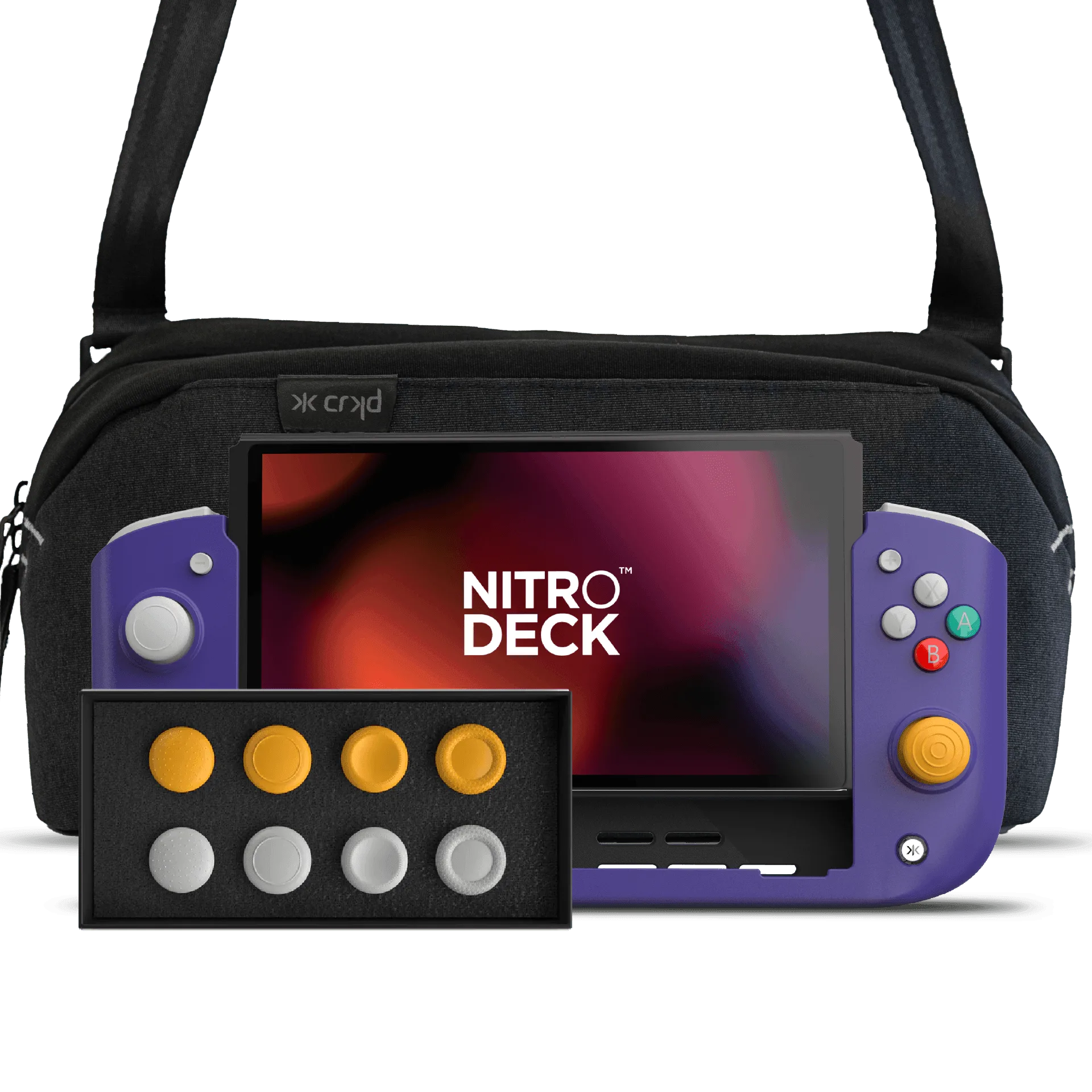
Nitro Deck Retro Purple Edition + Gear Bag + Stick Top 8 Pack Bundle
-
Nitro Deck Retro Purple Edition + Gear Bag + Stick Top 8 Pack Bundle: Bundle includes the Gear Bag designed to transport the deck and accessories. The bag protects your gear during travel and keeps cables or extra stick tops organized in separate compartments.
-
Nitro Deck Retro Purple Edition + Gear Bag + Stick Top 8 Pack Bundle: Comes with the Stick Top 8 Pack Retro Edition for customized thumb grip feel. Swapping tops changes grip height and texture, which can improve precision during long play sessions.
Who this bundle is for
Best for
- Switch owners who want a premium handheld grip with zero drift and a complete carry solution
- Gamers who enjoy customizing thumb stick feel with multiple cap options
Not for
- Players who prefer using a dock and TV mode most of the time—this deck is handheld only
- Anyone needing Joy-Con or Pro Controller replacement—the Stick Tops only work with the Nitro Deck