Quick Answer
Mount your Overwatch Pachimari Pop-Up Keychain Holder at eye level on a clean, dry wall, then hang keys or small items to trigger the playful pop-up action while keeping your essentials organized.
Why the Pop-Up Design Works for Gamers
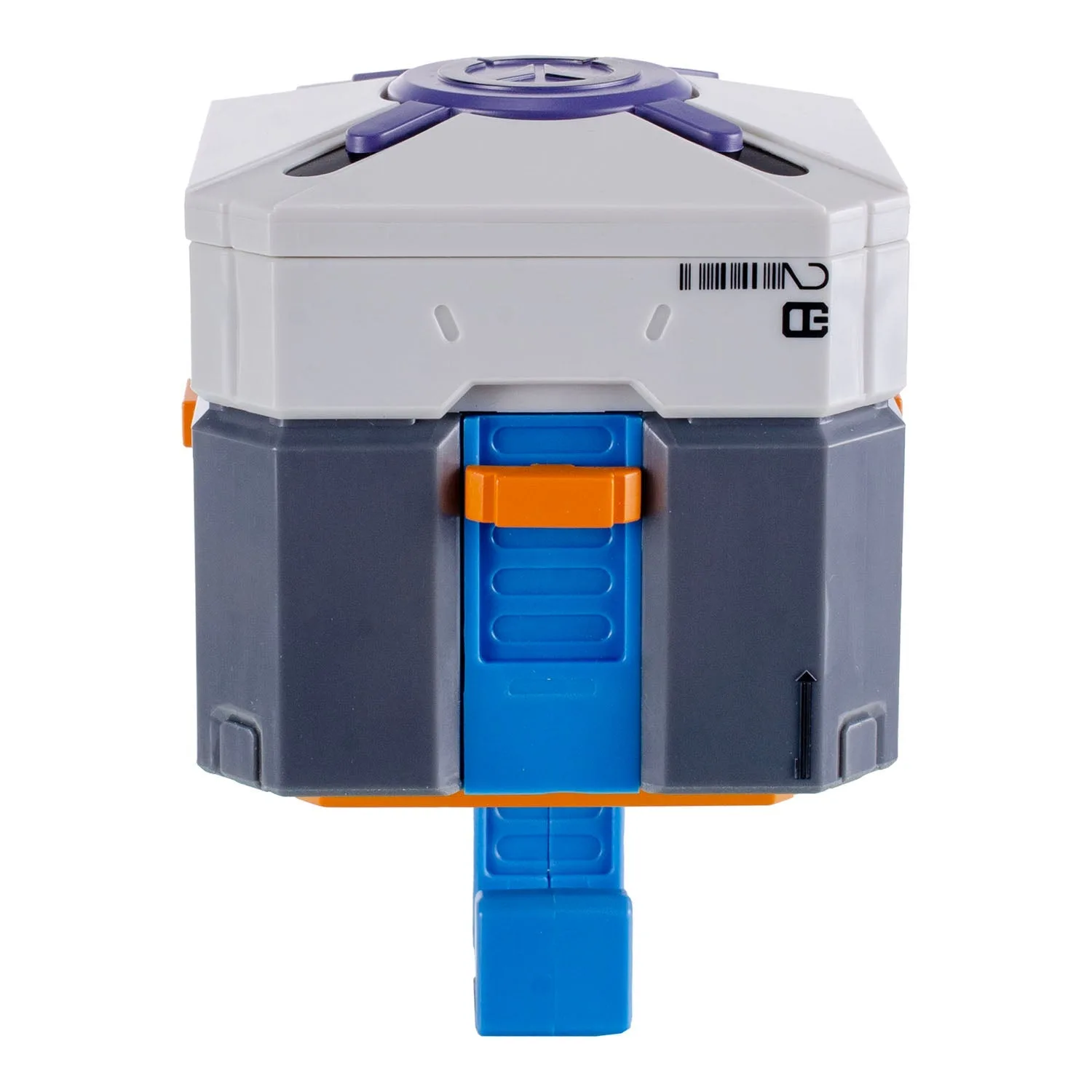
The Overwatch Pachimari Pop-Up Keychain Holder isn't just a hook—it's a small interactive display piece. When you hang a key or lanyard, Pachimari pops out of the loot box, adding a moment of delight every time you grab your keys. This makes it a natural fit for a gaming room, office, or entryway where you want both function and personality.
Because the holder is compact, it won't dominate your wall space. However, the pop-up mechanism means you should avoid overloading the hook with heavy items. Stick to keys, small bags, or lightweight lanyards to keep the action smooth and prevent wear on the spring.
Choosing the Right Location
Think about where you naturally drop your keys. Near the door, next to your desk, or beside your gaming setup are all good options. The holder needs a solid wall surface—drywall with an anchor, wood, or a sturdy cabinet side. Avoid mounting it on hollow doors or thin panels that might flex when you pull keys off.
Also consider lighting. Placing the holder where a lamp or natural light hits the loot box can make the Pachimari pop-out more visible and fun. Just keep it away from direct moisture like a bathroom or exterior door that sees rain.
Step-by-Step Setup and Display Guide
- Choose Your Mounting Spot: Select a clean, dry wall area at eye level or slightly lower. Use a stud finder or wall anchors for drywall to ensure the holder stays secure when you pull keys off. A common mistake is mounting too high or on a hollow surface—keys should be easy to grab without stretching.
- Mark and Drill Pilot Holes: Hold the holder against the wall and mark the screw holes with a pencil. Drill pilot holes slightly smaller than your wall anchors, then insert the anchors flush with the wall surface. Skipping pilot holes can crack drywall or strip the screws—take the extra minute to drill.
- Attach the Holder and Test the Pop-Up: Screw the holder onto the wall, making sure it's level. Hang a key or small item from the hook and watch Pachimari pop out. If the action is stiff, check that the screws aren't overtightened and that the hook isn't blocked by the wall. If Pachimari doesn't pop smoothly, loosen the screws slightly or reposition the hook—overtightening can bind the mechanism.
- Organize Your Keys and Accessories: Use the hook for your most-used keys, a small lanyard, or a lightweight bag. Keep heavy keychains or multiple sets off the hook to preserve the pop-up action and avoid damaging the spring. Limit to one or two light items—overloading will make the pop-up sluggish and could break the mechanism over time.
- Style the Surrounding Area: Place the holder near other Overwatch or gaming collectibles, like a small Funko Pop or a desk lamp, to create a themed vignette. Avoid crowding it with clutter so the pop-up remains the focal point. A clean backdrop helps the loot box design stand out—don't hide it behind cables or stacks of papers.
Product Facts
-
Overwatch Pachimari Pop-Up Keychain Holder: The Overwatch Pachimari Pop Up Key Hook is an interactive wall hook inspired by the lovable Pachimari, designed to pop out of a loot box when you hang keys or small items. This means the holder doubles as a small decorative piece that rewards you every time you use it, making daily organization feel more playful.
Overwatch Pachimari Pop-Up Keychain Holder