Quick answer
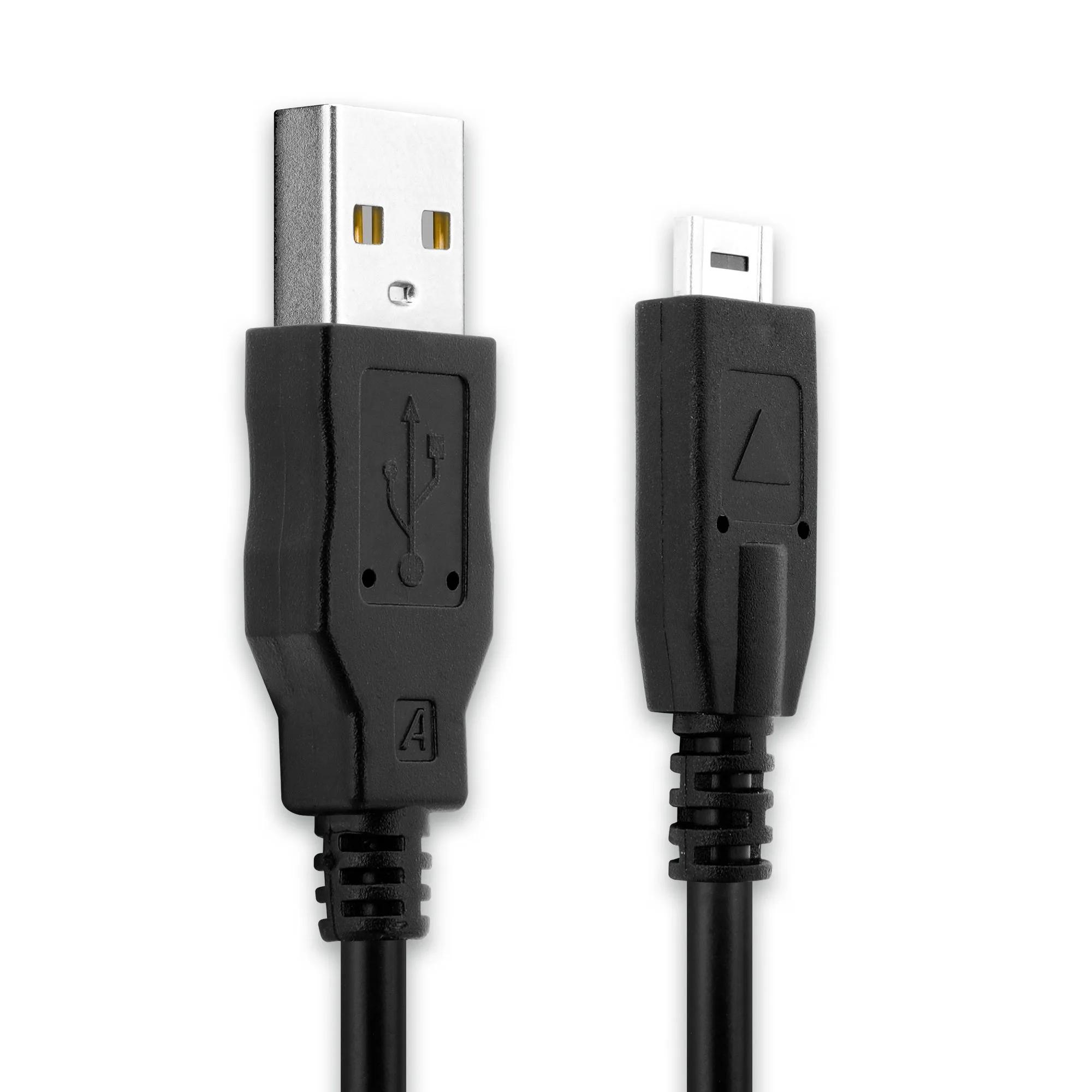
For Panasonic Lumix cameras like the TZ7, GH2, and FZ100, you need a 14-pin to USB-A cable to charge the battery and transfer photos. The CELLONI 1.5m cable is a reliable option with a 3-year warranty.
Why a 14-pin connector?
Panasonic Lumix cameras from the late 2000s and early 2010s use a proprietary 14-pin port that combines charging and data transfer. A standard micro-USB or USB-C cable won't fit. The 14-pin to USB-A cable is the only direct way to connect these cameras to a computer or USB wall charger.
Some third-party cables may have a different pin layout or lack data transfer capability. Always check that the cable explicitly supports both charging and data sync for your model.
Compatible camera models
This cable works with Panasonic Lumix DMC-TZ7, DMC-GH2, DMC-FZ100, and many other models that share the same 14-pin port. If you own a different Lumix camera, verify the port shape before purchasing.
The 1.5m length gives you enough reach from a wall outlet or computer port without excess cable clutter.
How to connect and use your 14-pin to USB-A cable
- Turn off the camera: Always power down the camera before connecting or disconnecting the cable. Connecting a live camera can cause data errors or port damage. A common mistake is plugging in while the camera is on. Turn it off first.
- Insert the 14-pin connector firmly: Align the 14-pin plug with the camera's port. It should slide in without force. If it resists, check the orientation. Do not twist or push hard. Forcing the connector can bend pins. If it doesn't fit, flip the plug.
- Connect the USB-A end to a power source or computer: For charging, plug into a USB wall adapter (5V, 1A or higher). For data transfer, plug into a computer USB port. The camera may show a USB icon on its screen. Low-power USB ports (like some keyboard ports) may not charge the camera. Use a wall charger for reliable charging.
- Select the correct USB mode on the camera: When connected to a computer, the camera may prompt you to choose between 'PC Connect' (data transfer) and 'PictBridge' (printing). Select 'PC Connect' to access photos. If the computer doesn't recognize the camera, check that you selected the right mode on the camera's menu.
- Safely eject before disconnecting: On a computer, use the 'Safely Remove Hardware' option before unplugging the cable. This prevents file corruption on the memory card. Unplugging during file transfer can corrupt images. Always eject first.
Product facts
-
14 Pin Connector naar USB A camerakabel voor Panasonic Lumix DMC-TZ7, DMC-GH2, DMC-FZ100 snellaad-datakabel K1HY08YY0031, zwart, PVC, 1.5m van CELLONI: 1.5m 14 Pin Connector naar USB A Oplaad- en Datakabel voor Panasonic Camera’s – 3 Jaar Garantie – Snelle Levering The 3-year warranty provides peace of mind, and the 1.5m length is practical for desktop charging or tethered shooting.
14 Pin Connector naar USB A camerakabel voor Panasonic Lumix DMC-TZ7, DMC-GH2, DMC-FZ100 snellaad-datakabel K1HY08YY0031, zwart, PVC, 1.5m van CELLONI