Quick answer
A USB to 2.1mm jack cable with a built-in DC-DC step-up converter lets you power 12V electronics from any standard USB port or charger. This guide walks you through the setup and key considerations.
Why use a USB step-up cable for 12V projects?
Many hobby projects—like Arduino-based relays, LED strips, or small pumps—require 12V DC but are often tested near a computer. A dedicated bench supply works, but a USB to 2.1mm jack step-up cable is far more portable. It converts the 5V from any USB port to 12V, so you can power your project from a laptop, power bank, or USB mains charger.
The trade-off is current. USB 2.0 ports supply up to 500 mA, USB 3.0 up to 900 mA, and a dedicated USB charger can deliver 2.1A or more. After the step-up conversion, the available 12V current will be roughly (USB voltage × USB current) / 12V, minus conversion losses. For a 2.1A USB source, expect about 800 mA at 12V. That's enough for many sensors and logic circuits, but not for high-power motors or heaters.
When to pick a regulated multi-voltage adaptor instead
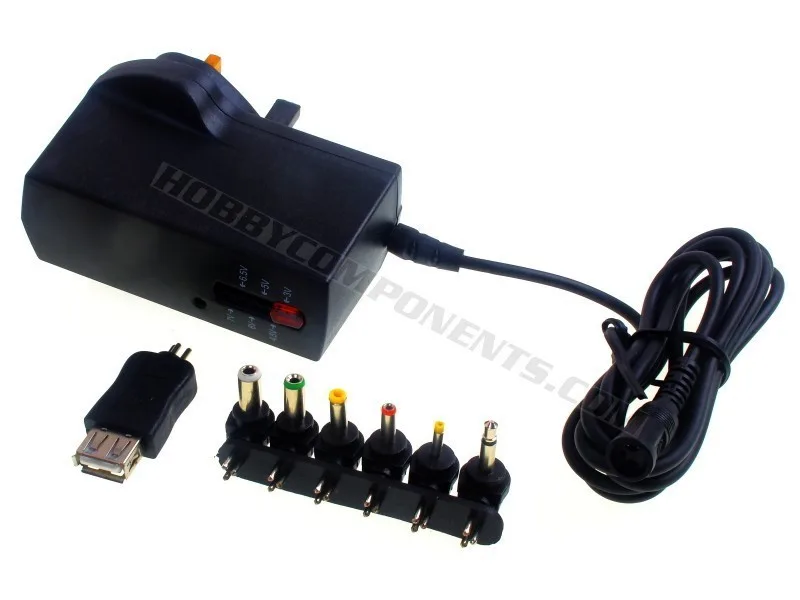
If your project needs more than 800 mA at 12V, or if you need multiple voltages (e.g., 3.3V, 5V, and 12V) from one supply, a regulated AC/DC adaptor like the 2500mA Regulated AC/DC Multi-Voltage Adaptor with USB is a better fit. It plugs into the wall, provides up to 2.5A, and includes interchangeable output plugs plus a USB female port. The downside is size and the need for a mains outlet—it's not USB-portable.
How to power your project with a USB to 12V step-up cable
- Check your project's current draw at 12V: Measure or look up the maximum current your project needs at 12V. The step-up cable can supply roughly 800 mA when powered by a 2.1A USB charger, or less from a computer port. If your project draws more than 800 mA, consider a regulated AC/DC adaptor instead.
- Choose a USB power source that can deliver enough current: A standard laptop USB port may limit to 500 mA. Use a USB mains charger rated at least 2A (like the Compact USB Mains Charger 2.1A) to get the full output from the step-up cable. Using an underpowered USB port will cause the output voltage to drop or the device to shut down.
- Connect the cable: USB end to source, 2.1mm jack to your project: Plug the USB-A connector into your power source. Insert the 2.1mm barrel jack into your project's power input. Ensure the center pin is positive (most common for 2.1mm jacks). Double-check polarity before connecting—reversing it can damage your circuit.
- Verify output voltage with a multimeter: Measure the voltage at the 2.1mm jack terminals. It should be close to 12V. If it's significantly lower, the USB source may be current-limited or the cable may be faulty. Always test without your project connected first to avoid powering a circuit with an incorrect voltage.
- Power on your project and monitor for stability: Once confirmed, connect your project and watch for unexpected resets or dim LEDs, which indicate the power source is being overloaded. If the project behaves erratically, switch to a higher-current USB charger or a regulated AC/DC adaptor.
Related products
-
USB to 2.1mm Jack cable with 12V DC-DC step-up PSU: Built-in DC-DC step-up converter raises 5V USB to 12V at the 2.1mm jack. Lets you power 12V breadboard projects directly from a laptop, power bank, or USB charger without a separate bench supply.
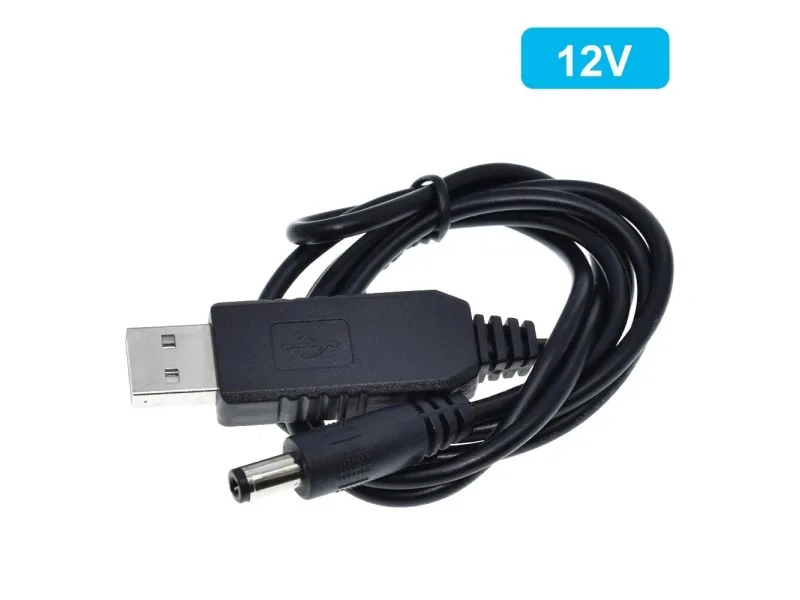
USB to 2.1mm Jack cable with 12V DC-DC step-up PSU
-
Compact USB Mains Charger 2.1A: Compact USB mains charger rated at 2.1A output. Pairs with the step-up cable to deliver up to ~800 mA at 12V from a wall outlet, more than a standard USB port can provide.
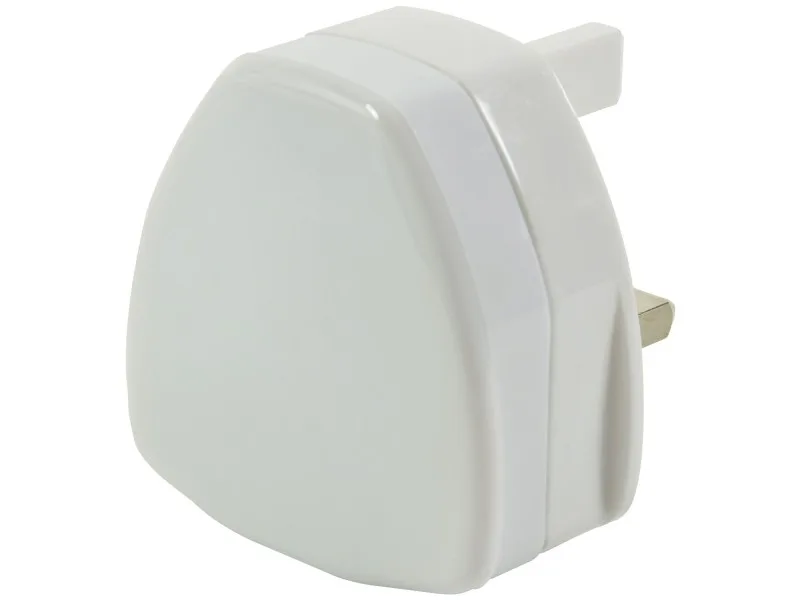
Compact USB Mains Charger 2.1A
-
2500mA Regulated AC/DC Multi-Voltage Adaptor with USB: Regulated AC/DC supply with 6 interchangeable plugs and a USB female adaptor; supports 3V–7V DC plus USB output. A better choice when you need higher current (2.5A max) or multiple voltages for a project that doesn't run off USB.