Quick answer
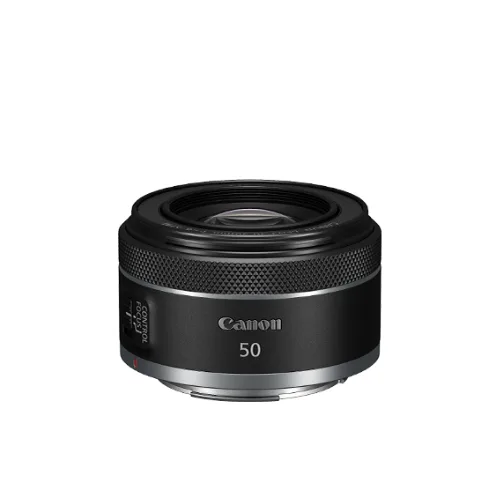
To get the most from the RF50mm f/1.8 STM, start by setting your camera to Aperture Priority (Av) at f/1.8 for low light, then stop down to f/2.8–f/4 for sharper everyday shots. Use single-point autofocus and get closer to your subject to take advantage of the lens's compact size and 0.25x macro magnification.
Why the RF50mm f/1.8 STM Works for Everyday Photography
The RF50mm f/1.8 STM is a lightweight, compact prime that covers a natural field of view, making it ideal for daily carry. Its large f/1.8 aperture lets you shoot in low light without pushing ISO too high, and it can create soft background blur for portraits. The 0.25x macro magnification means you can also capture small details, from flowers to food, without switching lenses.
Step 1: Set Up Your Camera for the RF50mm f/1.8 STM
Mount the lens and set your camera to Aperture Priority (Av) mode. Choose f/1.8 for the brightest view and shallowest depth of field. If you prefer more control, use Manual mode and adjust shutter speed and ISO. Enable autofocus (AF) and set the drive mode to single shot for still subjects. For moving subjects, switch to continuous AF. Ensure your image stabilizer is on if your camera body has it; the lens itself does not have IS, so a steady hand or faster shutter speed helps.
Step 2: Master Focus for Sharp Results
The RF50mm f/1.8 STM uses an STM stepping motor, which is smooth and quiet for both stills and video. For stills, use single-point AF and place the point over your subject's eye or the area you want sharpest. At f/1.8, depth of field is very shallow, so even slight movement can cause blur. If your subject is static, focus and recompose carefully, or use touch-and-drag AF if your camera supports it. For close-up shots at 0.25x magnification, switch to macro mode if available and focus manually for precision.
Step 3: Choose the Right Aperture for the Scene
While f/1.8 is great for low light and subject separation, it can be too shallow for group shots or landscapes. Stop down to f/2.8 or f/4 for a balance of background blur and sharpness. For landscapes or architecture, use f/5.6 to f/8 to ensure front-to-back sharpness. Test your lens at different apertures to find its sweet spot; many primes are sharpest two stops from wide open.
Step 4: Compose with the 50mm Perspective
A 50mm lens on a full-frame camera gives a field of view similar to human vision, which makes it versatile for street, portrait, and documentary photography. On APS-C cameras, it acts like an 80mm lens, ideal for portraits. To fill the frame, move closer rather than zooming. Use the shallow depth of field to isolate your subject by placing them against a distant background. For environmental portraits, include context by stepping back and using a smaller aperture.
Step 5: Shoot in Low Light Without a Tripod
The f/1.8 aperture allows you to shoot in dim conditions. To avoid blur, use a shutter speed of at least 1/60s for static subjects, and faster for moving ones. Increase ISO as needed; modern cameras handle high ISO well. If you need more stability, brace your elbows against your body or find a wall to lean on. For very low light, consider a faster shutter speed and slightly higher ISO rather than risking motion blur.
Step-by-Step Workflow for Everyday Shooting
- Set aperture to f/1.8 for low light: Switch to Av mode and select f/1.8. This lets in maximum light and creates a blurred background. Check that your shutter speed is at least 1/60s to avoid blur.
- Use single-point AF for precise focus: Place the AF point over your subject's eye or the key detail. Half-press to focus, then recompose if needed. For moving subjects, switch to continuous AF and track them.
- Stop down for group shots or landscapes: Change to f/4 or f/5.6 to increase depth of field so more of the scene is sharp. Test different apertures to find the sharpest setting for your lens.
- Get closer for macro-style shots: Move in until the lens focuses at its minimum distance (0.25x magnification) to capture small details. Use manual focus for critical close-ups to ensure the exact spot is sharp.
- Adjust ISO to maintain shutter speed: In low light, raise ISO until your shutter speed is fast enough to freeze motion or avoid camera shake. Don't be afraid to use ISO 1600 or higher; noise is preferable to blur.
Product Facts
- RF50mm f/1.8 STM: Large Aperture of f/1.8, Lightweight & Compact, 0.25x Macro Magnification The f/1.8 aperture enables low-light shooting and shallow depth of field; the compact size makes it easy to carry daily; and the 0.25x macro magnification lets you capture close-up details without a dedicated macro lens.